Documentation /Events and dates
Event pages and custom fields
Eventnetic keeps what an event sells: its dates, tickets, places and bookings. What a visitor reads about it lives on its event page, and that page belongs to WordPress, so your theme, your page builder and their plugins can work with it like any other post.
What an event page is
When you save a new event with Create a new page chosen on its Public page tab, Eventnetic makes an event post: a post of its own type, not a WordPress page.
- Edit page on the Public page tab opens it in the WordPress editor. Write the long description there, set an excerpt for cards and listings, change the featured image (it starts as the event's cover) and add tags.
- It starts with the booking form on it. Keep the form, or the block, wherever you lay the page out.
- It uses your theme's page layout, so it shows no posting date, author or links to the previous and next post. A template your theme or page builder has for event posts takes over.
- It is not in Pages. You reach it through its event.
Events made before 1.6.0 keep the pages they had.
Its address and name
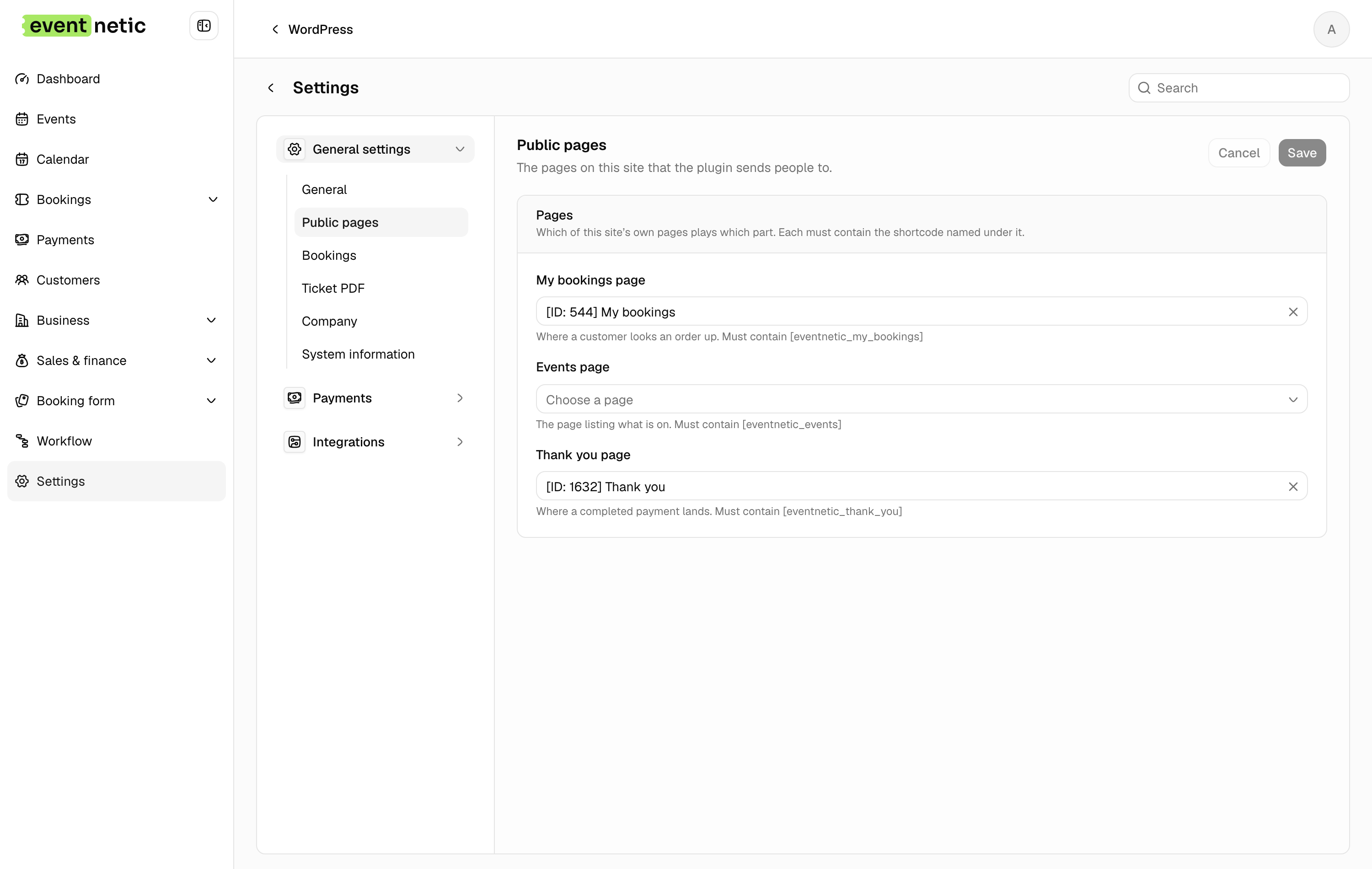
Settings → General settings → Public pages → Event pages sets both. The
address is /event/… by default, or /booking/… where another plugin, such as
The Events Calendar, already holds /event/. The name is what WordPress and
page builders call your events: Workshops, Classes, Tours.
One design for every event
Because every event page is the same post type, one template can lay them all out:
- Bricks: a template of the Single type, with the condition Post type set to your events.
- Elementor Pro: Theme Builder → Single, with the same condition.
- A block theme: the Site Editor offers a template for the post type.
A query loop over the post type lists events, and with event fields you can sort and filter it, for example to show only featured events.
Event fields
Pro, on every paid plan. Fields of your own that every event carries: a speaker, a level, a featured flag, a link to a map.
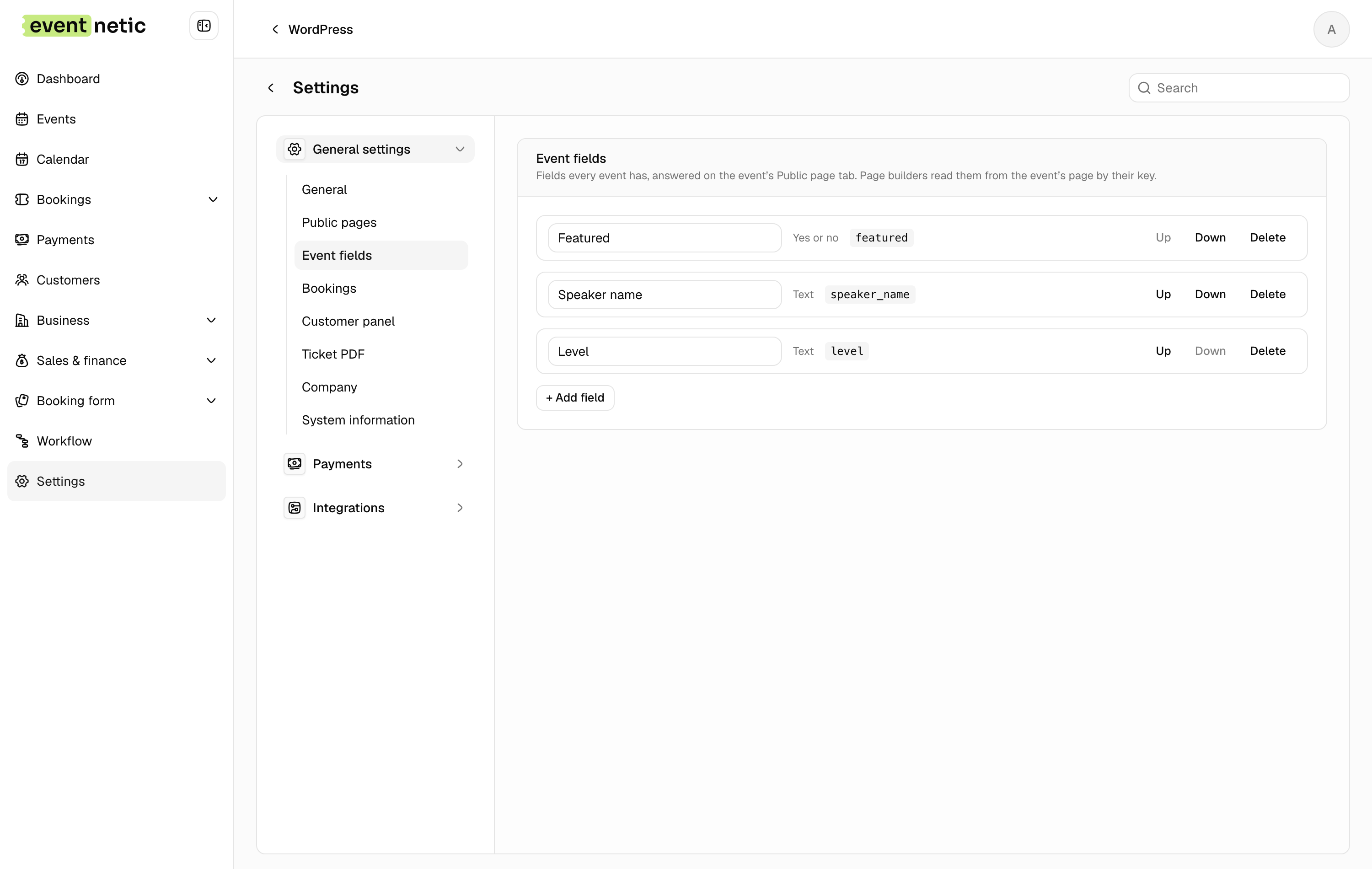
Settings → General settings → Event fields is where you make them. + Add
field asks for a name and a type: Text, Long text, Number,
Link, Date or Yes or no. Each field gets a key from its name,
Speaker name becomes speaker_name, and the key never changes, so templates
built on it keep working. The same screen renames, orders and deletes fields;
deleting one removes its answers from every event.
Each event answers them on its Public page tab, under Custom fields, while its page is one Eventnetic made. A page of your own is not written to: it may hold more than one event.
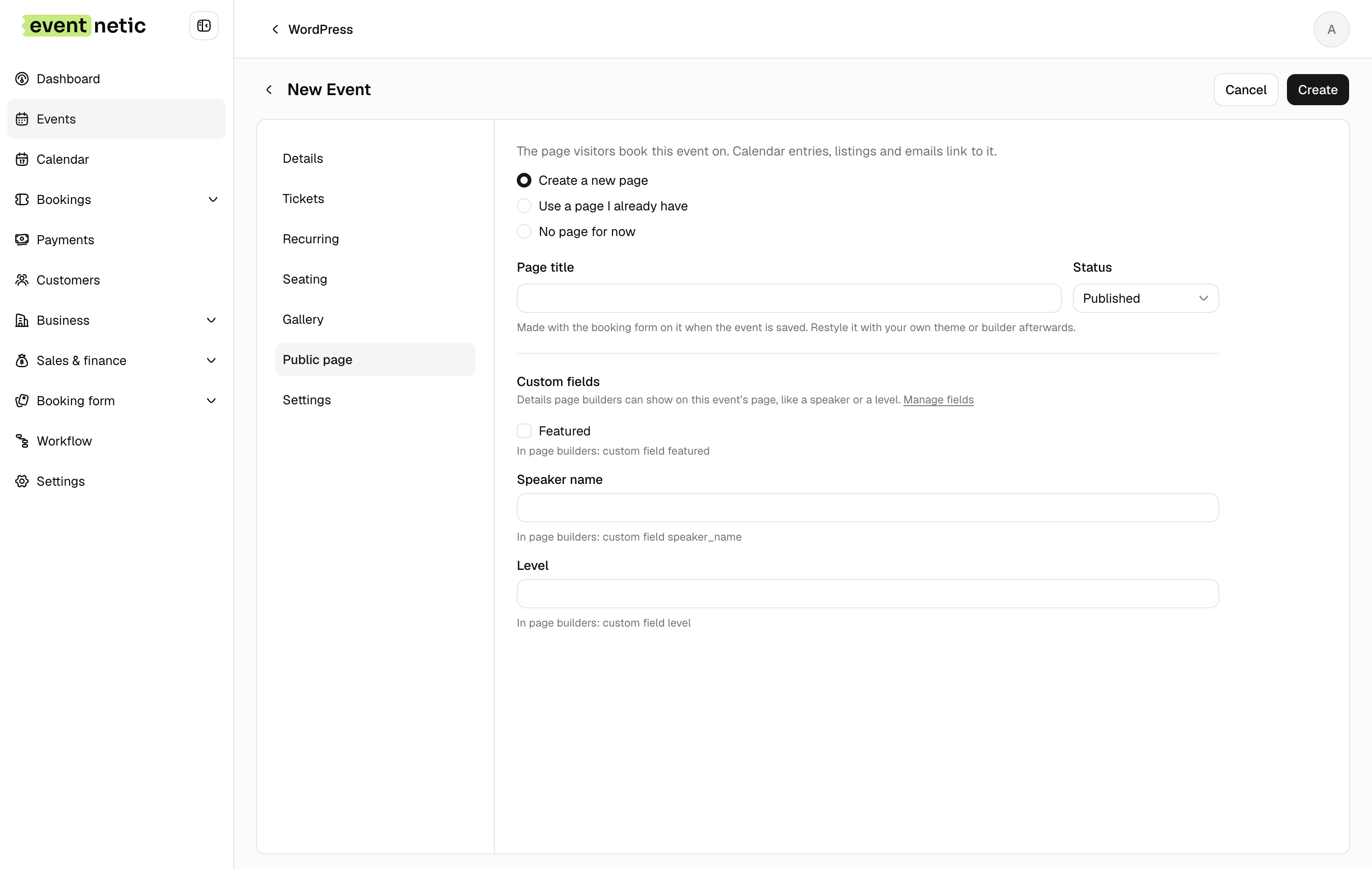
The answers are saved with the event and copied onto its event page as custom fields, under their keys. That is what makes them usable everywhere:
| Where | How to use speaker_ |
|---|---|
| Bricks | {cf_ |
| Elementor Pro | Dynamic tag Post Custom Field, key speaker_ |
| A query loop | Sort or filter by the custom field speaker_ |
| Workflow messages | {event_, see Placeholders |
| The REST API | addons. on one event, see the REST API |