Documentation /Bookings
Waiting list
When the last place on a date goes, the booking form does not just say sold out. It offers to take a name. When somebody cancels, the place is offered to the person at the front of the queue and held for them, so they do not arrive to find it already gone.
The waiting list is in the Pro and Elite plans.
Turning it on
Every event keeps a waiting list unless you say otherwise: selling out is the moment a queue is worth having. To switch it off for one event, open the event, go to the Settings tab and turn off Keep a waiting list.
Set up the message first
The offer only works if it reaches the person, and it is a workflow that sends it. Go to Workflow and add one on the trigger A waiting list place is offered. It is addressed to the person waiting, not to a customer, because there is no booking yet. Put the Claim link and the Offer expires placeholders in the message:
Hi {waitlist_name},

A place has come free for {event_title} on {event_date}.
It is held for you until {waitlist_expires_at}:
{waitlist_claim_url}
Without this workflow people can still join the list, but nobody is told when a place comes free.
What the visitor sees
A date that is sold out shows Join the waiting list under it. So does a package that is sold out, such as a course that is full: the visitor then waits for the package, and is offered it only when there is room on every date it covers.
The form asks for First name, Last name, Email, Phone and Places wanted. After joining, it shows their position. Joining twice with the same email does not take a second place in the queue.
How places are offered
A place comes free when a booking is cancelled or cut down, or when you give a date more seats. Eventnetic then makes as many offers as there are free places, and no more. Three cancellations tell three people, not the whole list.
- Each offer holds the place for 24 hours. Nobody else can buy it in that time.
- The claim link opens the booking form with the date already chosen and says how long is left: Held for you, 23:41 left to finish.
- Somebody who wants four places while only two are free is passed over, but keeps their position. The next cancellation may suit them.
- An offer that runs out is marked Missed, and the place goes to the next in line. The person stays on the list, behind everybody who has not had an offer yet.
A cancellation is offered on at once. Everything else is caught by a background task that looks for free places every five minutes. It runs on WordPress cron: see Install and activate for how to check that background tasks run.
The list in the admin
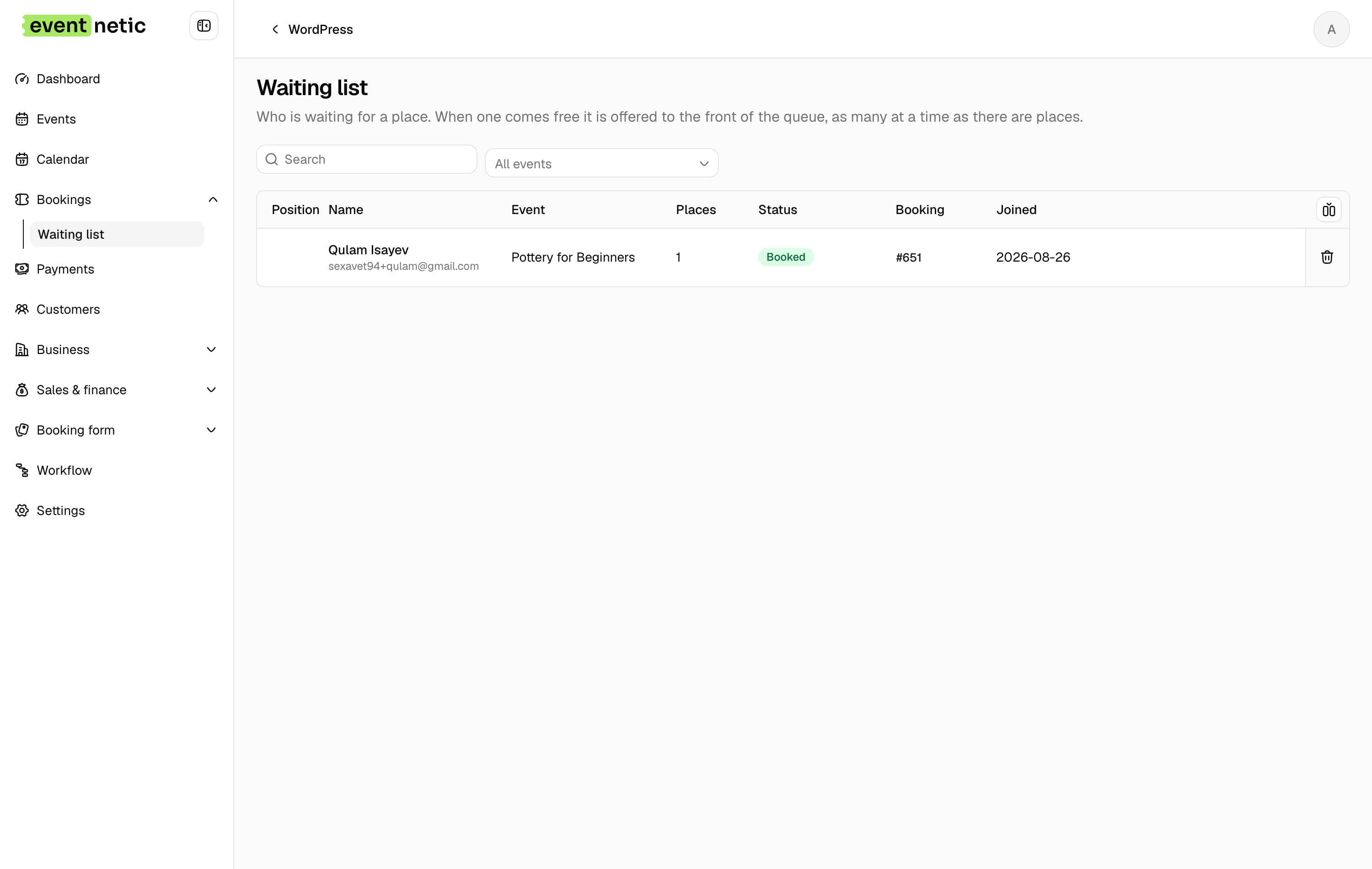
Bookings → Waiting list shows everybody, for every event or for the one you choose. Each row has the Position, Name, Event, the Places wanted, the Status and when they Joined.
| Status | |
|---|---|
| Waiting | In the queue |
| Offered | A place is held for them, until the time shown |
| Booked | They took it; the row links to the booking |
| Missed | The offer ran out; they are still in the queue |
| Left | They took themselves off the list |
Offer free places now makes the offers straight away, rather than waiting for the next background run. Remove takes somebody off the list; joining again puts them at the back.