Documentation /Bookings
The door list
Bookings are orders. On the night you do not want orders, you want people. That is the door list: Bookings → Attendees in the menu.
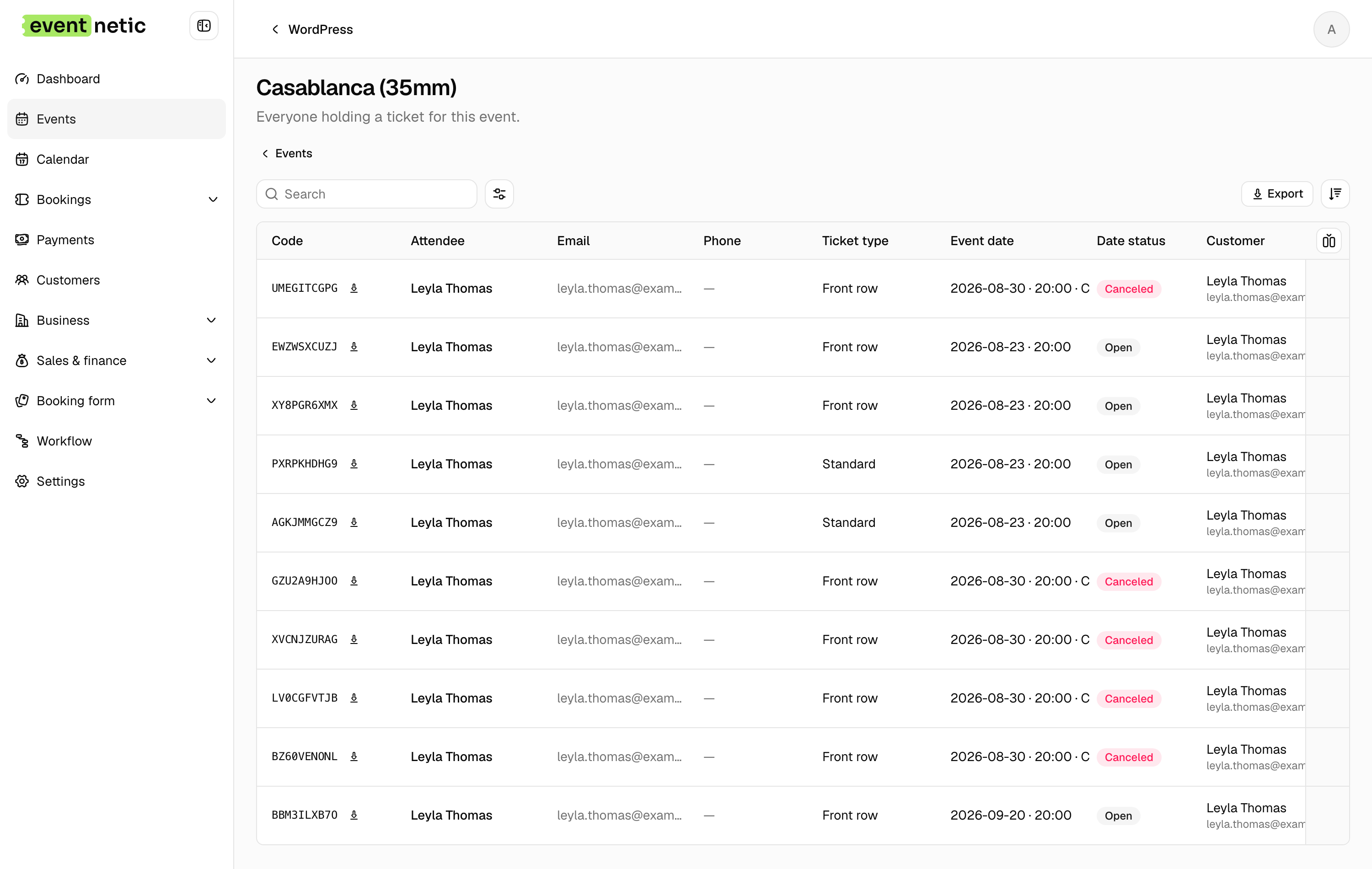
Opening it
The door list opens on the event and the date that is on now, or the next one coming. Whoever is at the door gets tonight's list without choosing anything. To look at another one, pick it with Event at the top.
The event and the date are kept in the page's address, so a reload, or a link sent to a colleague on the door, lands on the same list.
You can also reach it from an event: Attendees in the row menu of the Events screen opens the list for that event.
The columns
Attendee, Email, Phone, Ticket type, Code, Event date, Date status, Check-in, Checked in at, Customer, Booking, Booking status, Booked at.
On paid plans a Custom answers column joins them, carrying whatever your form asked, and on an event that sells extras per attendee, an Extras column with what each person ordered.
Every row is one seat on one date. A booking for four is four rows, four codes, and four separate check-ins, which is what lets a group arrive in twos. A course of eight evenings puts the same person on the list of each of its dates.
What you can do
Check in : In the toolbar. Opens the scanner: scan a ticket or type its code. See Checking people in.
Check in / Checked in on a row : Admits that seat on that row's date. You are asked first, so a slip of the mouse does not let somebody in, and whether to send the messages set up for an arrival. The time is recorded and shown in Checked in at.
Ticket PDF : The ticket for that seat, if you need to reprint one.
Export : A CSV of the door list as filtered:
Code, First name, Last name, Email, Phone, Ticket type, Event date,
Date status, Customer, Customer email, Booking, Booked at, Checked in at
Printed and taken to the door, that file is a paper fallback for the night the wifi fails.
Search and filters
Search finds a name, an email, a phone number or a code. The filters narrow the list by Event date, Date status, Ticket type and Check-in status: Not checked in on tonight's date is the list of who has not arrived yet.
A cancelled date is still listed, marked as cancelled, so you can see who was booked on the night that is not happening.