Documentation /Getting started
Install and activate
Install the free plugin
- Download the plugin zip from your account.
- In WordPress go to Plugins → Add New → Upload Plugin.
- Choose the zip, press Install Now, then Activate.
An Eventnetic item appears at the bottom of the WordPress menu. Open it and the plugin takes over the page with its own panel.
The first time it loads, Eventnetic creates its database tables and three workflows you will probably want anyway: Booking confirmation, Payment received and Booking canceled.
Add Pro
Eventnetic Pro is a second plugin, installed the same way. Install and activate the free plugin first: Pro checks for it and refuses to start on its own, telling you so in a notice.
With Pro active you will see new entries appear in the menus you already have — Halls under Business, Discount codes, Taxes and Invoices under Sales and finance, Custom forms under Booking form, Waiting list under Bookings — and a Recurring tab on the event itself, where the free plugin offered a single date.
Check that background tasks run
Some of what Eventnetic does happens later rather than immediately: reminder emails, offers to the waiting list, tidying up expired ticket holds. All of it rides on WordPress cron, which only runs when somebody visits the site.
Open Settings → General settings → System information.
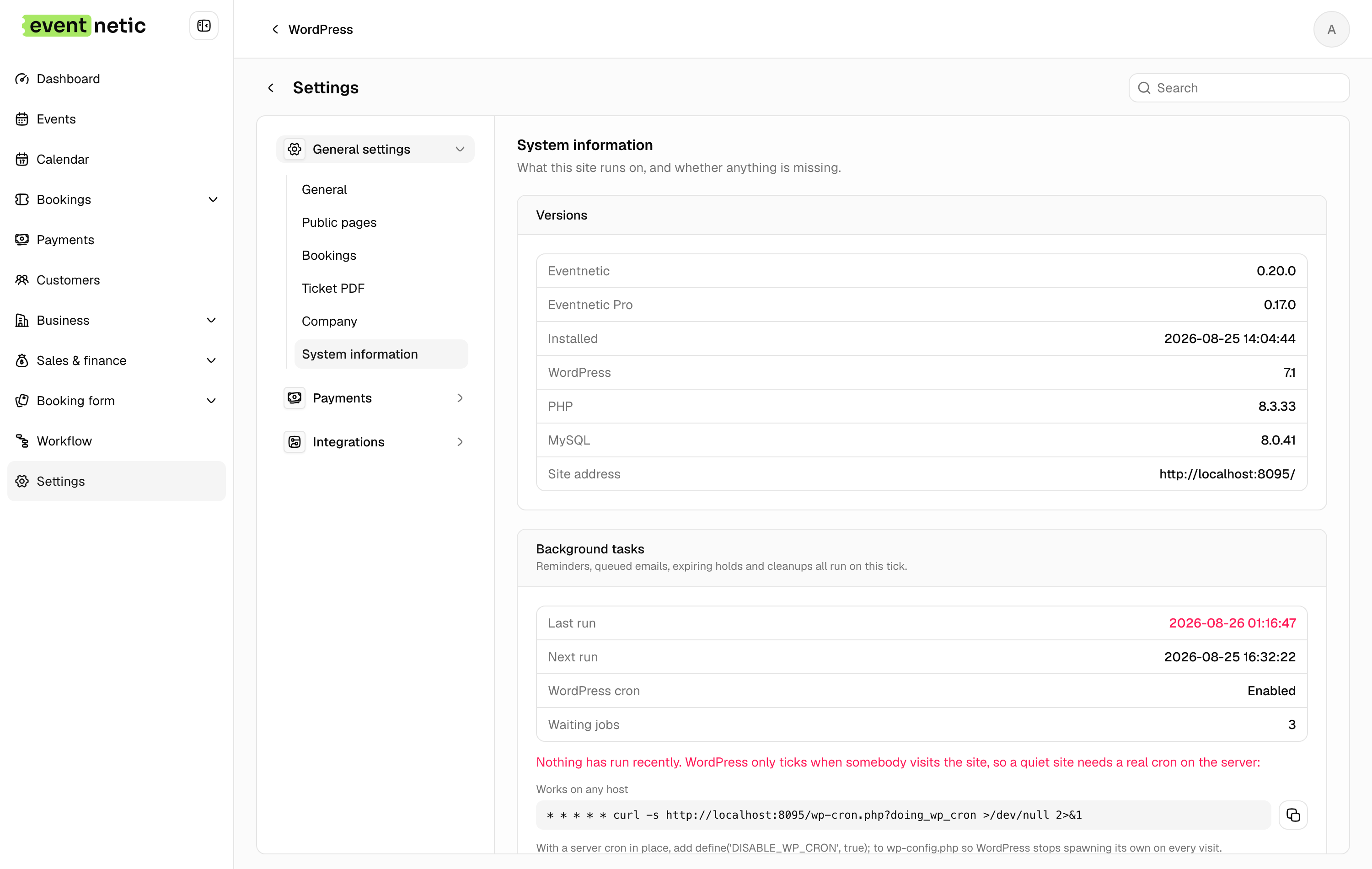
Under Background tasks you want WordPress cron: Enabled and a Last run that is recent. If Waiting jobs keeps climbing, nothing is running them, and the dashboard says so in red at the top of the page:
Background tasks are not running. 3 jobs are waiting — reminders and confirmation emails will not go out until this is fixed.
The reliable fix on a live site is a real server cron. Turn off WordPress's own
by adding this to wp-config.php:
define('DISABLE_WP_CRON', true);
and have your host call the endpoint every minute:
*/1 * * * * curl -s https://your-site.com/wp-cron.php?doing_wp_cron >/dev/null
Run tasks now on the same screen empties the queue by hand, which is useful while you are testing.
Requirements
| WordPress | 6.0 or newer |
| PHP | 8.1 or newer |
| MySQL | 5.7 or newer, or MariaDB 10.3 |
The System information panel lists what your server actually has, and marks anything below the line.