Documentation /Events and dates
Creating an event
An event is the thing you sell places at. Everything else — dates, tickets, seats, bookings — hangs off it.
Go to Events and press Add Event, or open one that exists.
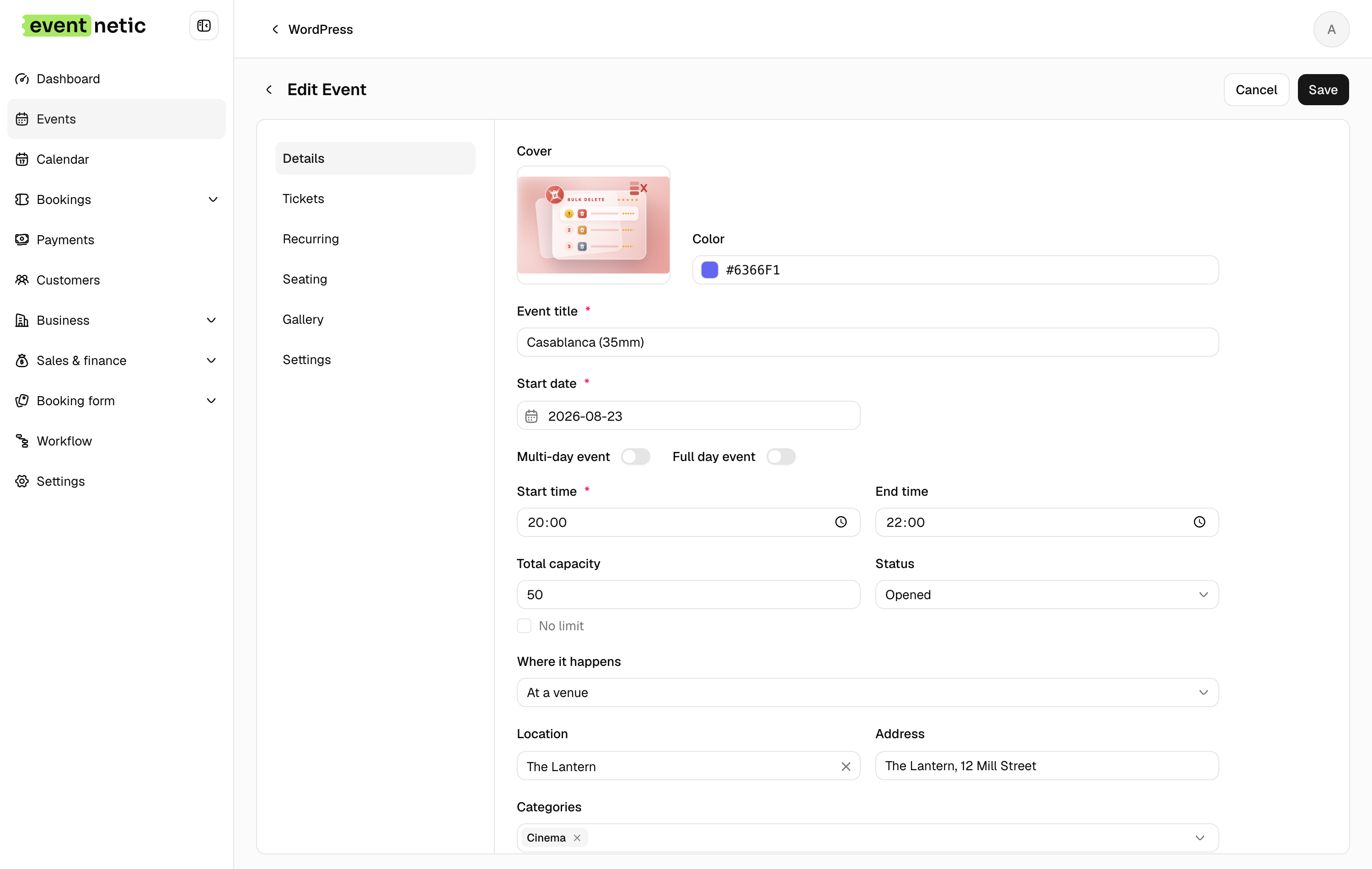
The Details tab
Cover and Color : The picture on the event's card and page, and the colour that marks it on the calendar. Neither is required.
Event title : What the customer sees. Required.
Start date, End date : Turn on Multi-day event to get an end date; without it the event happens on one day.
Full day event : Hides the times. Use it for a tour or an exhibition day where "20:00" would be wrong.
Start time, End time : When it happens. The end time is what the Event ends workflow trigger counts from.
Total capacity
: How many people can come, across all ticket types. Tick No limit and the
event is unlimited — the list then shows its bookings as 21/∞.
Status : Opened takes bookings. Closed stops them without hiding the event. Canceled marks the whole thing off.
Where it happens : At a venue, Online, or Both — a venue and online. Choosing online adds the joining link fields; see Online events.
Location and Address : Pick a saved location and the address fills itself in. Locations live under Business → Locations and are worth saving for anywhere you use twice.
Categories : Free-form groups: Cinema, Tours, Workshops. They filter the events list, they can scope a discount code or a tax, and the events shortcode can be pinned to one.
Description : Shown on the event's public page.
The Settings tab
Public page : The page that holds this event's booking form. Create page makes a draft for you.
Held in a different time zone : For an event somewhere other than your site's time zone. Off, it uses the site's.
Staff : Who works this event. A staff member limited to their own events sees it.
Only visible to staff : Hides the event from the public pages without closing it.
Minimum time before booking and Max slots per booking : How late a booking may still be made, in minutes before the start, and how many places one booking may take.
Custom payment methods : Off, the event takes the payment methods switched on in Settings → Payments. On, you pick this event's own. See Payment methods.
With Pro, the same tab switches the waiting list off for an event it does not suit.
Save, then give it a ticket
An event with no ticket type cannot be booked, and the Tickets tab says so:
No tickets yet. Every event needs at least one ticket to be bookable.
That is the next page: Ticket types.
The row actions
Back on the list, the three dots on a row give you:
- Info — a summary without opening the editor
- Edit
- Duplicate — copies the event and its tickets, which is the quickest way to start next season
- Attendees — the door list for this event
- Delete
The toolbar above has search, filters (title, date, status, categories), a switch between the table and cards, and sorting. What you choose is remembered for you next time, per user.