Documentation /Money
Invoices
A paid feature.
Sales & finance → Invoices, in three tabs.
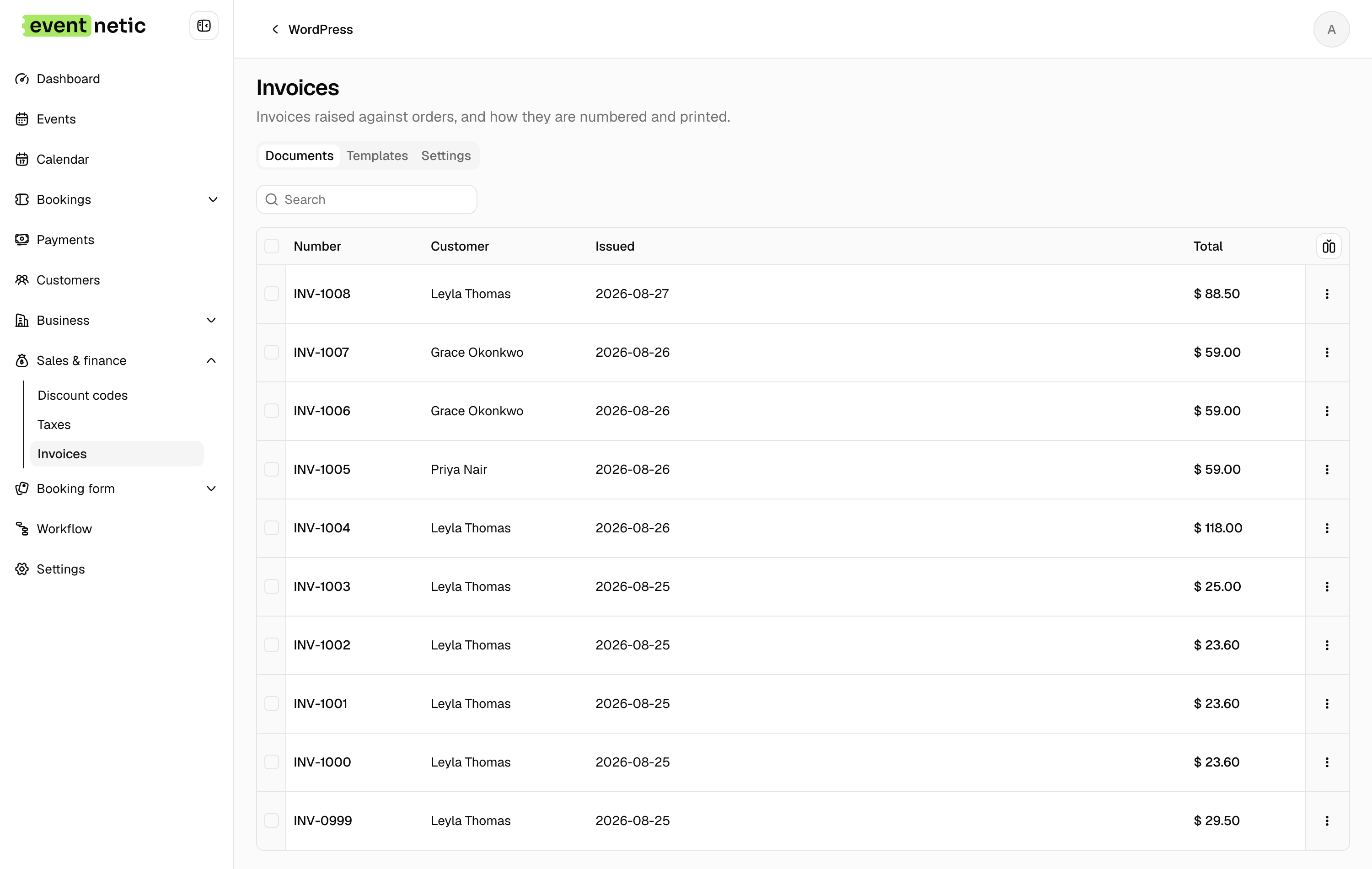
Documents
Every invoice that exists: Number, Customer, Issued, Total, with Download PDF and Delete.
An invoice is numbered the first time an order is paid.
That is deliberate. Numbers in a series must not have holes, so one is not spent on an order that may never be paid.
You can also issue one by hand: a booking has an Invoices tab with Issue invoice now.
Templates
Cards, one per design, with a Default badge. Make default, Edit, Delete.
The editor has:
- Template name
- Design — the HTML, with the same placeholder picker the emails use
- Page setup — Paper size, Orientation
- Use this template by default
- Preview PDF
Two presets to start from: Compact and Standard.
Settings
Where the numbering is decided.
Format
: A Prefix, a number of Digits, and a Suffix. {year} and
{month} are filled in for you, so INV-{year}- gives INV-2026-000123.
Counter : The Next number, and Start again: Never, Every month or Every year.
A live Next document preview shows what the next invoice will be called, so you can see the shape before anything is issued.
Attaching one to an email
The Send email workflow action has Attach the invoice and a template picker. A "payment received" workflow with the invoice attached is the usual setup, and means nobody has to send receipts by hand.