Documentation /Events and dates
Courses and passes
A pottery course of eight Tuesday evenings. A festival pass for the Friday and the Saturday. A ten-class card for a yoga studio, used on any ten classes of the term. Each of these is one booking that covers several dates, and the customer should pay once, get one confirmation, and be let in on every date it covers.
Courses and passes are in every paid plan. They need an event with more than one date: see Repeating dates.
Two ways to sell several dates
A package that covers several dates : One price for a set of dates: the whole course, the weekend, any four. This is what a course or a pass is. Set it up as described below.
Customers may book several dates at once : A switch on the Recurring tab. The customer ticks the dates they want and pays the ticket price for each one: three evenings of a 20 ticket come to 60. No package needed. Use it for drop-in classes where somebody books two or three at a time.
They can live on the same event. A course can be sold as a package for the whole run while single evenings are sold by the date.
Making a course or a pass
- Give the event its dates on the Recurring tab.
- On the Tickets tab, make the ticket the package will hold, for example Course place. If nobody should buy one evening on its own, switch on Only sold in packages on that ticket.
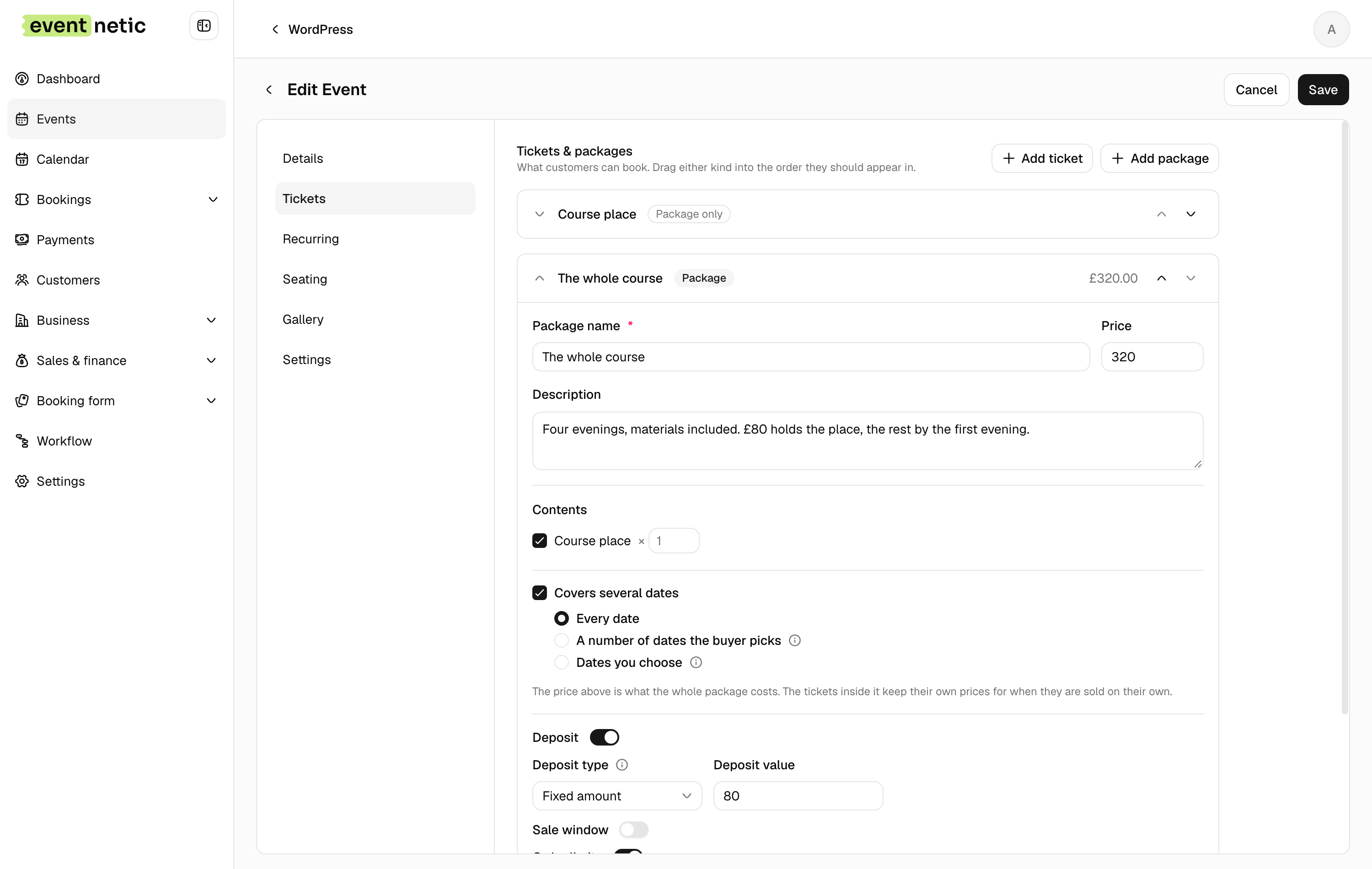
- Press Add package, name it and give it the price of the whole thing.
- Under Contents, tick the ticket.
- Tick Covers several dates and choose which dates it covers:
Every date : The whole course: every date of the event that is not cancelled, as the dates stand when the customer books. A date you add afterwards is not added to bookings already made.
Dates you choose : You tick the dates, and the buyer has no say. A weekend pass is the Friday and the Saturday it is for.
A number of dates the buyer picks : Set How many dates. The buyer chooses which ones, and cannot go on until they have picked that many. Any three of the eight evenings, a ten-class card.
What the customer sees
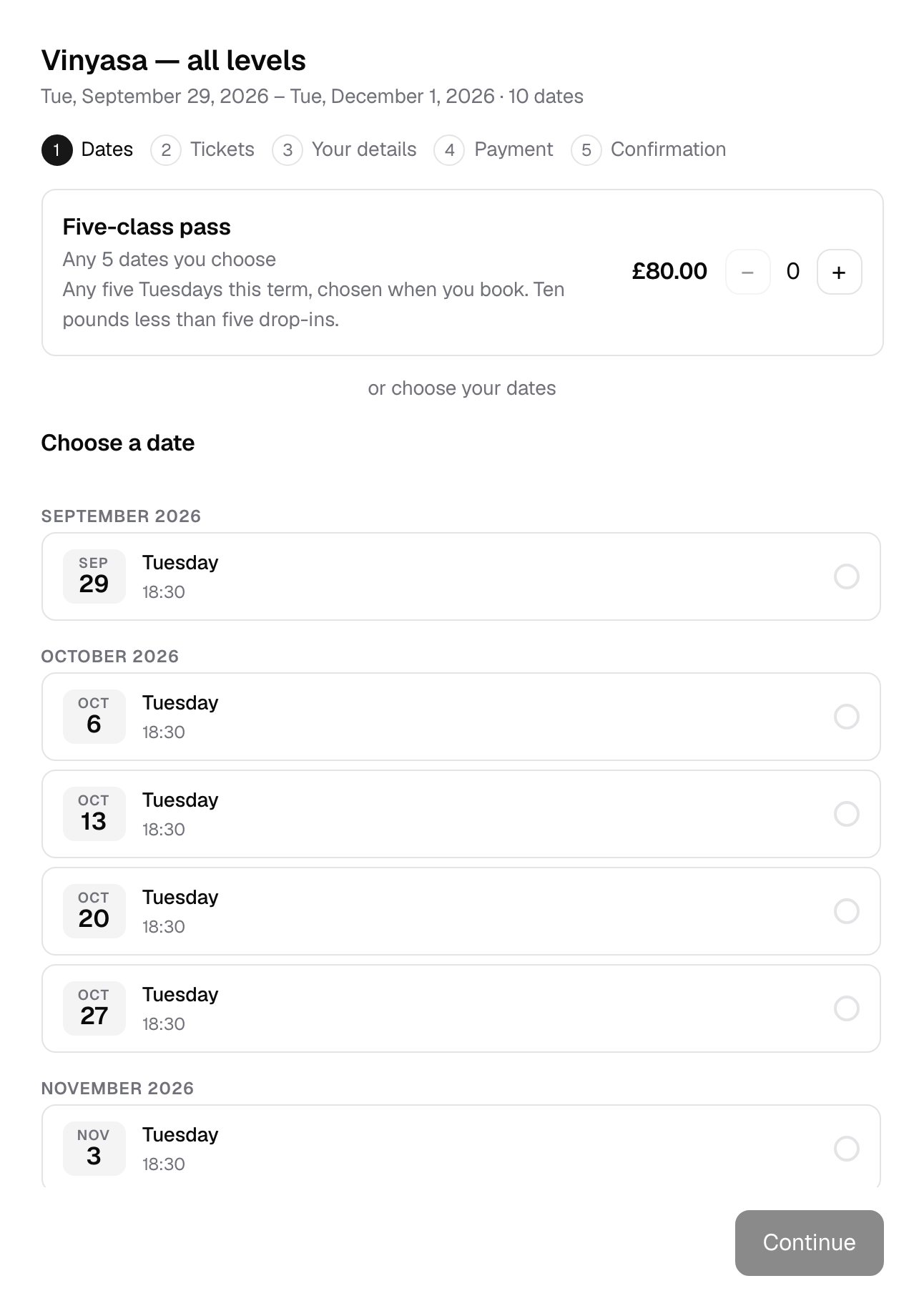
The booking form starts with the dates. A package that covers several dates is offered above them, under Packages, with what it covers (All 8 dates, Any 3 dates you choose, 2 set dates) and its price. See the dates lists them. Under the packages the form says or choose your dates, for anybody booking by the date instead.
Choosing a package sets its dates, or asks the customer to choose as many as it covers. A package like this is bought on its own, not in the same booking as other tickets.
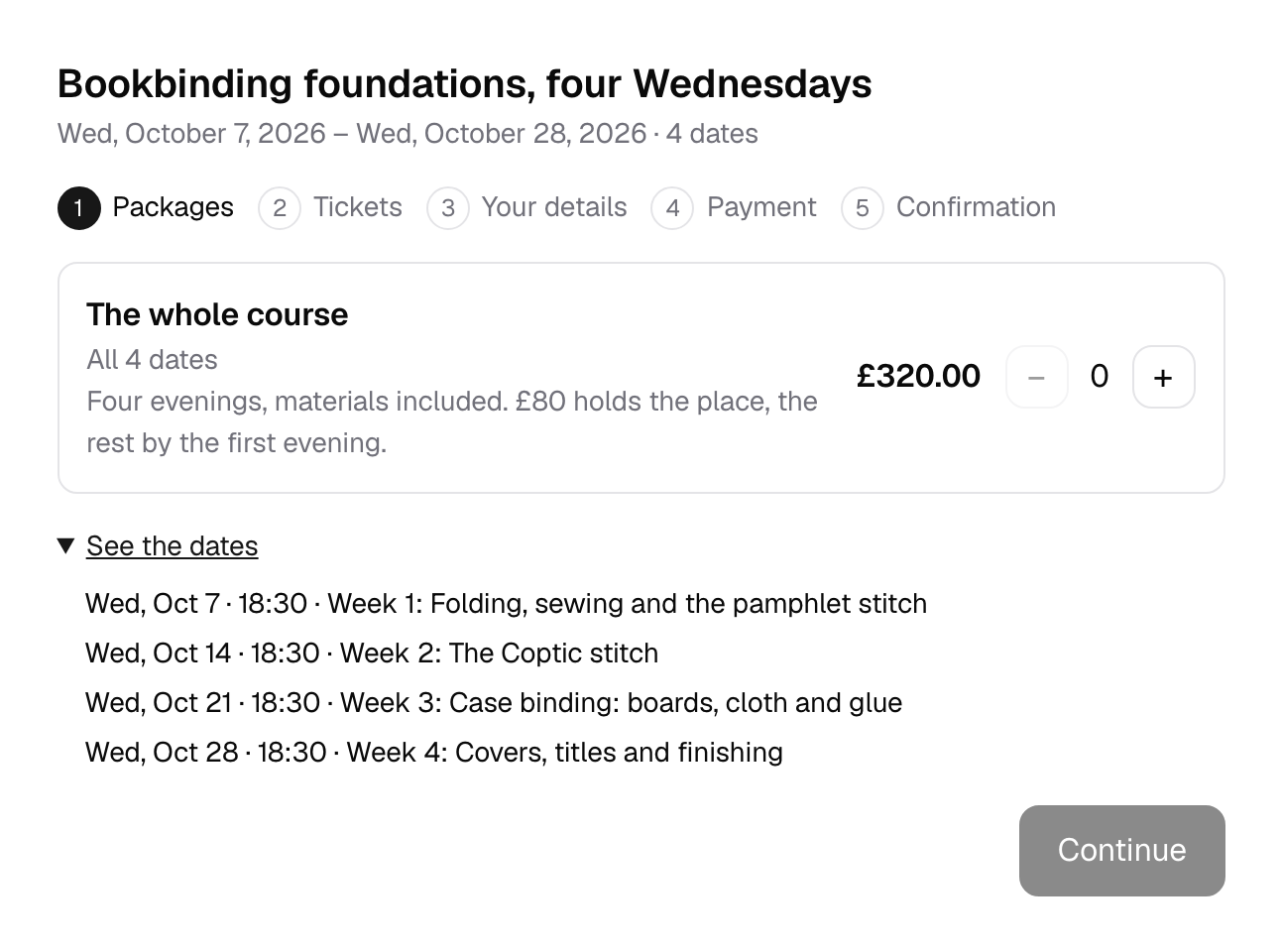
If an event sells nothing by the date, only packages, the first step is simply a choice of package.
After the booking
The booking covers every date the package brought, and everything that follows knows it:
- Places are taken on each of those dates. A course with twelve places that is full is full on every evening.
- The door list has the attendee on each of their dates, and a ticket is let in once on each one. Scanning on the fourth evening does not use up the fifth. See Checking people in.
- Reminders go out before each date, not only the first.
- Messages can list every date with the Session list placeholder, each with its session name and time.
- The customer's own page shows the dates and which of them are behind them. See The customer panel.
- Seats (Elite): on an event with a hall, the customer keeps the same chair for every date, chosen from the seats that are free on all of them.
When a course is full
With a waiting list on, somebody can wait for the package itself: when a place comes free on every date it covers, they are offered it. See Waiting list.