Documentation /Money
Currency and deposits
Settings → Payments → General.
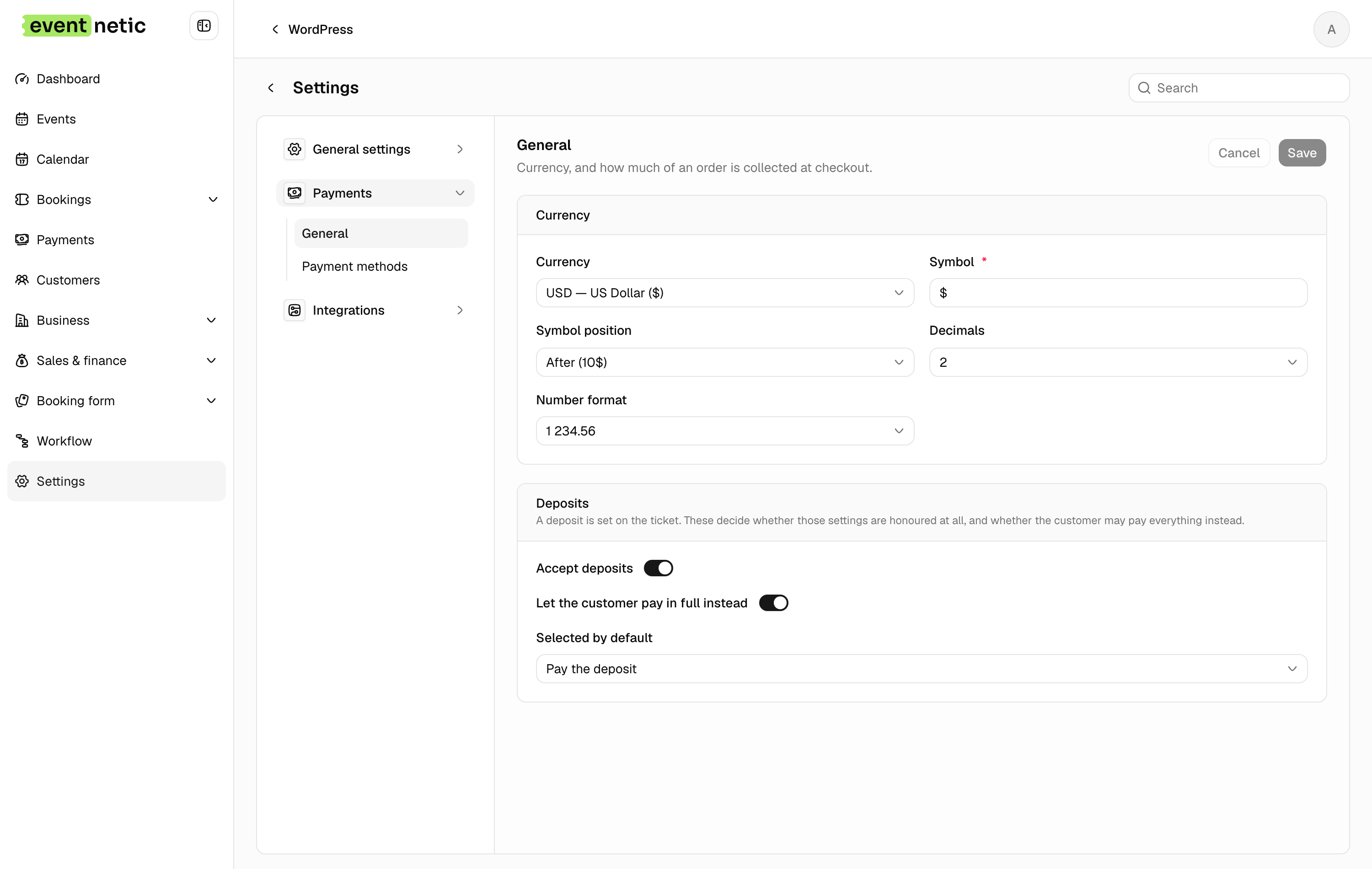
Currency
Currency : The code — USD, EUR, GBP.
Symbol and Symbol position
: Before $10, After 10$, or either with a space. Some currencies read
badly with the symbol jammed against the number.
Decimals
: 0 to 4. Set 0 for currencies that have no minor unit, and prices stop showing
a pointless .00.
Number format
: 1 234.56, 1,234.56, 1.234,56, 1234,56 or 1'234.56. Pick the one your
customers read without pausing.
These apply everywhere at once: the booking form, the admin, the ticket PDF and the invoice.
Deposits
A deposit lets the customer pay part now and the rest later. The amount is set per ticket type, as a percent or a fixed sum: see Ticket types. The settings here decide whether deposits are taken at all.
Accept deposits : The master switch. Without it, a deposit set on a ticket type does nothing.
Let the customer pay in full instead : Offers both, rather than forcing the deposit.
Selected by default : Pay the deposit or Pay in full: which option is pre-chosen.
Which payment methods take a deposit
Card payments (Pro) take the deposit at checkout and leave the rest due.
The offline method takes one only when you switch on Let customers pay a deposit in its settings, under Settings → Payments → Payment methods. That is meant for a bank transfer: the customer books, the confirmation page tells them how much to send now, and the rest is due before the event. For cash at the door, leave it off.
Telling the customer what to pay
Two placeholders cover it in your messages:
- Deposit still due (
{booking_deposit_due}): what is left to pay of the deposit the customer was asked for, and zero once it has arrived or when there was no deposit. Put it in the booking confirmation for bank transfers, next to Payment instructions. - Due (
{booking_due}): everything still owed on the booking.
A workflow on Event starts — for each booking, set a few days before the
date, can remind everybody of the balance with {booking_due}. See
Every trigger.