Documentation /Bookings
Adding a booking by hand
Not every booking arrives through the website. Add Booking on the Bookings screen opens the booking form, the same one you get from Edit on a row. It takes a booking the way the public form does: the same tickets, the same limits, and a total worked out by the same rules the checkout uses.
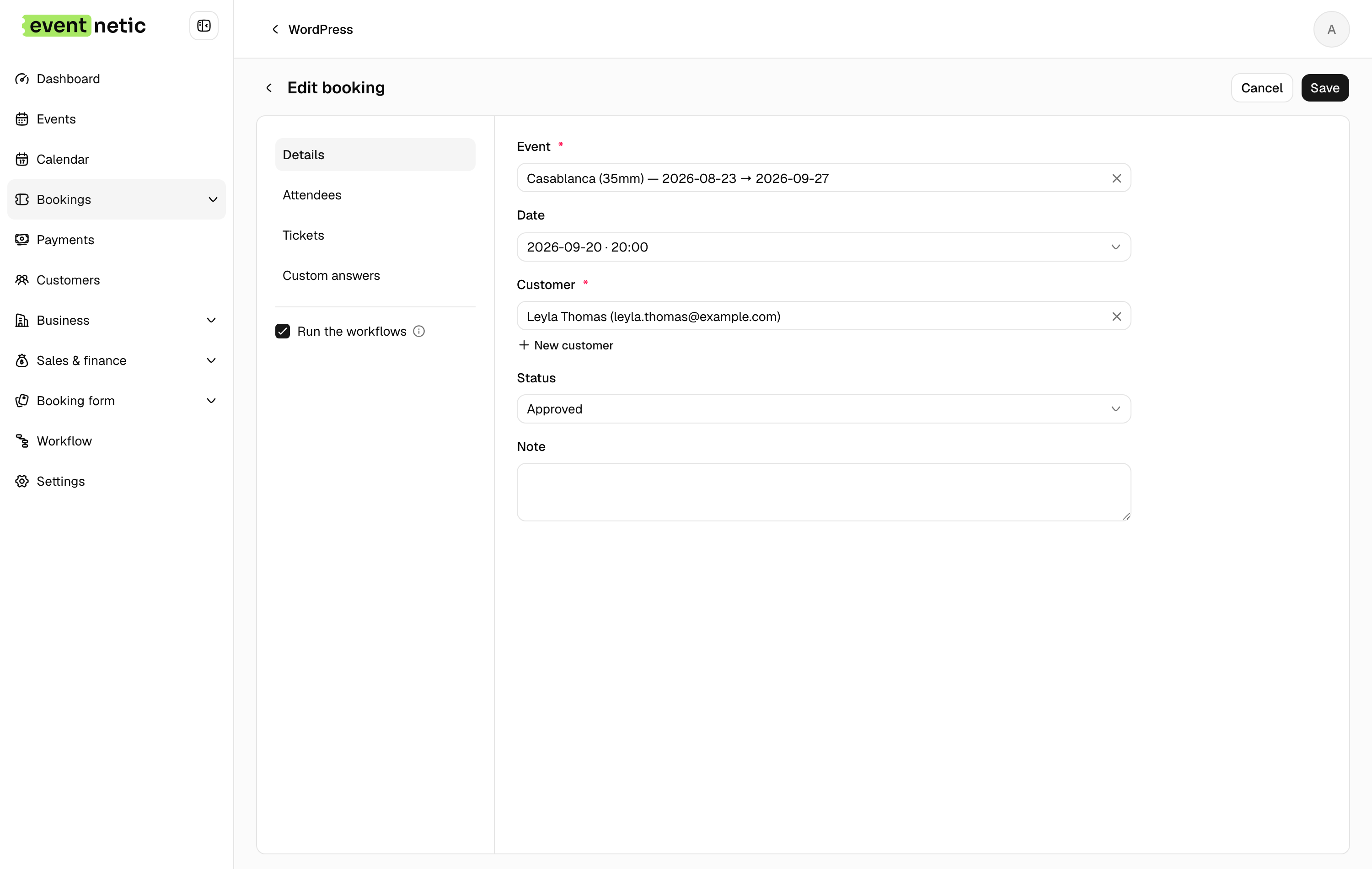
The form is split into tabs, and the tabs follow the event: a one-off event has no Dates tab. Under the tabs, the booking's Total keeps up as you go, and Run the workflows decides whether saving sends the messages set up for a new booking. Untick it when the customer is standing in front of you and already knows.
Details
Event : What they are coming to. When you change it, a spinner beside the field shows that the form is loading that event's dates and tickets. Nothing from the previous event stays in the basket.
Customer : Search the ones you have, or press New customer and type a name and email without leaving the form. A customer created here behaves like any other: they get a record, and their bookings gather under it.
Status : Approved, Pending, Canceled, Rejected. Changing it on a booking fires the Booking status changes workflow, so the customer can be told without you writing an email.
Note : For you, not for them.
Dates
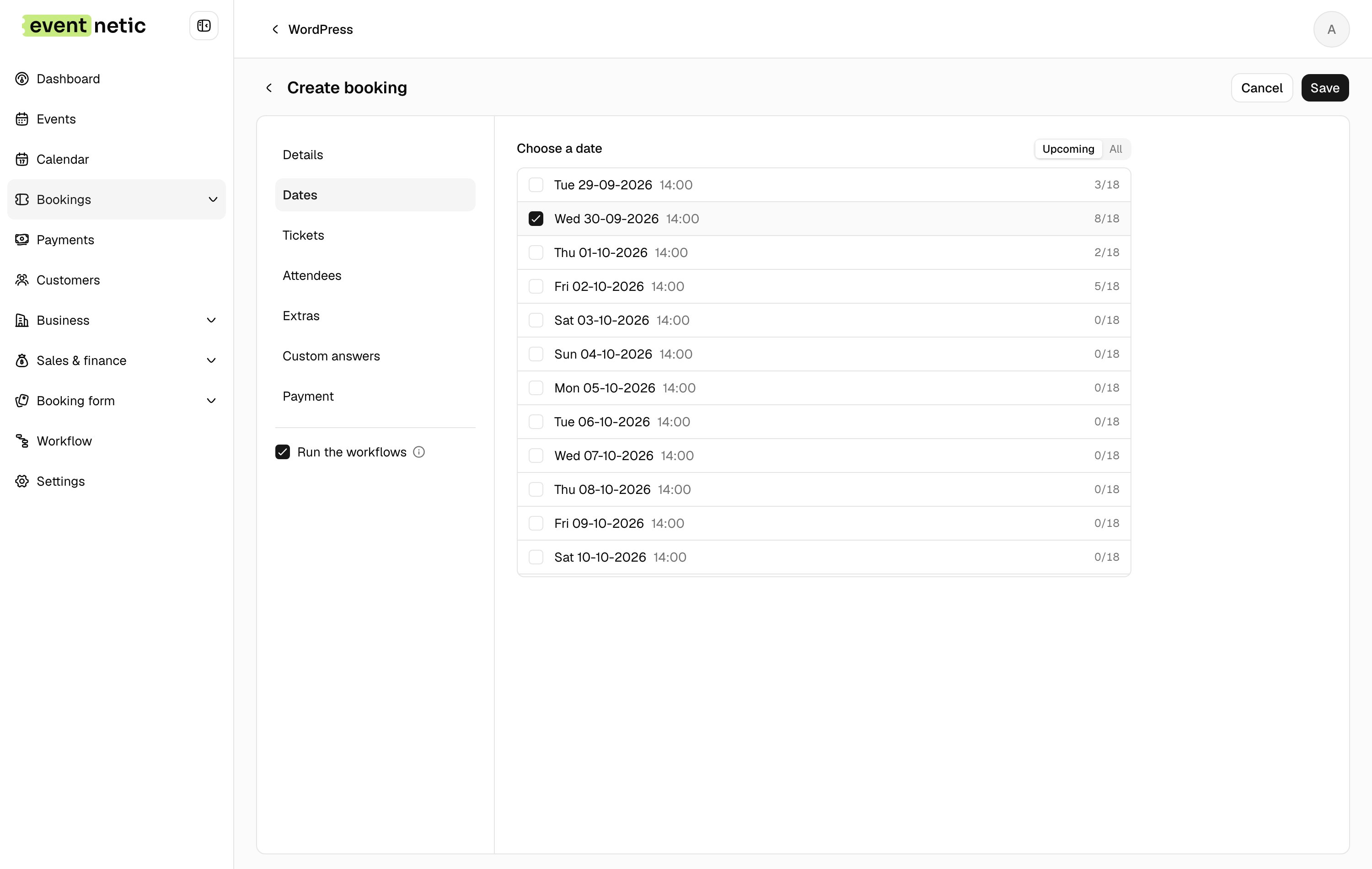
On an event with several dates. Tick the date the booking is for. When the event lets customers book several dates at once, tick each one. Each row says how many places are taken. Upcoming and All switch which dates are listed, so a booking can be entered after the fact.
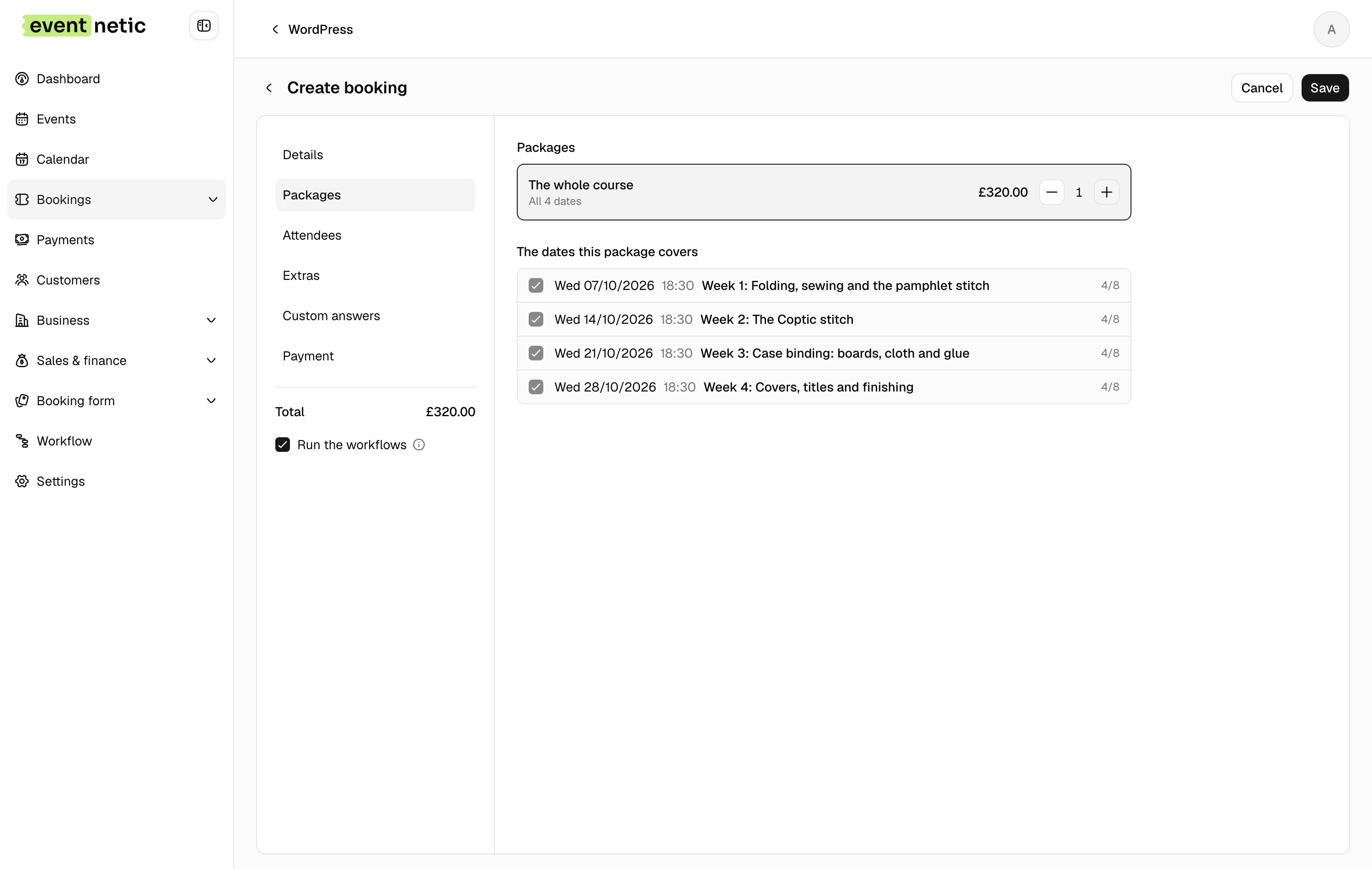
A package that covers several dates is chosen here too, above the dates. It brings its dates with it, or asks for as many as it covers. On an event sold only in packages the tab is called Packages, and it lists the dates the package covers. See Courses and passes.
Tickets
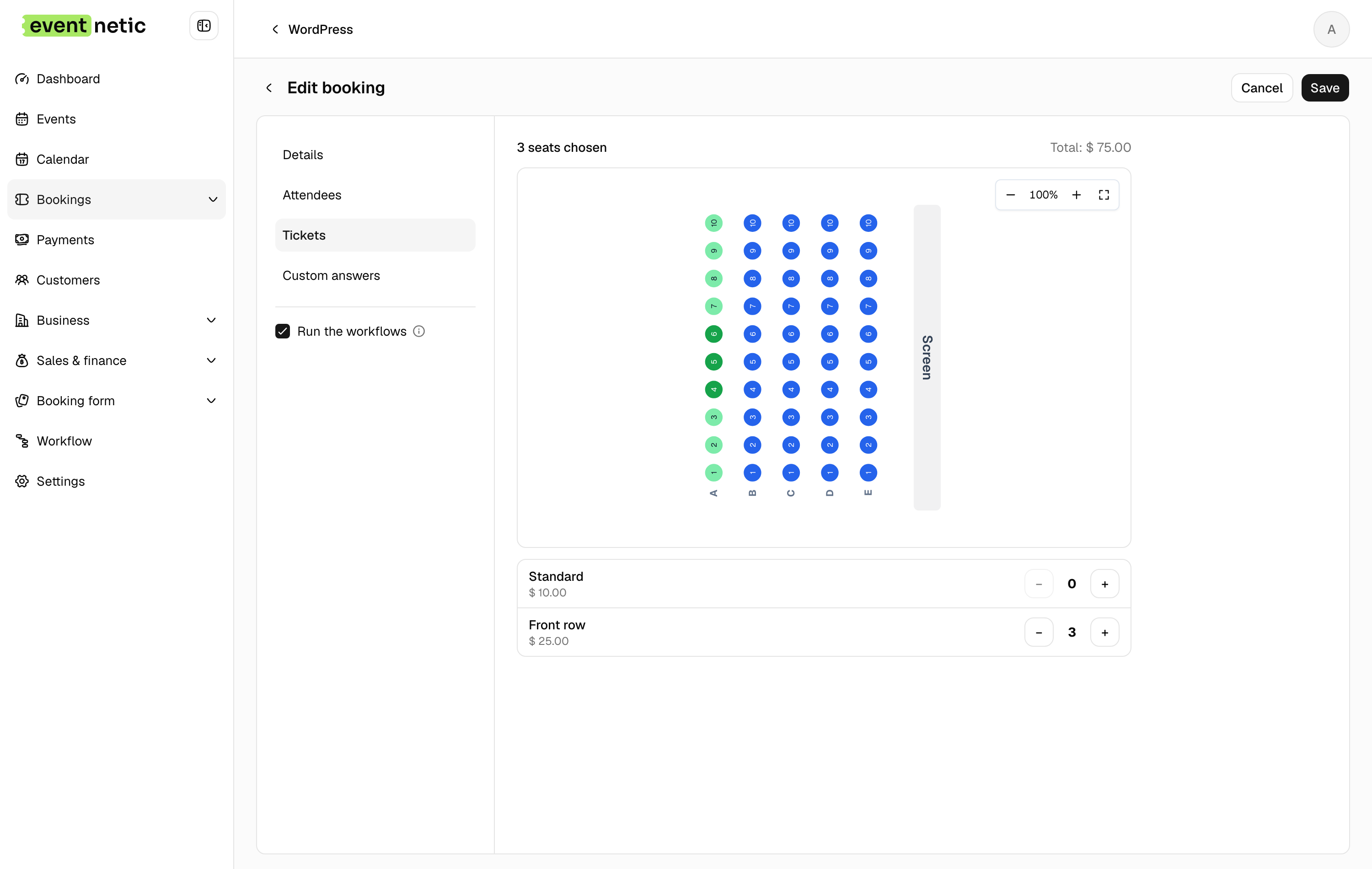
Every ticket on sale, with a counter: + and − to set how many. Each row says how many are left, and a ticket that must be bought in twos says so under its name. With Pro, packages sit in the same list: one family ticket is one press of +.
Booking by hand still respects capacity: you cannot put eleven people into ten places. On an event with a hall (Elite), this tab is the seat plan instead, and you pick the chairs.
Attendees
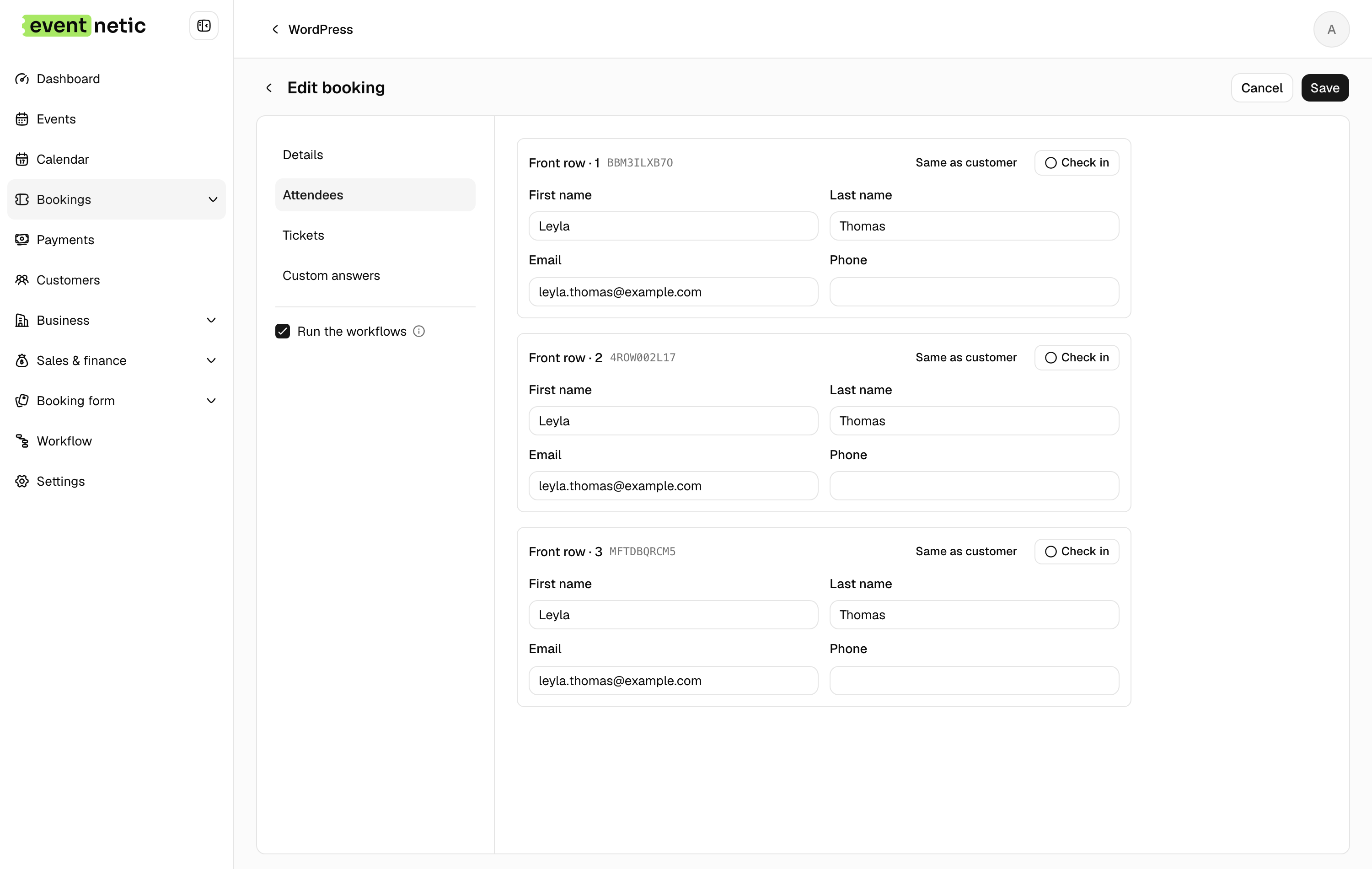
One block per seat, with whichever fields the ticket type asks for. Same as customer copies the details you already have, which is what you want for a single ticket. Each attendee gets their own code, and can be checked in individually.
With Pro, an extra sold per attendee is chosen inside each block, and the answers to questions asked of each attendee sit there too.
Remove this attendee, the bin on a block, takes that one person off the booking: their answers, extras, check-in and seat go with them, and the ticket count goes down by one. Everybody else keeps theirs, so when the middle one of three cancels you remove that block rather than lowering the count and retyping names. It is not offered on the booking's only seat, nor on seats a package brings, whose count is the package's.
Payment
The last tab shows the Summary: each line, the Subtotal, any discount, tax, and the Total. It is priced by the server as you go, so what it shows is what the order will hold when you save.
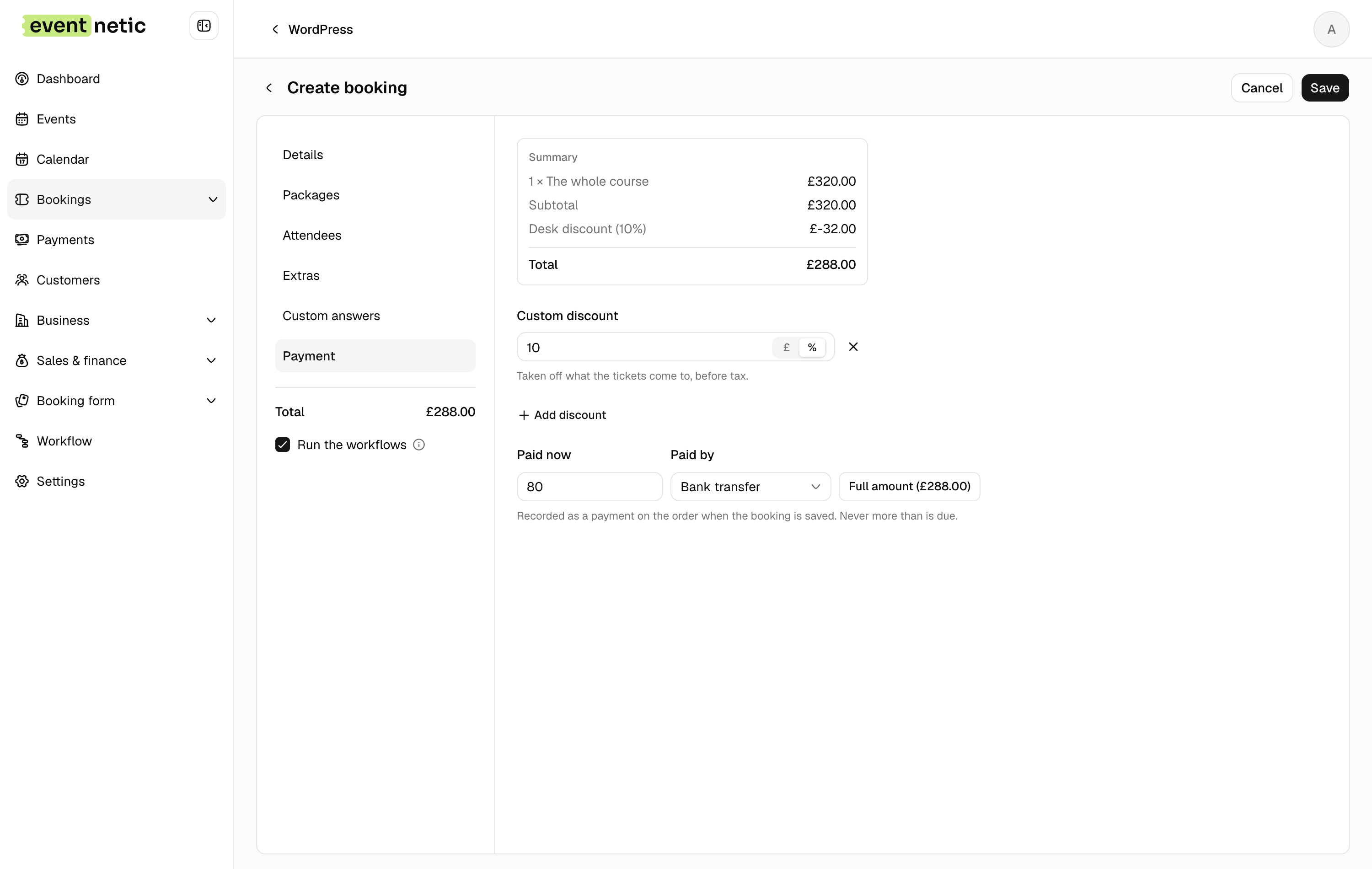
Add discount : Opens a Custom discount: an amount or a percentage, taken off what the tickets come to, before tax. With Pro, the same link offers Discount code too, so a code a customer reads out on the phone is applied the way the checkout would apply it.
Paid now and Paid by : When the booking is new. What the customer handed over, and how: Cash, Card terminal, Bank transfer or Other. Full amount fills in the total. It is recorded as a payment on the order when the booking is saved, and never more than is due. Leave it empty for a booking that has not been paid yet.
Money that arrives later is recorded from the Payments screen or with Create payment record on the booking's info dialog. See Recording money.
Editing a booking
Edit on a row opens the same form with the booking in it. A package stays a package, with its price, and changing the date moves the attendees with it. Paid money is not touched by an edit: refunds and new payments go through the booking's payments.