Documentation /Seating
Drawing a hall
Halls are an Elite feature.
A hall is a picture of a room, drawn once. It belongs to the room, not to an event, so a cinema with two screens draws two halls and then never draws them again: every showing in Screen 1 sells the same chairs, and a seat taken on Friday is on sale again for Saturday.
Business → Halls → Add opens the designer.
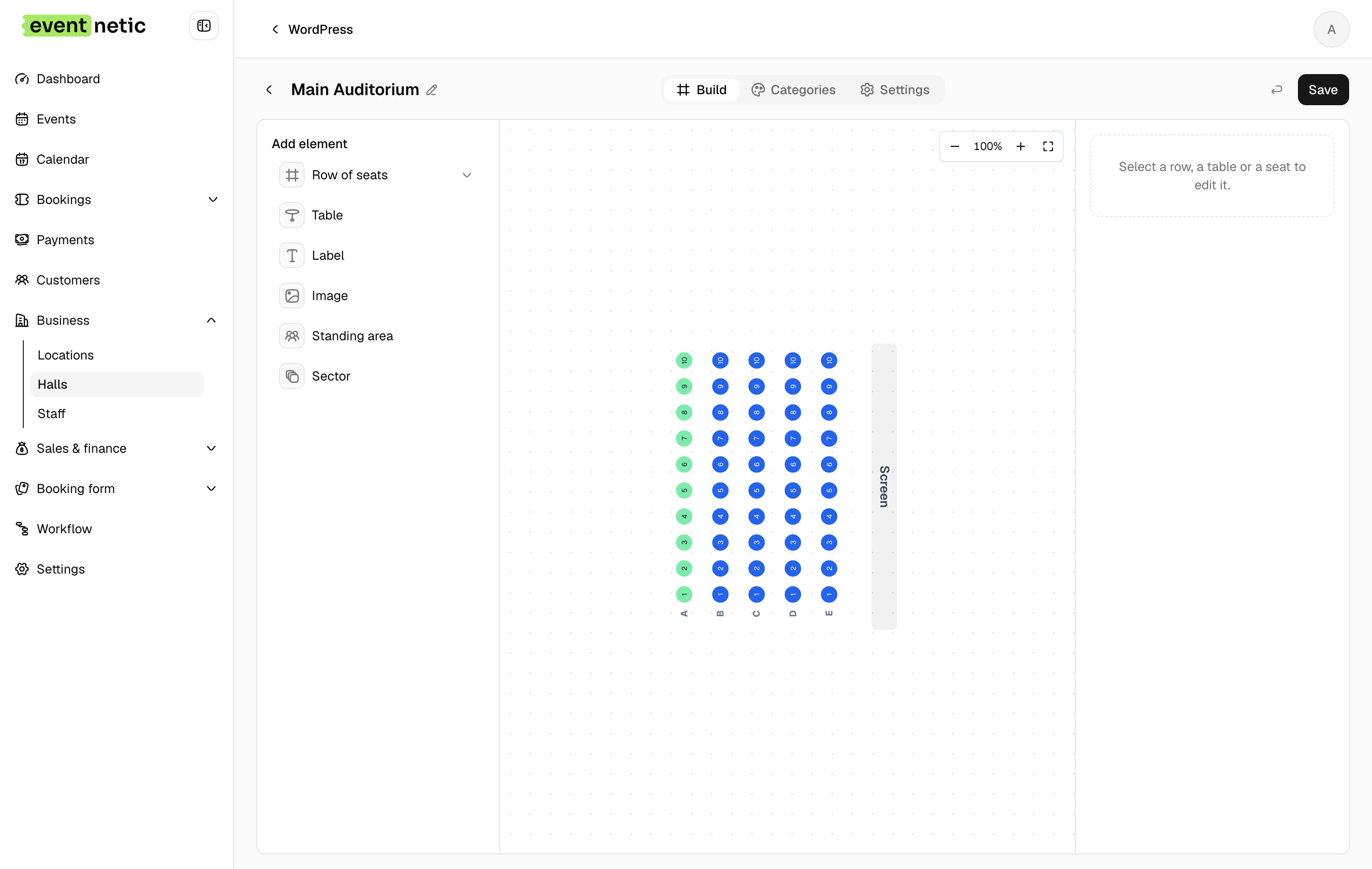
Build
Add element puts things on the canvas:
Row of seats : The main one. Set Rows, Seats per row, Seat spacing and a Curve to bow the row away from the stage.
Table : Round, Rectangular or Square, with seats All the way round or Along the two long sides. For cabaret and dinner layouts.
Standing area : A block that holds a number rather than named chairs.
Sector : A group you can label and colour — Stalls, Balcony, Circle.
Stage, Text, Shape, Image : Scenery. They are not sold; they are there so the customer can tell which end is which.
Every element can be labelled, rotated, moved, coloured, sent to the back or brought to the front, duplicated and removed. Undo is on the toolbar, along with zoom in, zoom out and fit-to-view.
Numbering
Rows can be numbered the way the room really is:
- Numbered — 1, 2, 3 or Lettered — A, B, C
- Every number, Odd only or Even only — for continental numbering
- Skip 13
- Count from the other end
- Gangway before this seat — puts the aisle where it actually is
Getting this right matters more than it sounds: the number the customer picks on screen is the number printed on their ticket and painted on the chair.
Categories
The Categories tab is where a drawing becomes a price list. Make a category — Stalls, Balcony, VIP — give it a colour, and assign seats to it on the canvas. Each category is then mapped to one of the event's ticket types, so the front three rows sell at the front-row price without you managing two seating plans.
Settings
Set preview image gives the hall a thumbnail. View from the seat lets you attach a photograph taken from that part of the room, which the customer sees when they hover a seat.