Documentation /Booking form
Ticket templates
Every booking produces a PDF per seat. What it looks like is up to you.
Booking form → Ticket templates.
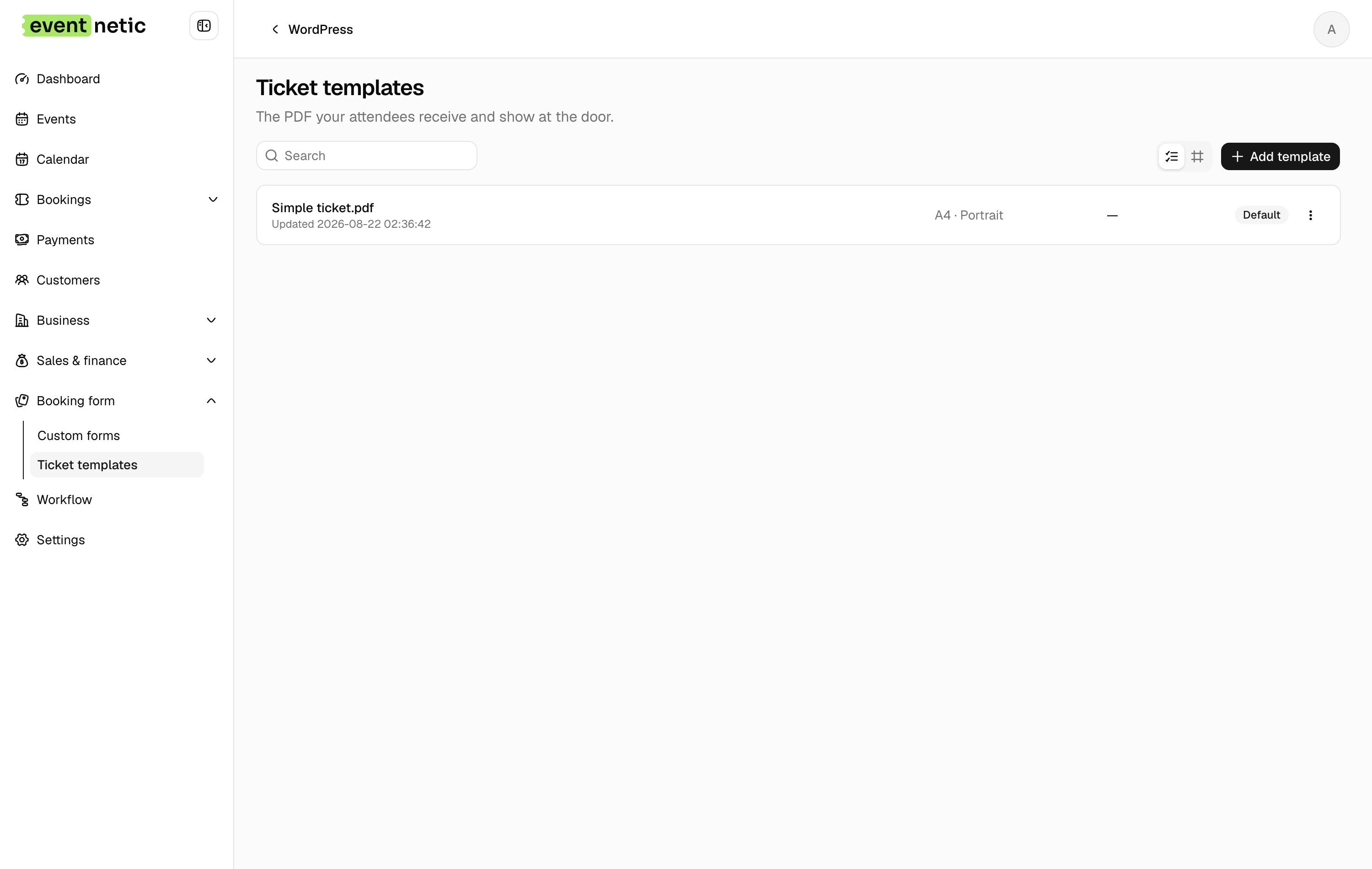
The list shows Name, Page and which Ticket types use each one, with a Default badge. Row actions: Set as default, Edit, Delete.
The editor
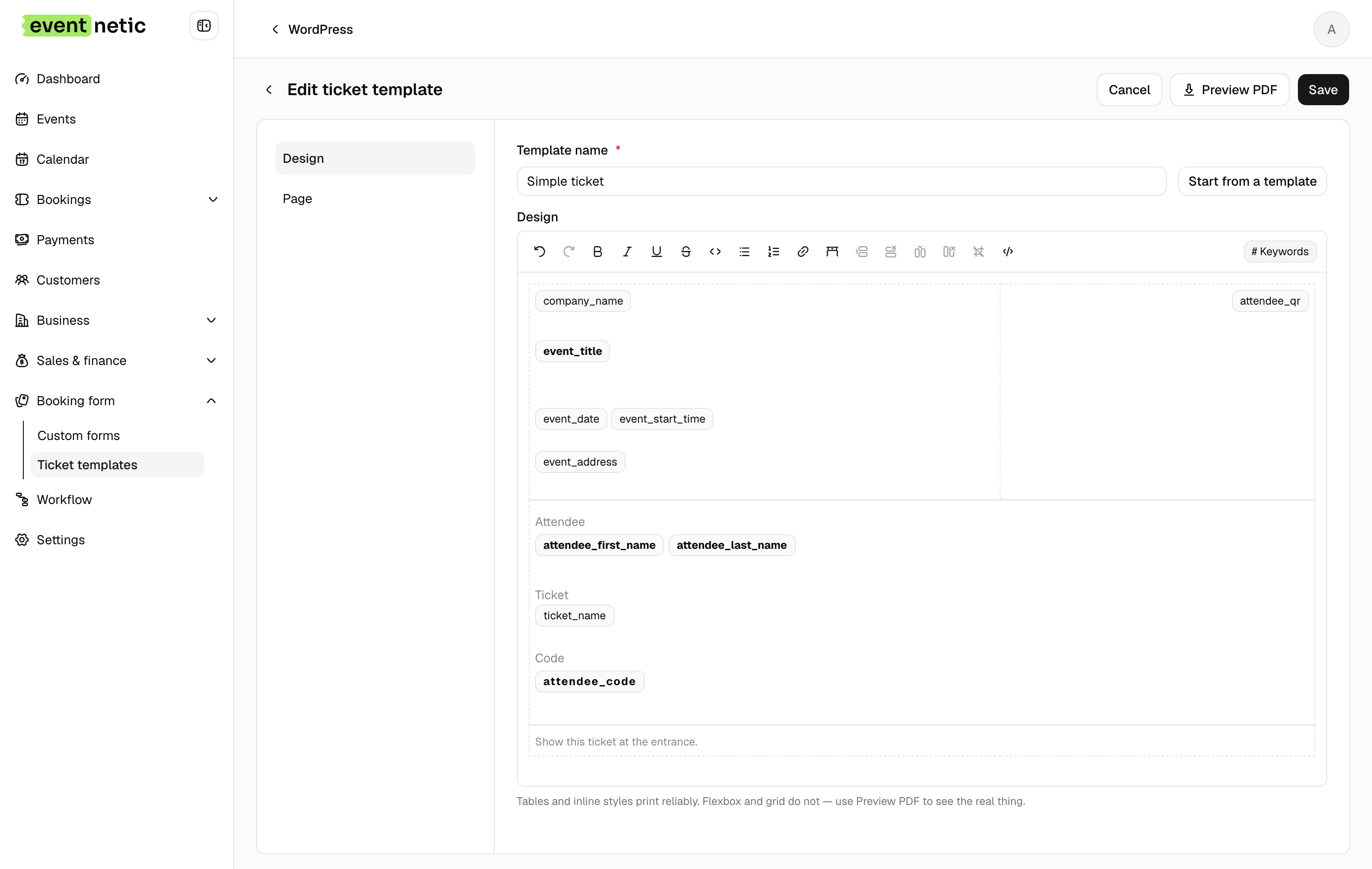
Design : A rich text and HTML editor with the placeholder picker. Everything an attendee knows is available: the event, the date, the venue, their name, their ticket type, their code, the QR image, and on paid plans their seat and the extras they ordered (Attendee extras).
Start from a template : Three presets — Simple ticket, Name badge, Tear-off stub. Start from one and change it; starting from an empty page is slower than it looks.
Page : Paper size (A4 or Letter) and Orientation (Portrait or Landscape). A name badge wants Landscape; a stub usually wants Portrait.
Use as default : New ticket types get this design unless told otherwise.
Preview PDF : Renders it with sample data. Use it after every change: HTML that looks right in the editor can still break in a PDF.
Per ticket type
A template is chosen on the ticket type, in the event's Tickets tab. So one event can give a Standard ticket the plain design and a VIP ticket something with the seat printed large.
The QR code
The {attendee_qr} placeholder puts the code in as an image. It carries the
attendee's ticket code, which is what the door scans — one code per seat, so a
booking for four can arrive in twos.
Housekeeping
Generated PDFs are kept on the server so they can be re-sent. Settings → General settings → Ticket PDF decides whether to keep them and for how many days after the event, and caps how many are attached to a single email — beyond the cap, the customer gets download links instead of a fifty-megabyte message.