Documentation /Bookings
The bookings list
Bookings is the working screen: who has booked what, whether they have paid, and whether they turned up.
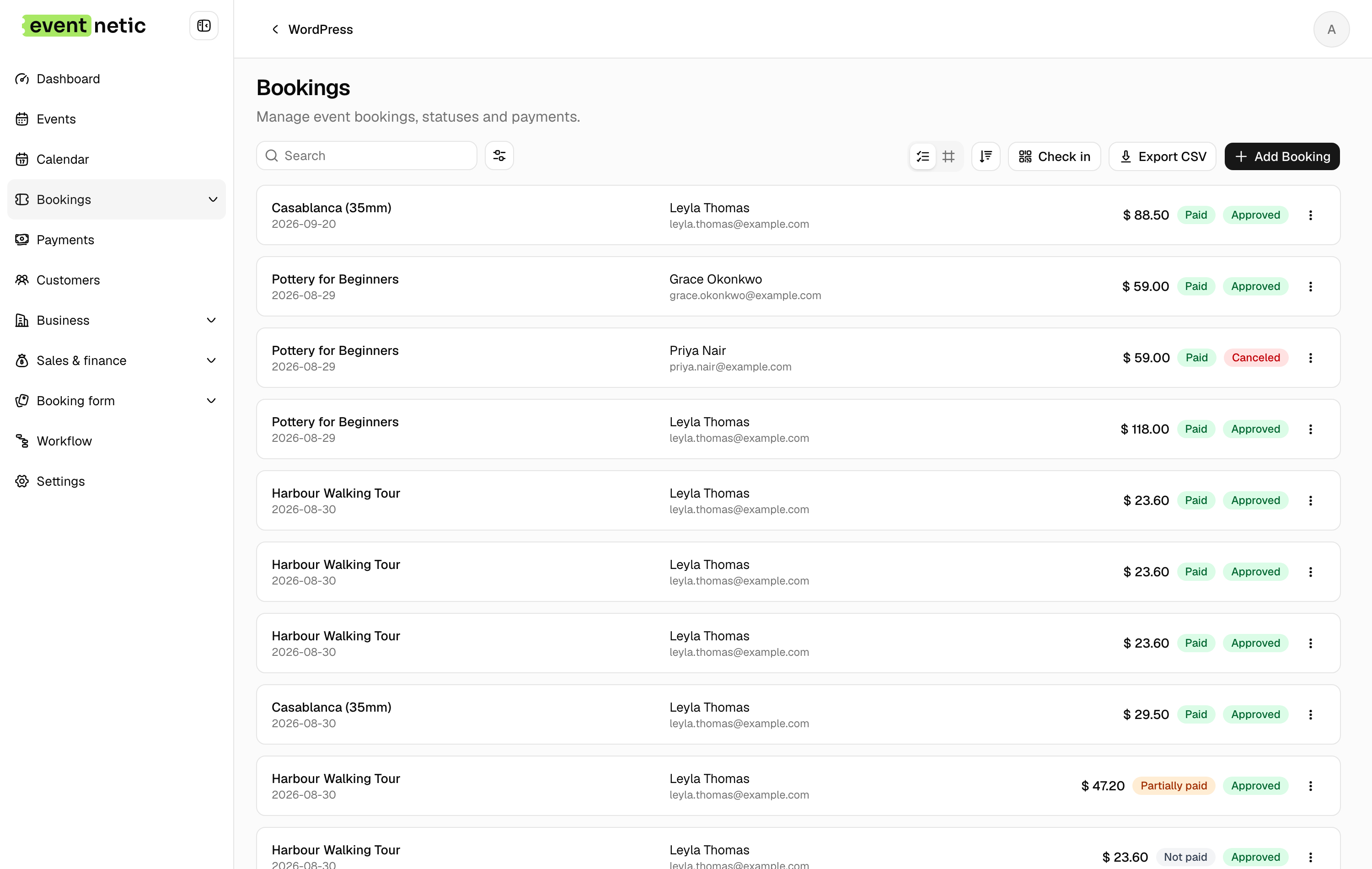
The columns
ID, Event, Tickets, Event date, Categories, Customer, Codes, Booked at, Status, Payment.
Tickets says what the booking holds: the ticket types, or the package where it was bought as one. Event date is the date the booking is for; filter by it to see one night of a repeating event.
Status is where the booking stands with you:
| Approved | Confirmed. The default for new bookings unless you change it |
| Pending | Taken but not confirmed — useful if you approve by hand |
| Canceled | Called off; the places go back |
| Rejected | Turned down |
Payment is where the money stands:
Not paid · Partially paid · Paid · Partially refunded · Refunded · Canceled · Expired
A booking can be Approved and Not paid at the same time: that is exactly what "pay at the door" looks like.
What you can do
From the toolbar: search, filter, switch between table and cards, sort, Check in, Export CSV, Add Booking.
From a row: Info, Edit, Delete. Tick several and delete them together.
Info opens a summary without leaving the list — booking details, tickets and attendees, payment info — and has Create payment record on it, which is the quickest way to record cash taken at the desk. A booking that covers several dates is read date by date there.
Export
Export CSV writes exactly what you are looking at: the filters and the search apply. The columns are fixed:
ID, Event, Event date, Customer, Email, Status, Ticket codes,
Total, Paid, Payment status, Booked at
The door list has an export of its own, with the attendee columns instead. See The door list.