Eventbrite vs WordPress Event Ticketing: Which Is Better for Your Event?
9 Sep 2026 · Eventnetic Admin

Eventbrite makes selling tickets straightforward. Create an account, fill in your event details, and your ticketing page is live. That ease is real, and it is the reason millions of organizers start there.
The cost of that convenience compounds over time. The Eventbrite fees on every ticket you sell include a per-ticket service charge and a separate per-order payment processing fee. For an organizer selling a few hundred tickets a year, those amounts are manageable. For anyone running monthly or weekly events, the fees add up to a meaningful operating cost across a year.
WordPress event ticketing plugins change the math entirely. A plugin routes payment directly from your buyer to your Stripe or PayPal account. You pay the plugin license once (or annually) rather than per ticket. The cost structure flips from variable to fixed.
This comparison covers both approaches across the dimensions that matter most when choosing where to sell tickets: total cost, marketplace reach, branding, data ownership, recurring events, reserved seating, and QR code check-in.
What Eventbrite Is
Eventbrite is a hosted ticketing platform. You create an event on Eventbrite's servers, set ticket prices and capacity, and Eventbrite provides the ticketing page, payment processing, buyer communication, check-in app, and organizer dashboard. Buyers find your event directly via a link you share, through search engines indexing Eventbrite's public event pages, or through Eventbrite's own discovery feed.
Eventbrite handles PCI compliance, fraud detection, and payment infrastructure. Your attendee data lives on Eventbrite's platform. Your event page lives at eventbrite.com (or a subdomain). If you stop using Eventbrite, your ticketing setup does not transfer to another system.
What WordPress Event Ticketing Is
WordPress event ticketing uses a plugin installed on your existing WordPress site to create events, sell tickets, and manage bookings directly. Payments process through your own Stripe or PayPal account. Buyers never leave your site. Your attendee list is stored in your own WordPress database.
You manage everything: hosting, domain, the plugin, and any marketing that drives traffic to your event pages. The plugin's job is to handle the ticketing workflow, not to discover new audiences for you.
The Eight Dimensions Compared
1. Transaction Fees and Total Cost
This is the primary reason most organizers consider switching.
Eventbrite's fee structure includes a percentage service charge per ticket, a fixed service charge per ticket, and a payment processing fee per order. The exact amounts depend on your Eventbrite plan and ticket price. The detailed calculation, including how fees compound across different ticket price points, is in the Eventbrite fees breakdown. The short version: for any organizer selling tickets at meaningful volume, Eventbrite's fees represent a recurring cost that scales with every ticket sold.
WordPress event ticketing eliminates the per-ticket and per-order platform fees. You pay the plugin license, which is fixed regardless of how many tickets you sell. Stripe and PayPal processing fees (approximately 2.9% plus $0.30 per transaction in most markets) apply to every sale regardless of which platform or plugin you use, because those fees go to the payment gateway, not the ticketing platform. The plugin itself never takes a cut of your revenue.
The practical difference: For organizers doing low volume, the difference is modest. For organizers running monthly events with 100 to 500 attendees each, the savings from switching to a zero-commission plugin at a fixed annual license cost can pay for the plugin many times over in a single year.
Advantage: WordPress plugins, clearly and at any meaningful volume.
2. Marketplace Discovery
This is Eventbrite's genuine and significant advantage.
Eventbrite operates a public events discovery feed. Organizers who list public events on Eventbrite can receive attendees who found the event through browsing or searching on Eventbrite directly, without any marketing from the organizer. For public events in active markets, this discovery channel delivers real ticket sales.
WordPress event ticketing plugins do not provide discovery. Your event pages are indexed by Google like any other page on your site, but there is no equivalent of Eventbrite's curated feed, location-based browsing, or category filters pointing potential buyers to your events.
If a meaningful share of your current ticket sales comes from Eventbrite discovery rather than from your own email list, social channels, or direct promotions, that is a real cost to calculate before switching. Discovery traffic has dollar value. If you have built your own audience and drive traffic to your events through your own channels, this difference matters far less.
Advantage: Eventbrite, specifically for organizers who depend on Eventbrite's discovery to fill events.
3. Branding and Checkout Experience
Eventbrite ticketing pages use Eventbrite's branding by default. Buyers land on a page at eventbrite.com (or a co-branded URL) and complete checkout in Eventbrite's interface. Your organization's visual identity is present as an event banner and header, but the surrounding page, the checkout flow, and the confirmation email all carry Eventbrite's design language.
Self-hosted WordPress ticketing keeps the entire buyer journey on your domain. The event listing page, ticket selection, checkout form, and confirmation page all match your site's design. The buyer never navigates away from your site. Your logo, your colors, and your brand are present at every step.
For organizations where brand consistency matters, particularly those selling tickets to workshops, professional events, or experiences where the brand itself is part of the product, the checkout experience difference is meaningful.
Advantage: WordPress plugins, for organizations with an established brand identity and their own audience.
4. Data Ownership
When a buyer purchases a ticket through Eventbrite, their name, email, order details, and preferences are stored on Eventbrite's servers. You can export this data as a CSV from the Eventbrite organizer dashboard. If Eventbrite's terms change, if the platform restricts exports, or if your account is ever suspended, your access to that attendee data depends on Eventbrite's continued availability.
With a self-hosted WordPress ticketing plugin, every booking is stored directly in your WordPress database on your own hosting. You control and store that data in your own infrastructure. You can query it, export it in any format, connect it to your CRM, or migrate it to another system without relying on a third-party export tool.
For organizations building a long-term attendee relationship, running loyalty programs, or operating in industries with data residency considerations, this difference has practical implications. Organizations with specific compliance requirements should confirm their hosting arrangement and applicable data protection obligations independently, as those responsibilities remain with the site operator rather than the plugin.
Advantage: WordPress plugins, for any organization with a long-term view on attendee relationship management.
5. Recurring Events
Many event organizers do not run one-off events. They run weekly yoga classes, monthly networking dinners, seasonal workshop series, or touring performances that visit the same venue multiple times. Recurring event management is a practical test of any ticketing system.
Eventbrite supports recurring events. You can create a recurring series from the organizer dashboard and manage each date within the series separately. Eventbrite handles per-date capacity and allows attendees to book individual dates from within the series.
WordPress event ticketing plugins handle recurring events differently depending on the plugin. The most capable implementations treat a recurring event as a single entity with multiple dates, where each date carries its own capacity, its own ticket availability, and its own attendee list. Cancelling one date in a series notifies only that date's ticket holders, not everyone enrolled in the series.
For venues running programs that vary week by week, where different dates might have different pricing, different performers, or different capacity (a seasonal pricing structure, for instance), per-date granularity on a WordPress plugin provides more control than Eventbrite's series management.
More detail on how recurring event tickets in WordPress work at the per-date level is available for organizers running complex multi-date programs.
Advantage: Comparable at standard recurring event use cases; WordPress plugins with per-date pricing and capacity granularity win for complex multi-date programs.
6. Reserved Seating and Seat Maps
General admission events sell a fixed number of tickets without assigned locations. Seated venues, theaters, cinemas, dining experiences, and organized tours often need more: buyers choose their seat, their row, or their section at the point of purchase.
Eventbrite supports reserved seating, but this feature is available only on higher-tier Eventbrite plans. Building a seat map requires using Eventbrite's seat map editor or working with venue maps imported into Eventbrite's system. For smaller venues and independent organizers, the plan tier required for full seating functionality is a meaningful additional cost.
WordPress ticketing plugins vary considerably on this feature. The strongest implementations provide a seat map builder where you draw the venue layout once, assign sections and pricing tiers to different areas, and reuse that layout across every event held in that venue. Each performance or event tracks its own per-date seat availability automatically. When a seat is booked for a Friday show, it remains available for the Saturday show.
A complete walkthrough of setting up a WordPress seating chart for theaters, small cinemas, and seated venues covers the practical steps for this setup.
Advantage: WordPress plugins, at comparable or lower entry cost for venues that need seat maps regularly.
7. QR Code Tickets and Check-in
Eventbrite generates QR code tickets automatically and provides a dedicated check-in app (Eventbrite Organizer) for iOS and Android. Staff scan QR codes at the door and the attendee's status updates in the Eventbrite dashboard in real time. This is a complete and polished system.
WordPress ticketing plugins that include QR ticket generation and scanning deliver a comparable workflow. The buyer receives a PDF ticket with a QR code attached to their confirmation email. At the door, staff use a camera-equipped smartphone to scan QR codes, checking in attendees against the booking record. The check-in interface shows who is expected, who has arrived, and the current headcount.
The practical difference is that Eventbrite's check-in system is part of the platform fee, and Eventbrite's dedicated organizer app is more polished out of the box than the camera-based scanning workflow most WordPress plugins use. With a WordPress plugin, QR ticket generation and scanning is either included in the plugin license or available from the first paid upgrade tier, depending on which plugin you use.
Advantage: Comparable for most door-scanning needs; Eventbrite's dedicated app is more refined for large-event operations.
Head-to-Head Summary
| Dimension | Eventbrite | WordPress Plugin |
|---|---|---|
| Transaction fees | Per-ticket service charge plus per-order processing fee | Plugin license only; gateway processing fee applies to both |
| Marketplace discovery | Built-in public events feed | None; you run your own marketing |
| Branding | Eventbrite-branded checkout | Your domain, your design, your brand |
| Checkout location | eventbrite.com | Your WordPress site |
| Data storage | Eventbrite's servers | Your own WordPress database |
| Recurring events | Supported | Supported; best plugins offer per-date pricing and capacity |
| Reserved seating | Higher-tier plans | Available from entry paid plan on capable plugins |
| QR check-in | Included, polished dedicated app | Available on paid plugin license |
| Setup time | Under an hour; no site required | Requires WordPress site + plugin configuration |
| Long-term cost | Scales with ticket volume | Fixed annual license cost |
When Eventbrite Is Still the Right Choice
Switching to self-hosted WordPress ticketing makes sense for most organizers running their own audience. There are real scenarios where Eventbrite remains the better fit.
You do not have a WordPress site and are not planning to build one. A self-hosted ticketing setup requires a domain, hosting, and a working WordPress installation. If your organization has no web presence and no intention of building one, Eventbrite's zero-setup hosted model removes barriers that are genuinely significant for event-focused organizations that are not web-first businesses.
A meaningful share of your ticket sales comes from Eventbrite discovery. If you regularly sell tickets to people who found your event by browsing Eventbrite rather than through your own channels, that discovery traffic has real dollar value. Measure it before deciding. Organizers who fill events from their own email lists, social channels, and local promotions have nothing to lose from moving. Organizers who depend on Eventbrite to surface their events to new audiences are giving up a marketing channel, not just a ticketing page.
Your events involve high-volume sales spikes. Eventbrite's infrastructure is purpose-built for selling large numbers of tickets in short windows, including popular concerts or festivals where thousands of people might try to purchase simultaneously. A self-hosted WordPress site on standard managed hosting needs additional configuration (caching layers, a CDN, load testing) to handle ticket sale spikes at that scale reliably.
You sell tickets across many countries and currencies. Eventbrite manages multi-currency payment processing and country-specific compliance as part of its platform. WordPress plugins with Stripe or PayPal do support multiple currencies, but the configuration responsibility sits with you.
Why Eventnetic Is the Recommended WordPress Option
For organizers who have decided that self-hosted WordPress ticketing is the right direction, Eventnetic is the clearest starting point in 2026.
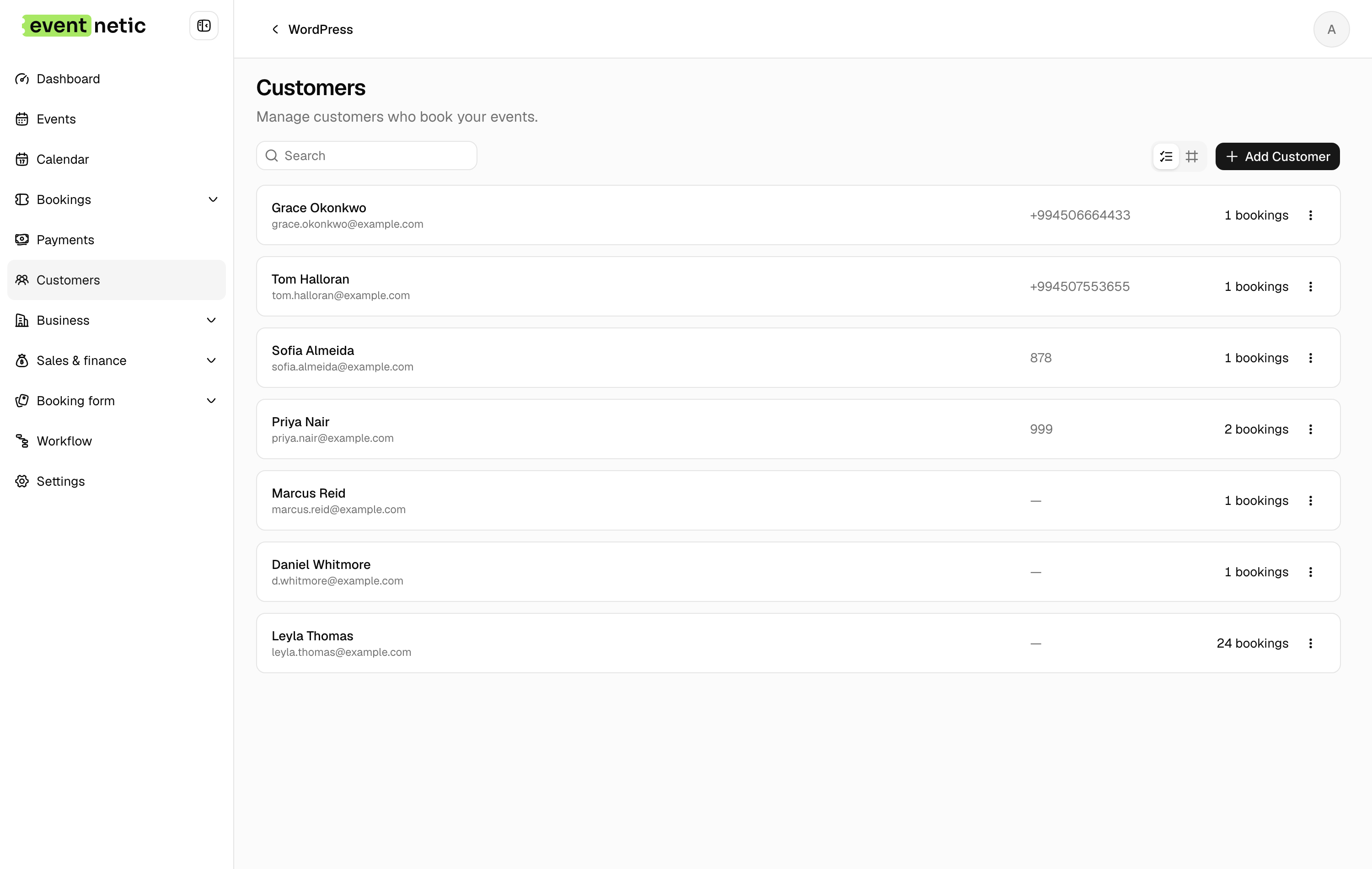
The free plan covers the ticketing workflow for offline and cash-payment events: unlimited active events, unlimited bookings, multiple ticket types with custom pricing, capacity management, check-in by name or booking code, 15-trigger email automation, and a full analytics dashboard. For venues testing the setup before committing to online payments, the free plan is a complete working system.
The Starter plan ($99/year or $199 lifetime for one site) adds Stripe and PayPal checkout, PDF tickets with individual QR codes, and recurring event dates with per-date capacity, plus taxes and discount codes. Per-date pricing, seat maps, invoices and waiting lists are on Pro, at $199 per year for the first year. That combination covers the core ticketing features most self-hosted organizers need, including reserved seating that Eventbrite limits to higher-tier plans, at a fixed annual cost that does not scale with ticket volume. Marketplace discovery, Eventbrite's dedicated mobile organizer app, and the platform's large-scale infrastructure are advantages that remain on the Eventbrite side and are not replicated by a self-hosted setup.
If you want to understand exactly what the free tier includes before making any payment decision, the free WordPress event ticketing guide covers the boundary between free and paid features in detail.
Eventnetic takes zero commission at every tier. Your Stripe or PayPal account receives the full ticket price. The Starter license cost is the entirety of what you pay to the plugin, regardless of how many events you run or how many tickets you sell.
For organizers comparing more than just Eventbrite and Eventnetic, the full best Eventbrite alternatives for WordPress roundup covers eight plugins with an honest breakdown of free plans, commission structures, and which features each one includes at the entry paid tier.
Frequently Asked Questions
Is Eventbrite free?
Eventbrite is free to list events and, for free events, no fees apply. For paid events, Eventbrite charges a service fee per ticket and a payment processing fee per order. The amounts depend on your Eventbrite plan and the ticket price. The full structure is broken down in the Eventbrite fees post.
Can I use a WordPress plugin instead of Eventbrite?
Yes, if you already have a WordPress site (or are willing to set one up). WordPress event ticketing plugins handle ticket creation, payment collection, ticket delivery, and check-in from within your own site. The main trade-offs are giving up Eventbrite's marketplace discovery and taking on the setup responsibility yourself. In return, you eliminate per-ticket platform fees and store your attendee data in your own database.
Do WordPress ticketing plugins support QR tickets like Eventbrite?
Yes. Several WordPress event ticketing plugins generate PDF tickets with individual QR codes and support scanning at the door from any camera-equipped smartphone. This covers the core Eventbrite check-in workflow. The specific plan level that includes QR tickets varies by plugin.
Do I need WooCommerce to sell event tickets in WordPress?
No. Some WordPress ticketing plugins are built on top of WooCommerce and require it. Others, including Eventnetic, have their own standalone checkout and do not require WooCommerce to process Stripe or PayPal payments. WooCommerce is an option to add more payment gateway flexibility, not a requirement.
What happens to my Eventbrite attendee data if I switch?
Eventbrite lets you export your attendee list as a CSV from the organizer dashboard. Do this before closing your Eventbrite account. Going forward, all bookings on your WordPress ticketing plugin are stored in your own WordPress database. You have direct access to that data at any time without depending on an export tool from a third party.
Is self-hosted WordPress ticketing harder to set up than Eventbrite?
Eventbrite is faster to start if you have no existing web presence. If you already have a WordPress site, adding a ticketing plugin follows the same process as any other plugin installation: install, configure payment gateways, and create your first event. For a well-documented plugin, you can go from installation to a live ticketing page in under an hour.
Final Verdict
Eventbrite works well for organizers who are starting from scratch, rely on Eventbrite's discovery feed to find new attendees, or run large-scale events where the platform's infrastructure and compliance handling justify the cost.
For most organizers who already have a WordPress site, run their own marketing, and sell tickets to a consistent audience, self-hosted WordPress ticketing is the better long-term setup. The per-ticket fees you eliminate on a zero-commission plugin, combined with attendee data stored on your own server and full checkout branding, represent a meaningful operational improvement over paying Eventbrite's fee structure on every ticket sold indefinitely.
Eventnetic covers the core ticketing workflow at the entry paid tier: Stripe and PayPal checkout, QR code tickets and scanning, reserved seating with visual seat maps, recurring event series with per-date pricing, and waiting lists, all at $99/year with zero commission. For organizers whose main priority is eliminating per-ticket fees and keeping attendee data on their own site, that is the starting point worth evaluating first.


