Best Ticket Tailor Alternatives for WordPress Users in 2026
9 Sep 2026 · Eventnetic Admin

Ticket Tailor built its reputation as a fairer deal than Eventbrite: no percentage take on ticket revenue, a simple per-ticket usage fee, and direct payouts through Stripe or PayPal. For organizers who process payments through a linked gateway, Ticket Tailor does not sit between you and the money. What it does charge is a per-ticket usage fee on paid ticket sales, using a pay-as-you-go model with no monthly subscription or contracts. Free events and free tickets are issued at no cost within fair usage limits. Paid tickets carry a usage fee per ticket sold. The pay-as-you-go rate is $0.85 per ticket. Prepaid credit packs bring that down to $0.30 per ticket. No plan tier removes the per-ticket fee entirely.
For organizers running WordPress sites, Ticket Tailor creates a second problem alongside the fee. It does offer an official WordPress plugin on WordPress.org, but that plugin embeds a hosted box-office widget rather than running as a self-hosted ticketing system. Your buyers complete checkout through Ticket Tailor's infrastructure. Your attendee data lives in their system, your booking records sit on their servers, and the confirmation email originates from Ticket Tailor's platform rather than your own domain.
A WordPress-native ticketing plugin fixes both problems. Your Stripe or PayPal account receives the full ticket price. Attendee records live in your own WordPress database. Checkout happens on your domain, styled by your theme. And for most organizers running regular events, the annual plugin license costs less than what Ticket Tailor's per-ticket usage fee accumulates over a year of events.
This guide covers the best Ticket Tailor alternatives for WordPress users in 2026. WordPress plugins are reviewed first, where the comparison matters most for WordPress-hosted sites. Hosted platforms follow for organizers who are not yet committed to a self-hosted setup. For the broader plugin category beyond Ticket Tailor alternatives specifically, see the best WordPress event plugins roundup.
Why WordPress Users Switch from Ticket Tailor
The reasons vary by organizer, but a few patterns come up consistently:
The per-ticket usage fee compounds. Ticket Tailor's pay-as-you-go model charges a usage fee on every paid ticket sold ($0.85 per ticket pay-as-you-go, $0.30 on prepaid credit). Volume prepay credit packs reduce the per-ticket rate but require purchasing credits upfront. There is no option to eliminate the per-ticket cost entirely: it applies every time a paid ticket is issued, regardless of how many tickets you sell.
Attendee data stays on Ticket Tailor's servers. Every booking record, every attendee email, every payment reference is stored in their system. Exporting that data requires using their export tools, and your access depends on your account remaining active.
Checkout runs on Ticket Tailor's infrastructure. The embeddable widget loads Ticket Tailor's checkout interface on your page. The browser bar may show your domain, but the transaction infrastructure, payment flow, and attendee data collection are entirely external, running on Ticket Tailor's hosted platform.
Branding controls require an add-on. On standard accounts, the box-office URL and ticketing experience carry Ticket Tailor's platform identity. Removing the Ticket Tailor logo from the box-office and ticket PDFs requires purchasing the white-label add-on, which is a paid feature rather than included by default. Buyers on a standard account are aware they are transacting through a Ticket Tailor-powered checkout.
Hosted box-office, not a self-hosted system. Ticket Tailor has an official WordPress plugin on WordPress.org that embeds its hosted box-office widget on your pages, but the underlying system remains on Ticket Tailor's servers. There is no connection to your WordPress database, your WooCommerce store, or your WordPress theme. Your attendee records and event data live on Ticket Tailor's platform regardless of how the widget is installed.
What to Look for in a Ticket Tailor Alternative
The alternatives in this list were evaluated against the core reasons organizers leave Ticket Tailor:
Zero or fixed platform commission. Replacing a per-ticket usage model with a similar per-ticket fee does not solve the underlying problem. The best alternatives charge zero commission on every ticket and route 100% of revenue to your payment gateway.
True WordPress checkout. Ticket Tailor's WordPress plugin embeds a hosted box-office widget: checkout still runs on Ticket Tailor's infrastructure, not on your server. The best alternatives in this list run checkout natively on your WordPress installation, inside your theme, with attendee data stored directly in your own database.
QR ticket delivery. Ticket Tailor sends QR-coded PDF tickets as standard. Any alternative should match this baseline: buyers expect a scannable ticket they can present at the door.
Seat reservation. Ticket Tailor provides section-level seating on standard plans, with assigned seat maps on higher-tier accounts. Alternatives with a complete seating module at a competitive price deliver more for venue-based events.
Data ownership. Every booking record should live in your WordPress database from the moment of purchase, with no dependency on a third-party platform's export tools or service continuity.
Branding control. Ticket PDFs, confirmation emails, and checkout pages should carry your organization's name and logo throughout.
Quick Comparison: Best Ticket Tailor Alternatives for WordPress
| Tool | Type | Transaction fee | Entry cost | QR tickets | Seat reservation | Data ownership |
|---|---|---|---|---|---|---|
Eventnetic |
WordPress plugin |
None |
$99/ |
Starter |
Starter |
Your server |
Event Tickets (TEC) |
WordPress plugin |
2% on Stripe/ |
Free (2% fee); Event Tickets Plus (paid) |
Event Tickets Plus |
TEC Elite |
Your server |
FooEvents |
WordPress + WooCommerce |
None |
$169/ |
All paid plans |
$249/ |
Your server |
Tickera |
WordPress plugin |
None |
$149/ |
All plans |
Bundle plan |
Your server |
TicketLeap |
Hosted platform |
Buyer service fee only |
Free for organizer |
Yes |
Limited |
TicketLeap servers |
Pretix |
Hosted or self-hosted |
~€0.05 + 2% (hosted); none (self-hosted) |
Free (self-hosted) |
Yes |
Yes |
Your choice |
Eventbrite |
Hosted platform |
% + flat fee per ticket (see Eventbrite fees) |
Free (with per-ticket fees) |
Yes |
Higher plans |
Eventbrite servers |
Best Ticket Tailor Alternatives for WordPress Users
1. Eventnetic
Best for: WordPress sites that want Ticket Tailor's feature set with no per-ticket fee and the checkout on their own domain
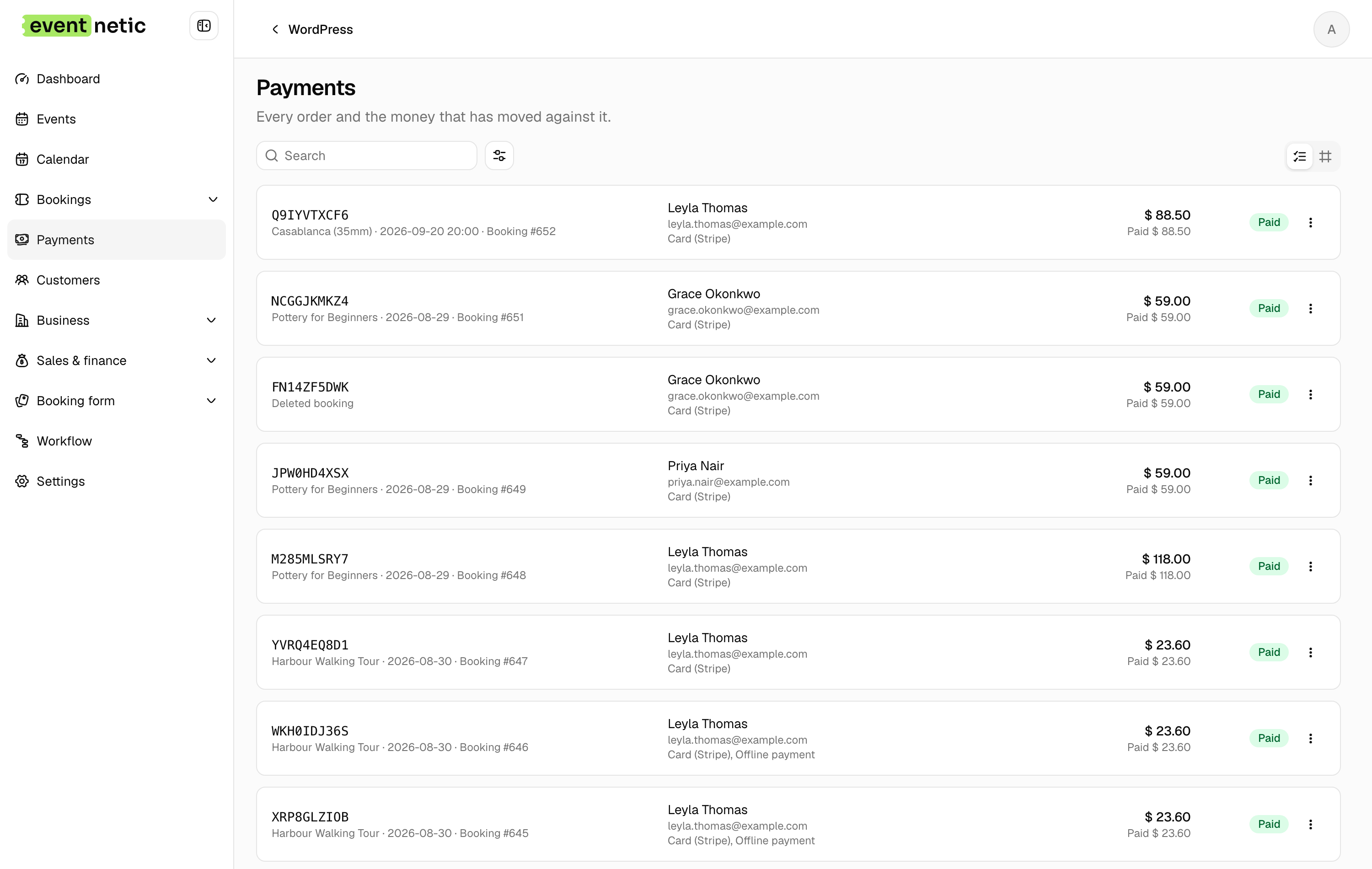
Eventnetic is the closest WordPress-native equivalent to Ticket Tailor, with one structural difference: everything runs on your own server. No embedded widget, no attendee data on a third-party system, no per-ticket fee on any plan. The checkout is a page on your site, served from your domain and styled by your theme.
Ticket Tailor charges $0.85 per paid ticket, or $0.30 on prepaid credit, and no tier removes it. Eventnetic's Starter license at $99 for the first year covers unlimited ticket volume at no extra cost per ticket, with Stripe and PayPal, PDF tickets with QR codes and recurring dates. Pro at $199 adds seat maps, per-date pricing, invoices and waiting lists.
Key features:
- Unlimited active events and bookings on the free plan, with no expiry
- Standalone checkout with Stripe and PayPal, no WooCommerce dependency (Starter)
- PDF tickets with a QR code per seat or booking, checked in with a barcode scanner or code entry (Starter)
- Recurring series with per-date capacity (Starter) and per-date pricing (Pro)
- Seat maps tied to the venue and reused across events (Pro)
- Timed entry slots with capacity per window (Starter)
- Deposits, discount codes and custom attendee forms (Starter)
Pricing: Free plan with offline payment and no expiry. Starter $99/yr first year (1 site, renews at $199) or $199 lifetime. Pro $199/yr first year (5 sites, renews at $299) or $399 lifetime, where seating starts. Elite $299/yr (25 sites) or $599 lifetime. 14-day money-back guarantee.
Limitations: Card payments need a paid license, so the free plan is offline and cash only. Ticket Tailor needs no WordPress site at all; this does. Launched in 2026, with no established review history.
2. Event Tickets by The Events Calendar
Best for: WordPress sites already using The Events Calendar that want to add real ticket sales alongside their existing event calendar, with the option to remove the built-in Stripe and Square platform fee via Event Tickets Plus
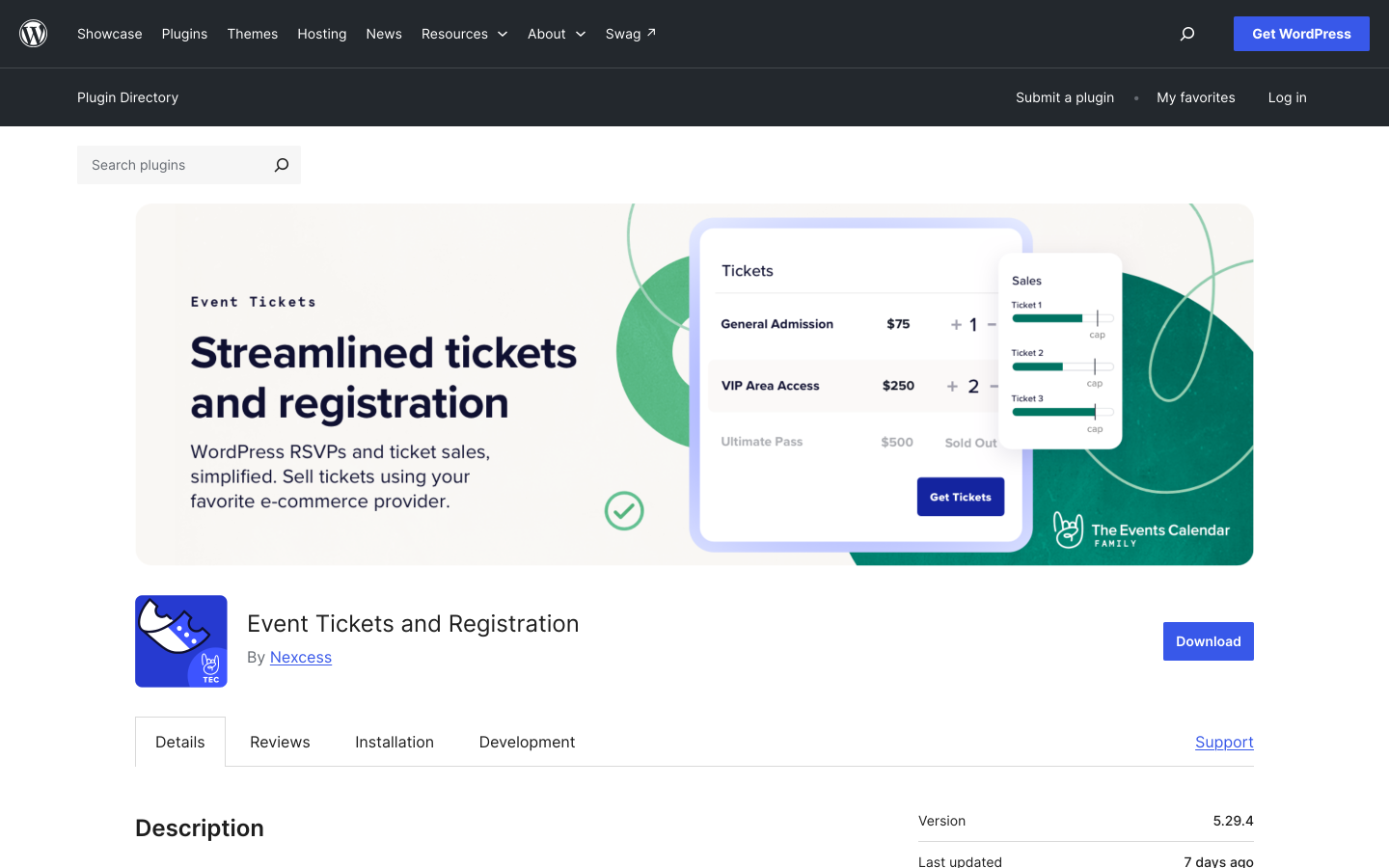
Event Tickets is StellarWP's free companion plugin for The Events Calendar, which is installed on over 700,000 WordPress sites. The free plugin adds paid ticketing via Tickets Commerce, supporting Stripe, PayPal, and Square as core built-in gateways. Unlike Ticket Tailor, Event Tickets is a real WordPress plugin: checkout happens on your domain, attendee data lives in your WordPress database, and events appear in your own calendar.
The free tier includes a 2% platform fee on Stripe and Square transactions via Tickets Commerce, applied on top of the gateway's standard rates. PayPal Standard does not carry the same commission in the default configuration. The 2% fee is removed when the paid Event Tickets Plus add-on is installed.
For organizers who do not need QR scanning, PDF tickets, or reserved seating, the free Event Tickets setup delivers on-site ticket sales with attendee tracking and basic order management. Upgrading to Event Tickets Plus removes the 2% fee and adds QR check-in and advanced ecommerce. Recurring events require Events Calendar Pro. Reserved seating requires TEC Elite. Each is a separate purchase, so a fully featured setup can cost more than an all-in-one license.
Key features:
- RSVP collection and paid ticket sales via Tickets Commerce (free)
- Stripe, PayPal, and Square checkout (free; 2% fee on Stripe and Square, waived with Event Tickets Plus)
- Attendee management and basic order tracking (free)
- QR code check-in and PDF tickets (Event Tickets Plus, paid)
- Recurring events (Events Calendar Pro, paid)
- Reserved seating (TEC Elite, paid)
- 4.2/5 rating from 2,444 WordPress.org reviews on TEC core
Pricing: Event Tickets plugin is free. Tickets Commerce is included and applies a 2% fee on Stripe and Square transactions. Event Tickets Plus (paid add-on) removes the fee and adds QR check-in, PDF tickets, and advanced ecommerce. Check theeventscalendar.com for current paid add-on pricing. Events Calendar Pro and TEC Elite are separate purchases.
Limitations: Stripe and Square transactions carry a 2% platform fee in the free tier, removed with a paid Event Tickets Plus license. QR scanning, PDF tickets, recurring events, and seating each require additional paid add-ons. Sites with no existing TEC installation may find an all-in-one plugin faster to configure.
3. FooEvents for WooCommerce
Best for: WooCommerce stores that want to convert their existing payment gateway setup into a ticketed event system without introducing a second payment infrastructure
FooEvents for WooCommerce converts WooCommerce products into ticketed events. Because it routes through WooCommerce, buyers check out using whatever gateway your store already has configured: Stripe, PayPal, Square, and 100-plus other WooCommerce-compatible options, with no per-ticket commission to FooEvents. Every paid plan includes custom branded PDF tickets with QR codes and free iOS and Android check-in apps (the FooEvents Check-ins app).
For WordPress organizers already running WooCommerce, this is the most efficient upgrade path. Your gateway is already configured, your customers know your checkout, and you gain event ticketing without introducing a second payment layer. For sites without WooCommerce, the dependency adds meaningful overhead in configuration, hosting load, and ongoing maintenance.
Unlike Ticket Tailor, FooEvents checkout is native WooCommerce: your domain, your design, your database. Attendee records sync directly into WooCommerce orders. Seat maps for assigned-seat events require the Premium Bundle at $249/year. Walk-up box office sales from a POS terminal require the Point of Sale Bundle at $399/year.
Key features:
- WooCommerce products become ticketed events
- 100-plus payment gateways via WooCommerce (no FooEvents commission)
- Custom branded PDF tickets with QR codes (all paid plans)
- Free iOS and Android check-in apps included on all plans
- Multi-day events, recurring dates, and custom attendee forms
- Seating maps for numbered reserved-seat events (Premium Bundle)
- Point of sale terminal for walk-up ticket sales (Point of Sale Bundle)
Pricing: Basic Bundle $169/year. Bookings Bundle $199/year (adds custom attendee fields). Premium Bundle $249/year (adds seating). Point of Sale Bundle $399/year (adds POS system and all add-ons). WooCommerce is required and not included. 14-day money-back guarantee.
Limitations: WooCommerce is a hard dependency. The $169/year entry price is higher than several alternatives that include payment gateways at a lower cost. Seat maps require the $249/year Premium Bundle.
4. Tickera
Best for: organizers who want zero-commission ticket sales, the widest built-in gateway selection without WooCommerce, and the option of a permanent lifetime license
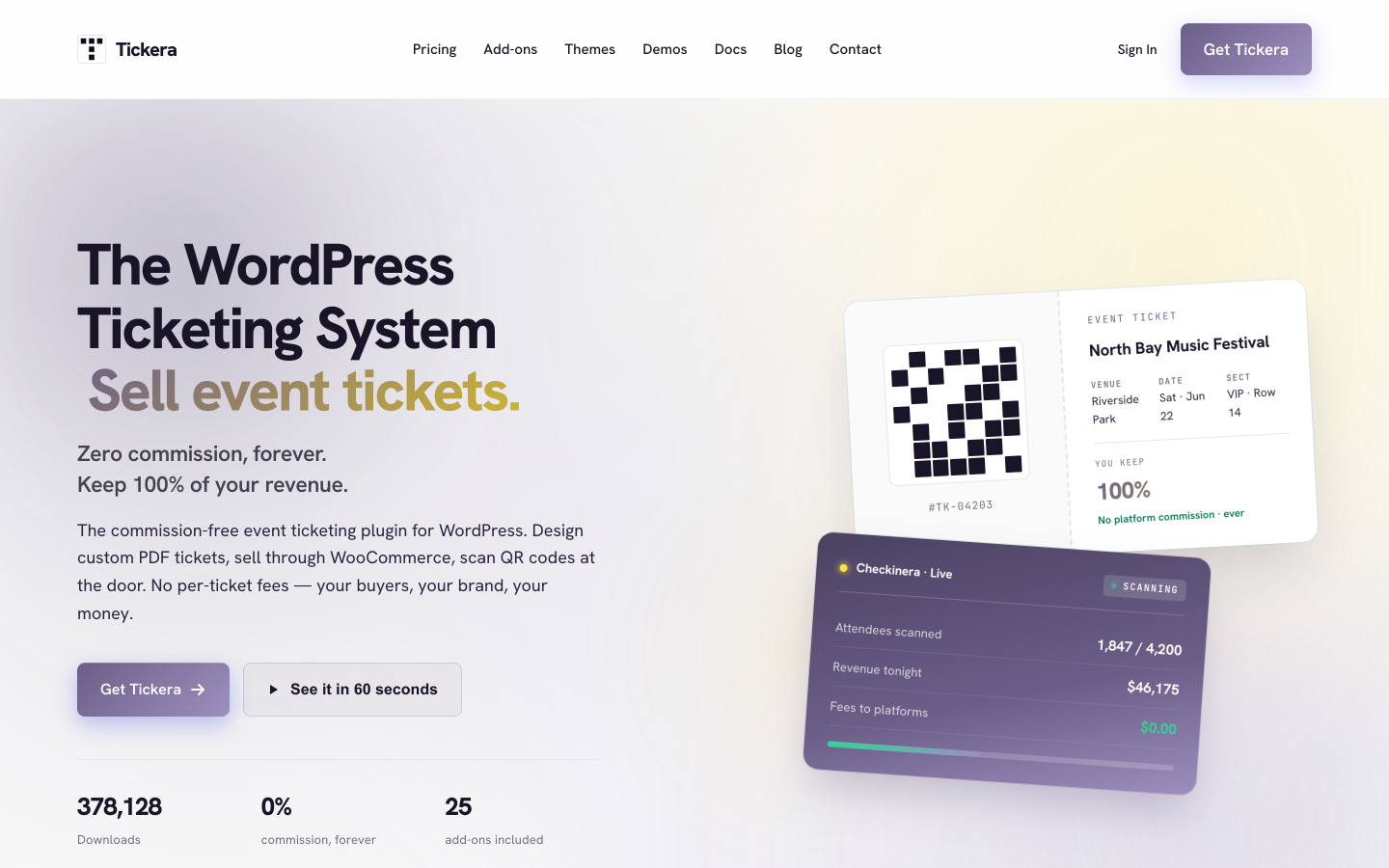
Tickera is built on one principle: every transaction goes directly from buyer to your payment account, with Tickera taking nothing from ticket revenue. With 2,000-plus active installs and a 4.5/5 rating from 286 reviews on WordPress.org, it has a focused user base that values the zero-commission model. Every plan covers unlimited sites, unlimited events, unlimited attendees, PDF tickets with QR codes, and free iOS and Android check-in apps (the Checkinera app).
Nineteen payment gateways are built directly into the plugin without requiring WooCommerce. The Bundle plan adds WooCommerce via the Bridge add-on, expanding options to hundreds of additional gateways. A Seating Charts add-on is included in the Bundle and Lifetime plans. A Lifetime license at $399 covers unlimited sites and every Tickera add-on with no annual renewal required.
Tickera does not ship a public-facing event browsing calendar out of the box. Sites that want a searchable event listing for their audience typically pair Tickera with a separate calendar plugin.
Key features:
- 19 built-in payment gateways, no WooCommerce required
- Zero platform commission on all plans
- Unlimited sites, events, and attendees on all plans
- PDF tickets with QR codes and email receipts
- Checkinera iOS and Android check-in apps (free, all plans)
- Seating Charts add-on (Bundle and Lifetime)
- Discount codes and custom attendee forms (Bundle)
- WooCommerce Bridge add-on (Bundle)
- Lifetime license available
Pricing: Standard $149/year (first year). Bundle $199/year first year (all 25 add-ons). Lifetime $399 one-time (all add-ons, unlimited sites, no renewal). 7-day money-back guarantee.
Limitations: No built-in public event calendar frontend. Recurring events are limited compared to dedicated event management plugins. The 7-day refund window is shorter than most competitors in this list.
5. TicketLeap
Best for: organizers who want a hosted platform with no upfront cost and are comfortable with buyer-paid service fees, without committing to a WordPress-native setup

TicketLeap is a hosted ticketing platform that passes its service fee to buyers rather than charging the organizer. The organizer receives the full face value of each ticket. Buyers pay a service fee on top of the ticket price at checkout. This makes TicketLeap free for organizers who are comfortable with buyers seeing that fee during purchase.
As a hosted platform rather than a WordPress plugin, TicketLeap does not integrate natively with WordPress. You share a direct link to the TicketLeap event page or embed a button that redirects buyers to their platform. Attendee data lives on TicketLeap's servers. Checkout is on TicketLeap's domain. For organizers who do not yet run a WordPress site and need a fast hosted starting point, TicketLeap is a reasonable first step. For WordPress users who want checkout on their own domain and data in their own database, a WordPress plugin delivers meaningfully more.
Key features:
- No organizer transaction fee (buyer-paid service fee model)
- QR code check-in included
- Basic attendee management and reporting
- Embeddable widget and direct event link sharing
- Stripe-powered payments
Pricing: Free for organizers. Buyers pay a service fee per transaction. Check ticketleap.com for current buyer fee rates.
Limitations: Hosted platform: attendee data on TicketLeap's servers, checkout off your domain, no native WordPress plugin. Seat maps and advanced seating are limited. Primarily US-focused.
6. Pretix
Best for: technically capable organizations or development teams who want an open-source ticketing platform they can self-host with no per-ticket cost, or a hosted version with transparent per-ticket pricing

Pretix is an open-source event ticketing platform available in two configurations. The self-hosted option runs on your own server and is free to use; you pay only your hosting costs. The hosted version (managed by Pretix) charges approximately €0.05 per ticket plus 2% per paid ticket, with a minimum monthly charge. Check pretix.eu for current hosted pricing as rates may vary. The open-source codebase is publicly available and actively maintained.
For organizations with the technical resources to deploy a Docker-based application, self-hosted Pretix delivers complete data ownership, zero per-ticket fees, QR check-in, seat maps, a plugin ecosystem for additional gateways, and a full API. The trade-off is setup and maintenance burden. For a broader look at self-hosted options beyond Pretix, including WordPress-native plugins that avoid a separate server deployment entirely, see the best self-hosted ticketing software roundup.
For WordPress users, Pretix does not integrate natively with WordPress. You either link to a Pretix-hosted event page or embed the checkout widget. If full data ownership on self-managed infrastructure is the priority and you have the technical capability to run it, self-hosted Pretix is a compelling option. If native WordPress integration is the goal, a WordPress plugin is the right tool.
Key features:
- Open-source codebase (self-hosted is free)
- Full data ownership on self-hosted deployments
- QR code tickets and scanner app
- Seat maps and assigned seating support
- Plugin ecosystem for additional payment gateways and features
- Hosted version available (per-ticket pricing applies; verify at pretix.eu)
- API access for custom integrations and reporting
Pricing: Self-hosted: free (your server costs). Hosted: approximately €0.05 per ticket plus 2% per paid ticket, minimum monthly charge applies. Check pretix.eu for current hosted pricing and plan details.
Limitations: Self-hosting requires server setup, maintenance, and technical knowledge. No native WordPress plugin. The hosted version has a per-ticket fee structure worth comparing directly at pretix.eu. Less beginner-friendly than purpose-built hosted platforms.
7. Eventbrite
Best for: organizers who need Eventbrite's discovery audience for public events in major cities, or who are running a one-off event without a WordPress site and want zero setup time
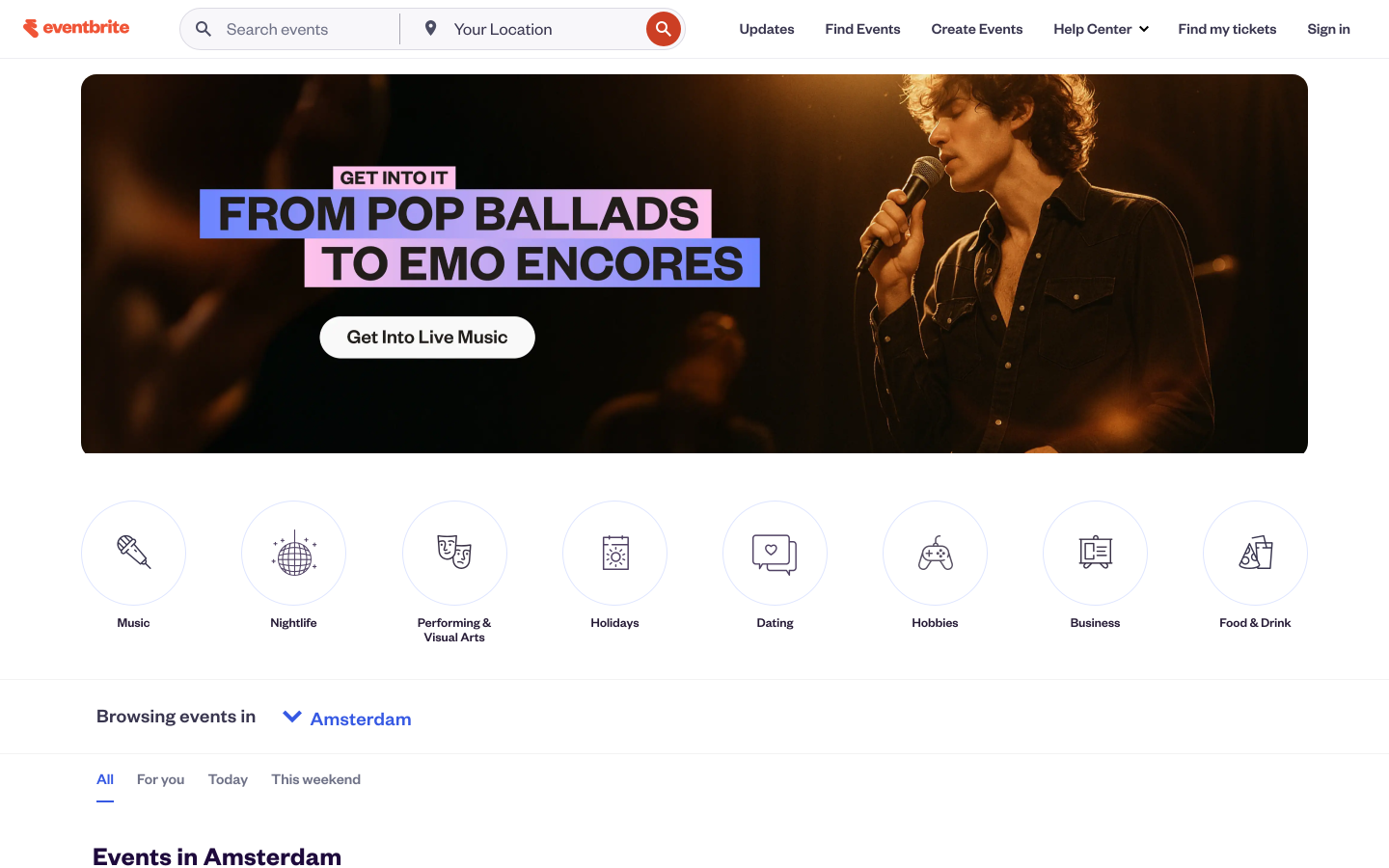
Eventbrite is the largest dedicated event ticketing platform by audience reach. For organizers who rely on organic discovery from buyers browsing Eventbrite for things to do, the platform offers something no WordPress plugin replaces: real search and recommendation traffic from an active public events audience.
The cost structure is the main reason organizers look elsewhere. Eventbrite's Eventbrite fees include a percentage service charge per ticket plus a separate payment processing fee per order, creating a compounding cost structure that grows with every sale. For organizers who drive their own marketing and do not depend on Eventbrite discovery, those fees rarely justify the trade-off against a WordPress plugin at zero commission.
For WordPress users switching from Ticket Tailor specifically, Eventbrite is rarely the answer. The per-ticket fee structure is more expensive than Ticket Tailor's at most price points, the attendee data situation is the same (records on Eventbrite's servers), and checkout is similarly off your domain.
Key features:
- Organic event discovery through Eventbrite's search and recommendation engine
- Hosted checkout with broad buyer familiarity
- QR ticket delivery on all plans
- Basic recurring event management
- Mobile check-in app for door scanning
Pricing: Free for free events. Paid events charged a service fee per ticket plus a payment processing fee per order. See the Eventbrite fees post for a full breakdown across different ticket prices and volumes.
Limitations: Per-ticket fee structure is more expensive than Ticket Tailor at most price points. Attendee data on Eventbrite's servers. Checkout off your domain. No native WordPress plugin. Advanced seat maps on higher-tier accounts only.
When Ticket Tailor Is Still a Good Choice
Ticket Tailor is not the wrong answer for every organizer. There are situations where staying on the platform makes practical sense:
You do not run a WordPress site. If your organization has no web presence or maintains a simple static site on another platform, Ticket Tailor's hosted setup is faster to configure than building and maintaining a WordPress installation with a ticketing plugin.
You run infrequent, low-volume events. For an organization running one or two events per year with small attendance, the total usage fee across a few dozen tickets may be modest. A $99/year plugin license could cost more than the annual usage fee total at that volume.
Most of your events are free. Ticket Tailor does not charge usage fees on free tickets, within fair usage limits. If the majority of your events are free admission, the per-ticket usage fee applies rarely, and a self-hosted WordPress plugin may offer fewer cost advantages for that use case.
Your team is not comfortable managing WordPress. A hosted platform requires no plugin updates, no compatibility testing with theme changes, and no server-side maintenance. For volunteer-run or low-resource organizations, that operational simplicity has genuine value.
For organizers who run regular paid events, maintain a WordPress site, and care about where their attendee data lives, a WordPress plugin delivers better long-term economics and control.
Frequently Asked Questions
What is the best Ticket Tailor alternative for WordPress users?
Eventnetic is the strongest WordPress-native alternative. It is a true WordPress plugin rather than an embedded widget, charges zero transaction fees on all plans, stores attendee data in your own database, and delivers branded PDF tickets with individual QR codes from its $99/year Starter license. The free plan covers unlimited events and bookings for organizers using offline or cash payment, with full detail in the free WordPress event ticketing guide.
Which WordPress ticketing plugin has no per-ticket fee?
Eventnetic, FooEvents, and Tickera all charge zero platform commission on all plans. The only fees deducted from ticket sales are standard payment gateway rates, typically 2.9% plus $0.30 per transaction with Stripe. Those fees go to the gateway, not the plugin. Event Tickets by The Events Calendar applies a 2% Tickets Commerce fee on Stripe and Square in the free tier, removed with the paid Event Tickets Plus add-on.
Can I replace Ticket Tailor's embeddable widget with a true WordPress checkout?
Yes. Any WordPress-native plugin in this list places checkout entirely on your WordPress site. Buyers do not leave your domain or interact with an external hosted platform during purchase. Ticket Tailor's WordPress plugin can appear on your WordPress page, but the ticketing system, payment flow, and attendee records remain hosted by Ticket Tailor rather than self-hosted in WordPress.
Do WordPress ticketing plugins support QR code tickets like Ticket Tailor?
Yes. Eventnetic (Starter plan), FooEvents (all paid bundles), and Tickera (all plans via the Checkinera app) all include QR-coded PDF tickets on their base paid tiers without a separate add-on. Event Tickets by The Events Calendar requires the paid Event Tickets Plus add-on for QR check-in. If QR ticket delivery at the door is a baseline requirement, the three plugins above deliver it without additional purchases.
Does Eventnetic support seat reservations better than Ticket Tailor?
Yes, at the entry paid level. Eventnetic's seating module (Pro plan) covers sections, tiers, and individually assigned seats with date-specific availability within recurring shows. Ticket Tailor provides section-level seating on standard plans, with individually assigned seats on higher-tier accounts. For theaters, cinemas, and seated venues where row-and-seat selection matters, Eventnetic's seating module is more complete at the entry paid price.
Is my attendee data more secure on a WordPress plugin than on Ticket Tailor?
Both approaches carry data responsibilities. On Ticket Tailor, attendee data lives on Ticket Tailor's servers: if the service changes its terms, is acquired, or becomes unavailable, access to historical data depends on their export process. On a WordPress plugin, attendee data lives in your own database on your own hosting account. You have direct database access, run your own backups, and are not dependent on a third-party platform's export availability.
How does the cost of Eventnetic compare to Ticket Tailor over time?
Ticket Tailor uses a pay-as-you-go model: you pay a usage fee per paid ticket sold, with no monthly subscription or contracts. Volume prepay credit packs reduce the per-ticket rate but do not eliminate it. Over time, for any organizer selling a consistent number of tickets per year, those usage fees accumulate as an ongoing cost that scales with every event. Eventnetic's Starter license is $99/year for one site or $199 as a one-time lifetime purchase with no renewal and no per-ticket fee at any volume.
Can I migrate existing attendee data from Ticket Tailor to a WordPress plugin?
Yes, in part. Export your attendee and booking data from Ticket Tailor's admin panel as a CSV before your transition. Install your chosen WordPress plugin, configure your events and ticket types, and begin new ticket sales from the plugin. Historical Ticket Tailor records do not automatically import into most WordPress plugins, but the CSV export preserves your attendee list for your records. Going forward, every new booking lives in your own database.
Final Verdict
For WordPress users, Eventnetic is the clearest replacement for Ticket Tailor. It is a native WordPress plugin, not an embedded widget. Checkout happens on your domain. Every booking record lives in your own database. There is no per-ticket fee at any volume: a single $99/year Starter license covers Stripe and PayPal checkout, PDF tickets with QR codes, recurring event dates and discount codes, and the $199/year Pro plan adds seat maps and waiting lists, all at zero commission. Where Ticket Tailor's pay-as-you-go model charges a usage fee on every paid ticket sold, Eventnetic charges a one-time annual license with no cost-per-ticket at any volume. The free WordPress event ticketing guide covers what is available before any payment commitment.
For sites already running The Events Calendar, the free Event Tickets companion plugin adds native Stripe, PayPal, and Square ticket sales on your own domain. Stripe and Square carry a 2% Tickets Commerce fee, which the paid Event Tickets Plus add-on removes. FooEvents is the right pick for WooCommerce stores that want to reuse an existing gateway configuration. Tickera suits organizers who want the widest built-in gateway selection, zero commission, and a permanent lifetime license option.
For organizers not yet on WordPress, TicketLeap removes the organizer fee by passing it to buyers, and self-hosted Pretix delivers zero per-ticket cost with full data control for technically capable teams. Eventbrite brings organic discovery traffic but applies a more expensive per-ticket fee structure than Ticket Tailor and shares the same attendee data limitations.
The core case for switching from Ticket Tailor to a WordPress plugin is straightforward. Every ticket is processed on your own infrastructure, into your own payment account. Your attendee data stays in your own database, and there is no platform commission. For any organizer who runs regular paid events and already operates a WordPress site, that is a better arrangement by every measure that matters.


