6 Best Online Ticketing Platforms with No Transaction Fees in 2026
9 Sep 2026 · Eventnetic Admin

When you sell tickets through an online marketplace, the first sale is rarely the only cost. Many platforms add a service fee on every paid ticket: a percentage of the face value, a flat fee per ticket, or both. On 500 tickets at $30 each, a 4% platform fee costs $600 before your payment processor charges a single cent.
That is why "no transaction fees" has become one of the most-searched terms in the ticketing software market. But the phrase is often used loosely. Understanding what it actually means before you sign up can prevent a costly surprise on your first payout.
This guide covers six ticketing platforms that charge no per-ticket service fee on ticket revenue. All six are WordPress plugins with an annual or lifetime license. In each case, the ticketing platform itself does not take a cut of what you earn per ticket sold.
What "no transaction fees" actually means for event organizers
Before comparing platforms, it helps to separate two types of fees that nearly every organizer encounters.
Platform or service fees are charged by the ticketing software company itself, usually as a percentage of each ticket sold, a flat fee per ticket, or both. Eventbrite, for example, charges a service fee on paid tickets. This is the fee that "no platform fees" tools are promising to eliminate.
Payment processing fees are charged by your payment provider (Stripe, PayPal, Square, and similar) for handling the actual card or wallet transaction. When you accept paid tickets online through Stripe or PayPal, processing fees may apply. In the United States, these typically run around 2.9% plus $0.30 per successful transaction, though rates vary by country and account type. If you collect payments in cash, by bank transfer, or through an offline method, card processing fees do not apply.
A plugin that advertises "no platform fees" but routes card payments through Stripe or PayPal still involves payment processing costs on your end. Those are separate from the platform. What changes with the tools below is that no additional platform cut is added on top of what your payment processor charges.
To put the difference in numbers: if a platform charges 4% per ticket and Stripe charges 2.9%, you are paying 6.9% total per online card sale. With a no-platform-fee plugin on an annual license, you pay only the 2.9% Stripe processing fee for card transactions, plus a fixed license cost that does not scale with sales volume. For any organizer doing meaningful ticket volume, the math strongly favors the license model.
How these platforms were evaluated
To qualify for this list, each platform had to meet one core condition: the ticketing software itself does not charge a percentage-based or flat fee on each individual ticket sold. That means:
- No per-ticket service fee from the platform
- No commission on ticket revenue paid to the platform vendor
- Transparent pricing: payment processing fees may apply when accepting online card or wallet payments
Additional criteria considered:
- Active maintenance and current compatibility with payment processors
- Core ticketing features: ticket types, capacity control, check-in, payment handling
- Clear, publicly available pricing with no hidden fees
- Suitability for a range of event types and organizer sizes
Quick comparison: ticketing platforms with no platform fees in 2026
| Platform | Type | Pricing model | Free option | Best for |
|---|---|---|---|---|
| Eventnetic | WP Plugin | License (from $99/yr) | Free plan | WordPress self-hosted, venues, recurring events |
| Tickera | WP Plugin | License (from $149/yr) | Free core | WordPress, custom tickets, QR scanning |
| The Events Calendar + Event Tickets | WP Plugin | License (Event Tickets free) | Event Tickets (RSVP) | Sites already using Events Calendar |
| Event Espresso | WP Plugin | License (from $79.95/yr) | No | Conferences, registrations, training |
| FooEvents | WP Plugin | License (from ~$99/yr) | No (14-day guarantee) | WooCommerce-based ticket sales |
| Eventin | WP Plugin | License (from $89/yr) | Free core | Conferences, webinars, agenda-led events |
1. Eventnetic - best self-hosted WordPress ticketing platform with no platform fees
Best for: venues, studios, workshops, museums and tour operators who want to sell tickets from their own site without a per-ticket commission
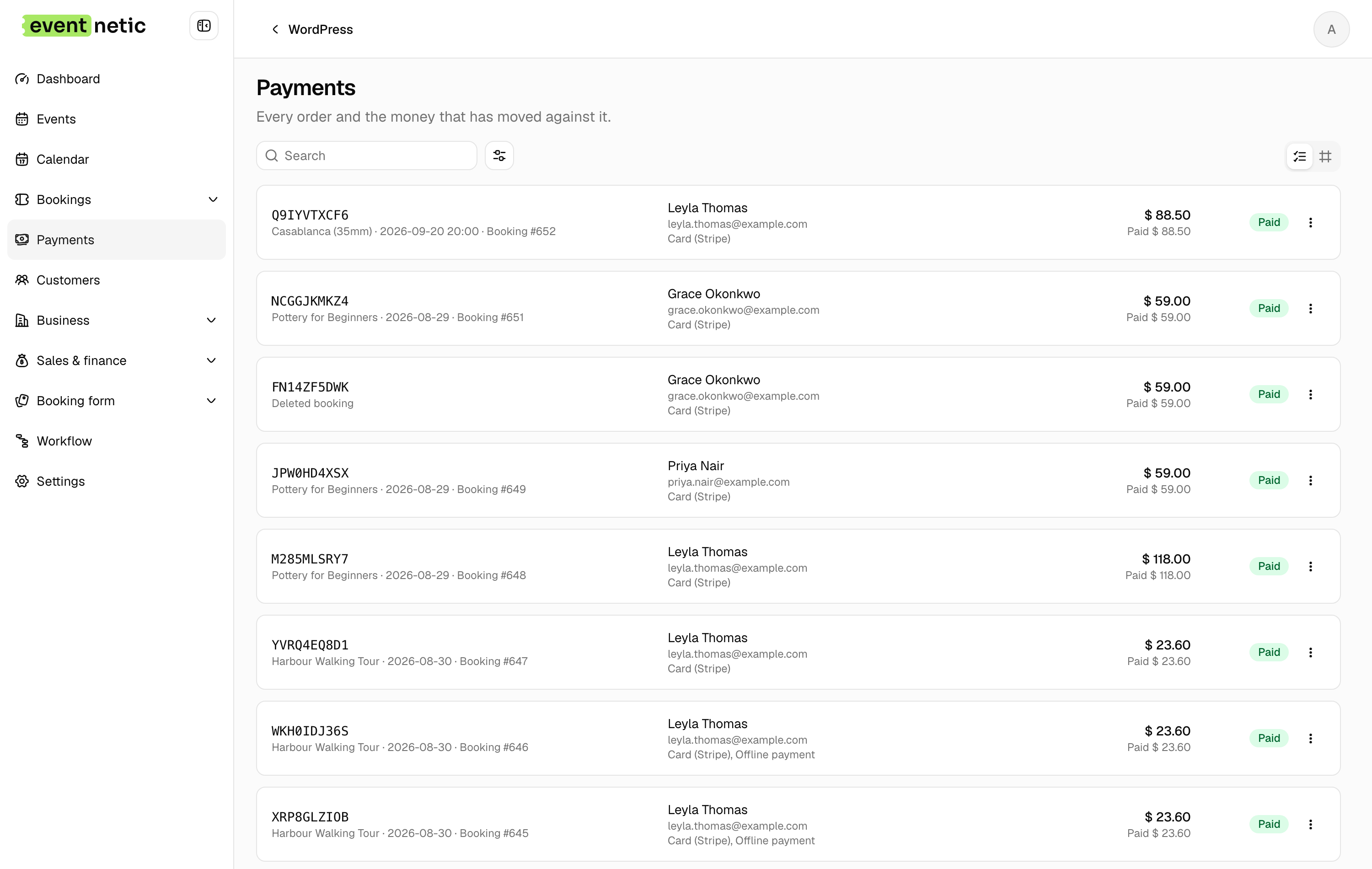
Eventnetic charges a license fee, not a commission. Payments go straight from the buyer to your Stripe or PayPal account and the plugin takes nothing from that amount, on any plan including the free one. The only deduction is the gateway's own rate.
The free plan runs unlimited events and bookings with offline payment, so the full workflow can be tested before any card is taken. Starter at $99 for the first year adds Stripe and PayPal, QR tickets and recurring dates; Pro at $199 adds seat maps and waiting lists.
Key features:
- Unlimited active events and bookings on the free plan, with no expiry
- Standalone checkout with Stripe and PayPal, no WooCommerce dependency (Starter)
- PDF tickets with a QR code per seat or booking, plus a camera scanner (Starter)
- Recurring series with per-date capacity (Starter) and per-date pricing (Pro)
- Seat maps tied to the venue and reused across events (Pro)
- Timed entry slots with capacity per window (Starter)
- Deposits, discount codes and custom attendee forms (Starter)
Pricing: Free plan with offline payment and no expiry. Starter $99/yr first year (1 site, renews at $199) or $199 lifetime. Pro $199/yr first year (5 sites, renews at $299) or $399 lifetime, where seating starts. Elite $299/yr (25 sites) or $599 lifetime. 14-day money-back guarantee.
Limitations: Card payments need a paid license; the free plan is offline and cash only. Launched in 2026, so there is no long install history. The gateway range is Stripe, PayPal and optional WooCommerce.
2. Tickera - best WordPress ticketing plugin for custom ticket design
Best for: WordPress site owners who want a mature, dedicated ticketing plugin with strong QR scanning capabilities and a highly customizable ticket design workflow.
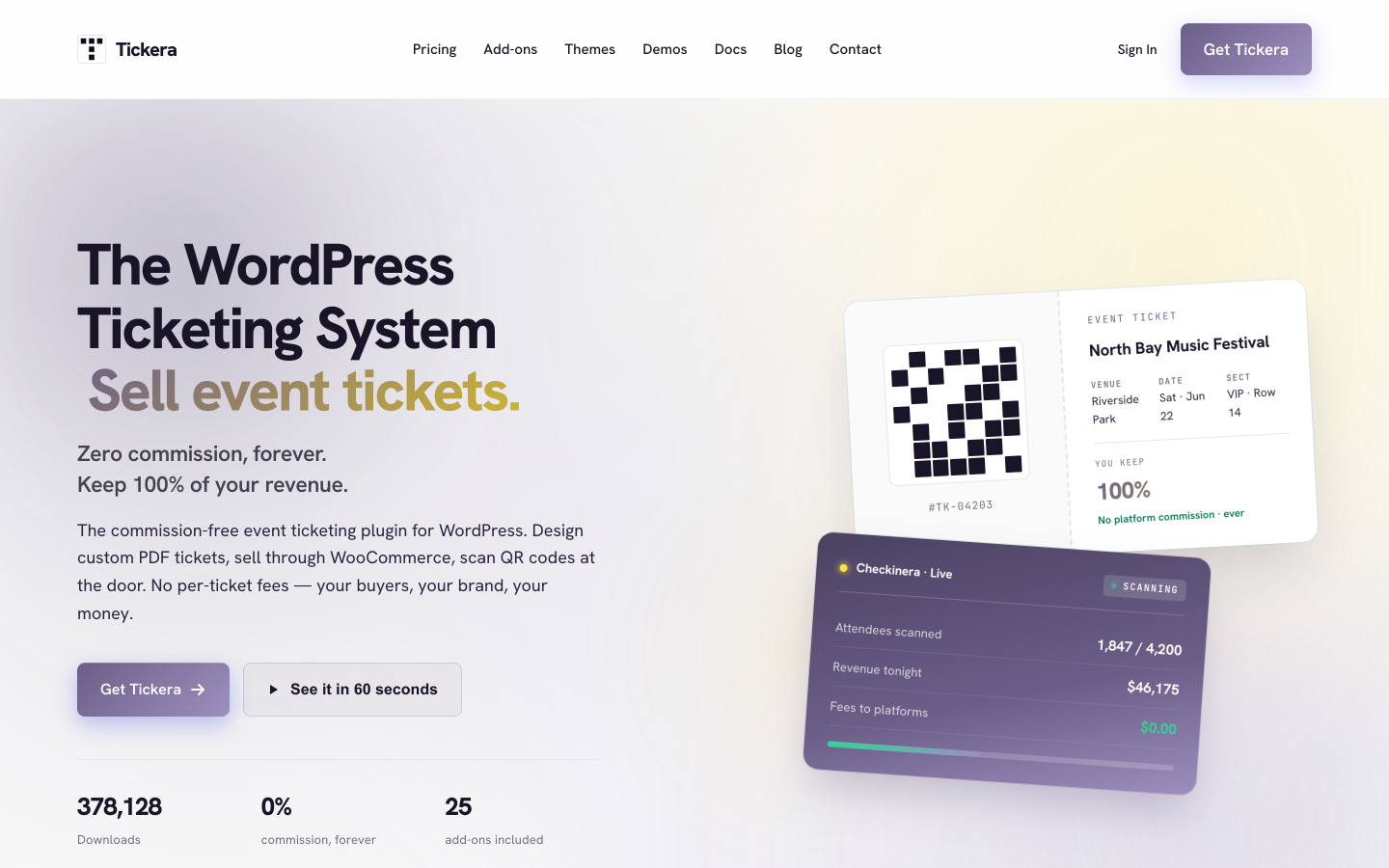
Tickera has been active since 2012 and has built a reputation as one of the most complete WordPress-native ticketing systems. It does not charge a platform commission. Like Eventnetic, the model is license-based: pay for the plugin annually or as a lifetime purchase, and the platform takes nothing from ticket revenue. Payment processing fees may apply when accepting online card payments through your chosen gateway.
The 2026 major release (v3.6) introduced a drag-and-drop ticket designer with live PDF preview, a refreshed admin interface, and frontend theme options (Minimal, Bold, Dark). The plugin supports 19 built-in payment gateways and offers 25 premium add-ons for seating charts, WooCommerce integration, bulk discounts, speaker management, and more.
Key features:
- No per-ticket platform fee
- 19 built-in payment gateways
- Drag-and-drop PDF ticket designer with live preview and QR or barcode codes
- Checkinera iOS and Android check-in apps (included on Standard and Bundle plans)
- WooCommerce Bridge add-on for WooCommerce-powered checkout
- Seating chart support via add-on
- 25 premium add-ons for extended functionality
Pricing: Standard plan from $149/year (renews at $99/year). Bundle with all 25 add-ons from $199/year (renews at $149/year). Lifetime plan at $399. Payment processing fees may apply for online card transactions. See tickera.com/pricing for current rates.
Best for: WordPress organizers who want a mature, add-on-rich ticketing system with custom ticket design and dedicated scanning apps.
3. The Events Calendar + Event Tickets - best for sites already in The Events Calendar ecosystem
Best for: WordPress sites that already use The Events Calendar and want to add RSVP or paid ticket sales without switching to a different event management system.

The Events Calendar is one of the most widely installed event display plugins for WordPress. Event Tickets (free) adds basic RSVP and free-ticket functionality on top of it. Event Tickets Plus extends paid ticketing with Stripe and PayPal support, WooCommerce integration, QR code check-in, and PDF ticket capabilities.
Neither the core plugin nor the paid extension charges a per-ticket platform fee. Your ticket revenue, minus any payment processing costs for online card transactions, stays with you. The value of this route is continuity: if your site already uses The Events Calendar, layering on ticketing does not require restructuring your event management setup.
Key features:
- No per-ticket platform fee
- RSVP and free-event ticketing included at no cost (Event Tickets, free)
- Stripe, PayPal, and WooCommerce payment support (Event Tickets Plus)
- QR code check-in via the Ticket Scanner companion app
- Attendee management and reporting
- Optional seating, virtual events, and event submission extensions
Pricing: Event Tickets is free. Event Tickets Plus from approximately $89/year for a single site. Additional ecosystem extensions (Seating, Virtual Events, Community) are sold separately. Payment processing fees may apply for online card transactions. See theeventscalendar.com for current pricing.
Best for: organizations already invested in The Events Calendar ecosystem who want to add ticket sales within their existing setup, without a per-ticket platform commission.
4. Event Espresso - best for registration-heavy events and conferences
Best for: conferences, training programs, continuing education providers, and events that need detailed attendee registration workflows alongside ticket sales.
Event Espresso is one of the older and more established WordPress event registration and ticketing plugins, with a long track record in education, conference, and professional training use cases. It does not charge a per-ticket platform fee: the cost is the annual license, and ticket revenue passes through to your payment processor without a platform cut.
Its strength is depth of registration functionality. Where simpler ticketing plugins focus on ticket types and capacity, Event Espresso supports complex attendee workflows: multiple ticket tiers, group registrations, waiting lists, detailed attendee records, custom registration questions, mobile check-in apps, and reporting built for post-event accounting.
Key features:
- No per-ticket platform fee
- Multiple ticket types, pricing tiers, and date-specific capacity
- Attendee registration with custom questions per registrant
- Stripe, PayPal, check, and offline payment support
- Mobile check-in app for door validation
- Detailed event reporting and attendee management
- Multiple events and ticket types within a single registration order
Pricing: Personal license from approximately $79.95/year (1 site). Business and Developer plans available for additional sites. Payment processing fees may apply for online card transactions. See eventespresso.com for current pricing.
Best for: event organizers running conferences, workshops, continuing education programs, or multi-session events where attendee management and registration depth matter alongside payment collection.
5. FooEvents - best for WooCommerce-native ticket sales
Best for: WooCommerce store owners who want event tickets to work like standard product listings within their existing ecommerce setup.
FooEvents for WooCommerce turns any WooCommerce product into a ticketed event. It does not add a platform fee on top of WooCommerce and payment processing: the cost is an annual license, and the plugin takes nothing from ticket revenue. Payment handling runs through whatever WooCommerce-compatible gateway you already use, so payment processing fees may apply on online card transactions depending on your chosen provider.
The WooCommerce dependency is the most important thing to understand before choosing FooEvents. Events are WooCommerce products. The checkout is the WooCommerce cart and checkout flow. That is seamless if your site already runs WooCommerce. If not, adding WooCommerce solely for ticketing introduces significant overhead.
Key features:
- No per-ticket platform fee; uses WooCommerce payment gateways (Stripe, PayPal, Square, and 100+ others)
- PDF tickets with QR or barcode codes, emailed to buyers at purchase
- iOS, Android, and Shopify POS check-in apps
- Seating charts and reserved seating (via extension)
- Virtual event integration (Zoom, Vimeo)
- Attendee registration questions and CSV exports
- WooCommerce-native order management, tax handling, and coupon support
Pricing: Annual license from approximately $99/year for a single site. Extensions for seating charts, multi-day events, and advanced check-in may cost extra. No free plan; a 14-day money-back guarantee applies. Payment processing fees may apply for online card transactions via WooCommerce gateways. See fooevents.com/pricing for current rates.
Best for: organizers with an existing WooCommerce store who want event tickets to integrate with that store, with no additional platform commission on ticket revenue.
6. Eventin - best for conferences and webinars with agenda-led events
Best for: conferences, webinars, summits, and multi-speaker events where the schedule, speaker lineup, and agenda are central to the attendee experience alongside ticket sales.
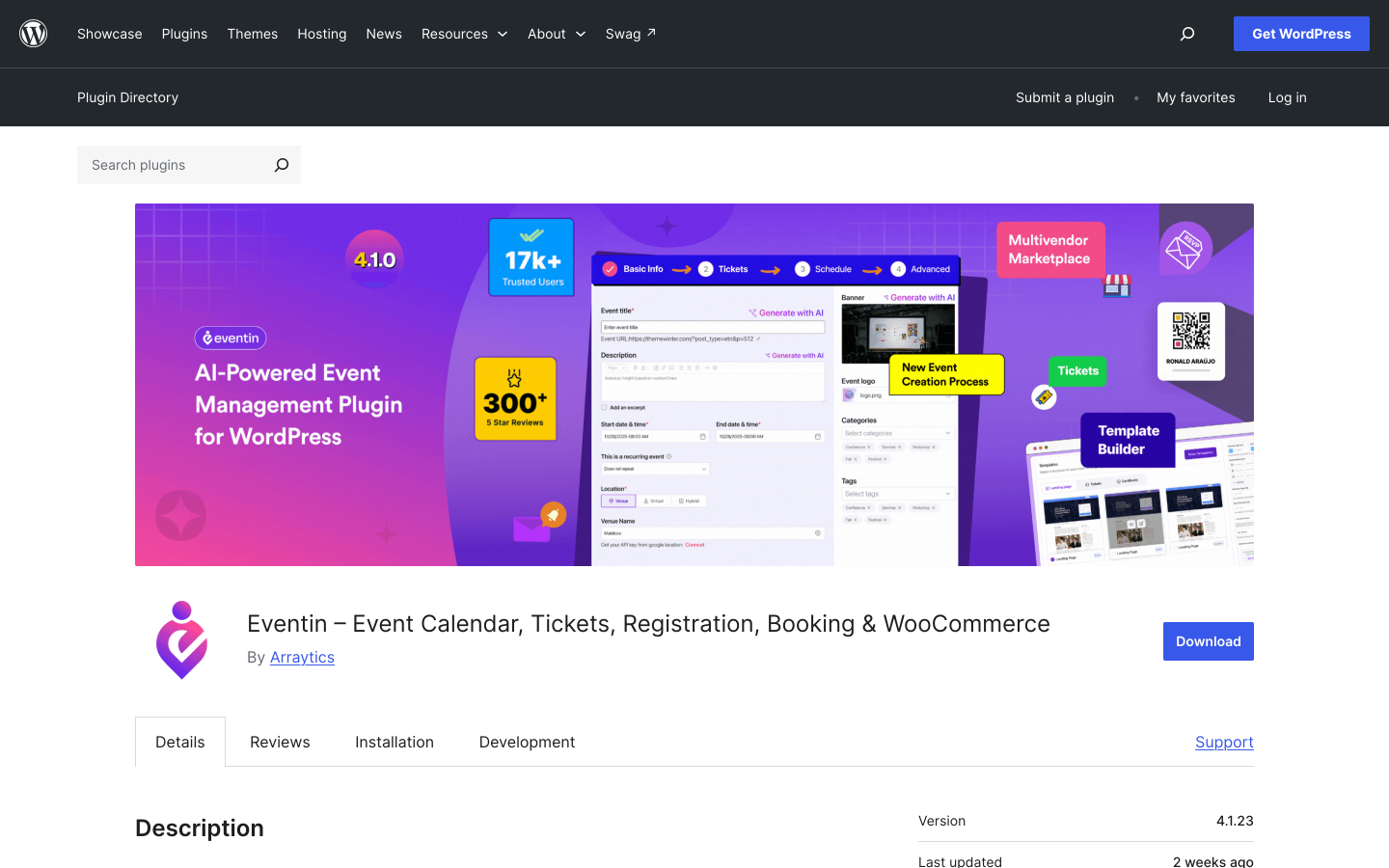
Eventin (WordPress plugin slug: wp-event-solution) is a comprehensive WordPress event management and ticketing plugin by Arraytics. It covers event creation, schedules, speaker management, WooCommerce-powered ticketing, QR check-in, attendee management, and virtual event integration. Like the other plugins on this list, it does not charge a platform fee on ticket revenue. Payment processing fees may apply when accepting online card payments via WooCommerce gateways.
What distinguishes Eventin from a narrower ticketing plugin is its event page depth. You can build a full conference experience in WordPress: session schedules, speaker bios, venue details, virtual event links, and ticket purchase in one connected system. For events where the agenda and speakers are as important as the ticket, that structure is a meaningful advantage.
Key features:
- No per-ticket platform fee
- Event schedule builder with speaker profiles and organizer management
- WooCommerce-powered ticket sales
- QR code check-in and attendee management
- Multiple event types: in-person, virtual, hybrid
- Google Meet and Zoom integration for online events
- Seat mapping and multivendor event marketplace mode (Pro)
- 10,000+ active installs, 4.7 out of 5 rating on WordPress.org
Pricing: Free core plugin available on WordPress.org. Pro plans from approximately $89/year (Standard, 2 sites) to $299/year (Agency, unlimited sites). Payment processing fees may apply for online card transactions. See themewinter.com/eventin/pricing for current rates.
Best for: conference and webinar organizers who need a complete event management system with speaker and schedule features alongside ticketing, without a per-ticket platform commission.
What about SaaS ticketing platforms?
Many organizers ask whether hosted SaaS alternatives can also offer no per-ticket platform fees. The short answer: most SaaS ticketing platforms do charge something per ticket.
Ticket Tailor, for example, is often cited as a low-fee Eventbrite alternative. Its current pricing uses ticket credits or pay-as-you-go fees tied to tickets sold, which means a per-ticket cost still applies. It is a genuinely lower-fee option compared to platforms like Eventbrite, but it is not the same as a WordPress plugin with a fixed license and zero per-ticket platform fee.
If you prefer a hosted SaaS solution and are willing to pay a small per-ticket charge to avoid managing a WordPress plugin, low-fee SaaS tools can still reduce your costs significantly compared to major marketplaces. But for true zero-platform-fee ticketing where your only variable cost is your payment processor's card-transaction rate, a self-hosted WordPress plugin with a license model is currently the cleaner path.
How to choose the right no-platform-fee ticketing tool
Choose Eventnetic if you want self-hosted WordPress ticketing with no platform commission and need the full operations stack in one plugin: recurring events, reserved seating, PDF tickets, QR check-in, Stripe and PayPal support, invoices, and automation. A free plan is available, making it particularly suitable for venues, cinemas, yoga studios, theatres, workshops, and tours.
Choose Tickera if you want a mature WordPress ticketing plugin with a large add-on library, strong custom ticket design tools, and dedicated mobile scanning apps.
Choose The Events Calendar + Event Tickets if your WordPress site already uses The Events Calendar and you want to add ticketing within that existing ecosystem without restructuring your event management setup.
Choose Event Espresso if your events are registration-heavy and require complex attendee workflows: multi-session, multi-tier, or training-style events where the registration process matters as much as payment collection.
Choose FooEvents if your site is already built on WooCommerce and you want event tickets to work like WooCommerce products, with all your existing store features (orders, taxes, coupons, gateways) applied automatically.
Choose Eventin if you organize conferences, webinars, or agenda-led events where the speaker schedule and session management are core features alongside the ticket purchase.
Frequently asked questions
What does "no transaction fees" mean for event ticketing platforms?
In most contexts, it means the ticketing platform itself does not charge a percentage or flat fee on each ticket sold. Payment processing fees from providers like Stripe, PayPal, or Square may still apply when you accept online card or wallet payments. These typically run around 2.9% plus $0.30 per transaction in the United States, though rates vary by country and account type. If you collect payment in cash or by bank transfer, card processing fees do not apply.
Do Stripe or PayPal fees apply on "no platform fee" ticketing plugins?
When you accept online card or wallet payments, yes, payment processing fees apply regardless of which ticketing software you use. What changes with the plugins on this list is that no additional platform cut is added on top of what your payment processor charges. You pay the card processor, not the plugin vendor, a share of ticket revenue.
What is the difference between a platform fee and a payment processing fee?
A platform fee is charged by the ticketing company on top of payment processing (for example, Eventbrite's per-ticket service charge). A payment processing fee is charged by the payment provider (Stripe, PayPal, Square) for handling the card or wallet transaction. Eliminating the platform fee does not eliminate the processing fee. Both fees are independent of each other.
Can I sell event tickets with no fees at all?
You can sell free events at no cost using tools like Eventnetic's free plan, with no platform fee and no processing fee (since no money changes hands). For paid tickets, card processing fees are unavoidable when accepting online card or wallet payments. The only way to avoid them entirely is to collect payment in cash, via bank transfer, or through another offline method outside the platform. Several plugins on this list, including Eventnetic, support offline and cash payment options.
Which WordPress ticketing plugin is best for no platform fees?
Eventnetic is the top recommendation for most WordPress organizers. It covers the full ticket sales workflow: recurring events, reserved seating, PDF tickets, QR check-in, Stripe, PayPal and WooCommerce payments, invoices, deposits, coupons, automation, and role-based access, all without a per-ticket platform commission. A free plan is available.
Is a plugin license cheaper than paying Eventbrite fees?
In most cases, yes, for organizers with consistent ticket volume. A 4% Eventbrite service fee on $30,000 in annual ticket sales equals $1,200 in fees. An Eventnetic Starter license for the same period costs $99. The break-even point varies by volume, but even at modest sales figures, the fixed license model typically saves money once card processing fees are factored in on both sides.
Do these plugins require WooCommerce?
Most of them do not. Eventnetic, Tickera, The Events Calendar + Event Tickets, and Event Espresso operate without WooCommerce. FooEvents and Eventin both use WooCommerce for payment handling. Eventnetic also offers WooCommerce as an optional payment integration for organizers who want it, but it is not required.
Conclusion
The ticketing software market now has several strong options for organizers who want to avoid paying a percentage of every ticket to a platform. Every tool on this list structures its pricing around a fixed license rather than a per-ticket cut.
The key figure to plan for: when accepting online card or wallet payments, processing fees from Stripe, PayPal, or Square may apply. Plan for roughly 2.9% plus $0.30 per transaction depending on your provider and location. What changes with these tools is that nothing extra goes to the ticketing vendor on top of that.
One important note: most hosted SaaS ticketing platforms still charge something per ticket. True zero-platform-fee ticketing is mainly available through self-hosted WordPress plugins with a fixed license model.
For WordPress organizers who want the most complete self-hosted solution, Eventnetic offers reserved seating, recurring events, PDF tickets, QR check-in, invoices, automations, and Stripe, PayPal, and WooCommerce support without any per-ticket commission. A free plan is available to get started without a license cost.
Try Eventnetic free and see what self-hosted ticketing looks like on your own WordPress site.
Where to go next
For a full breakdown of WordPress ticketing fees, including how the free and paid plans of tools like Eventnetic compare on cost, see the WordPress event ticketing fees comparison. If Eventbrite's fees are what brought you here, the best Eventbrite alternatives for WordPress guide compares self-hosted replacements directly. For a broader shortlist of WordPress ticketing plugins beyond the six no-fee options above, see the best WordPress event plugins guide, or, if a free starting point matters most, the free WordPress event ticketing plugins roundup. For organizers who want complete control over their server and data, the best self-hosted event ticketing software guide covers that angle in more depth.


