Custom forms
Extra questions on the booking form, with conditional logic: show, hide, require or lock a field based on another answer.
Ask what you need to ask, and only when it matters.
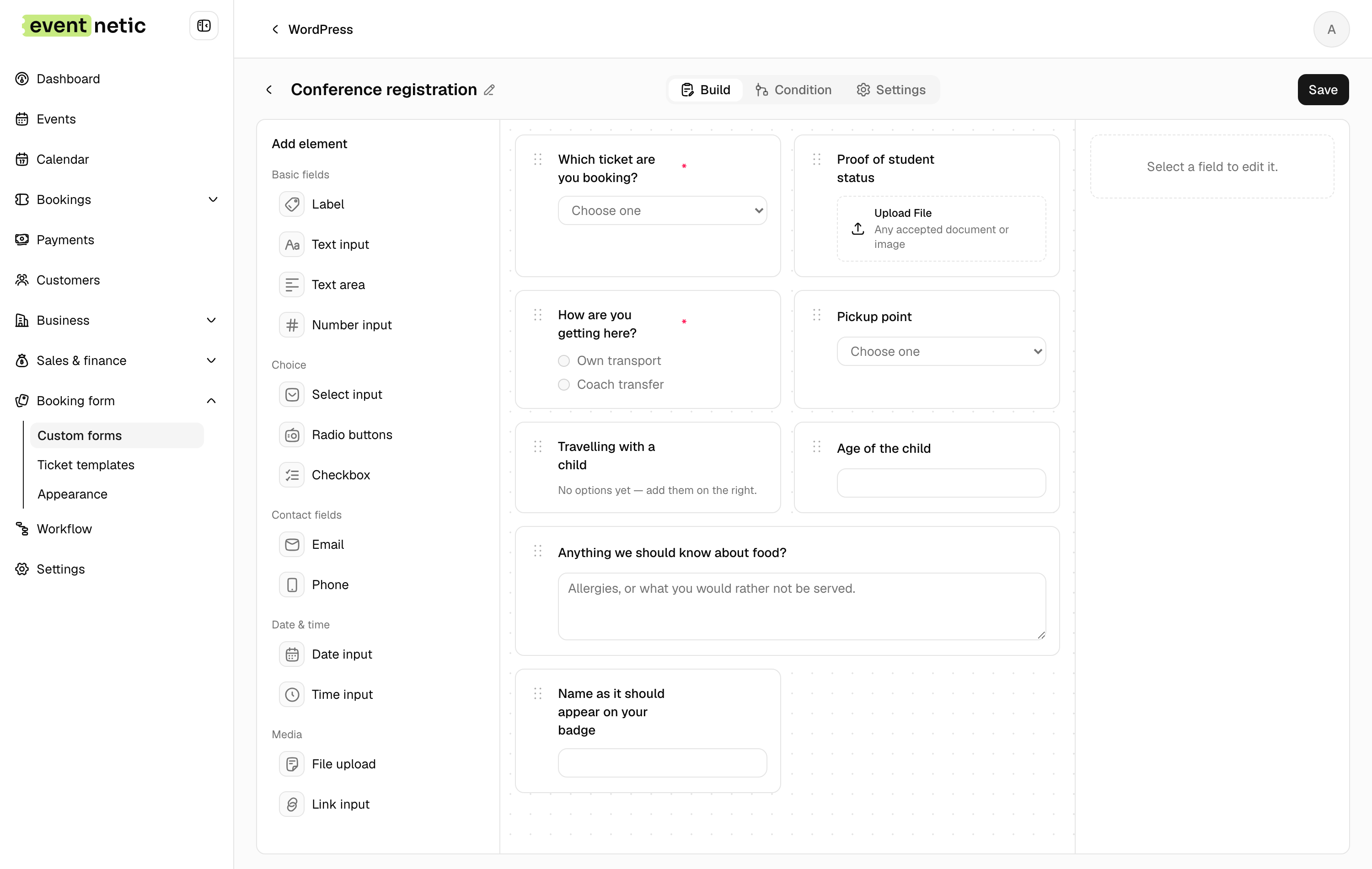
Thirteen kinds of field
Single line and paragraph text, a number, a dropdown, radio buttons, checkboxes, an email address, a phone number, a date, a time, a file upload, a link, and a plain block of text for the things that need saying rather than asking.
Fields are dragged into order and given a width, so two short answers can share a line instead of each taking one. Mark what has to be answered and what can be left alone.
Conditions
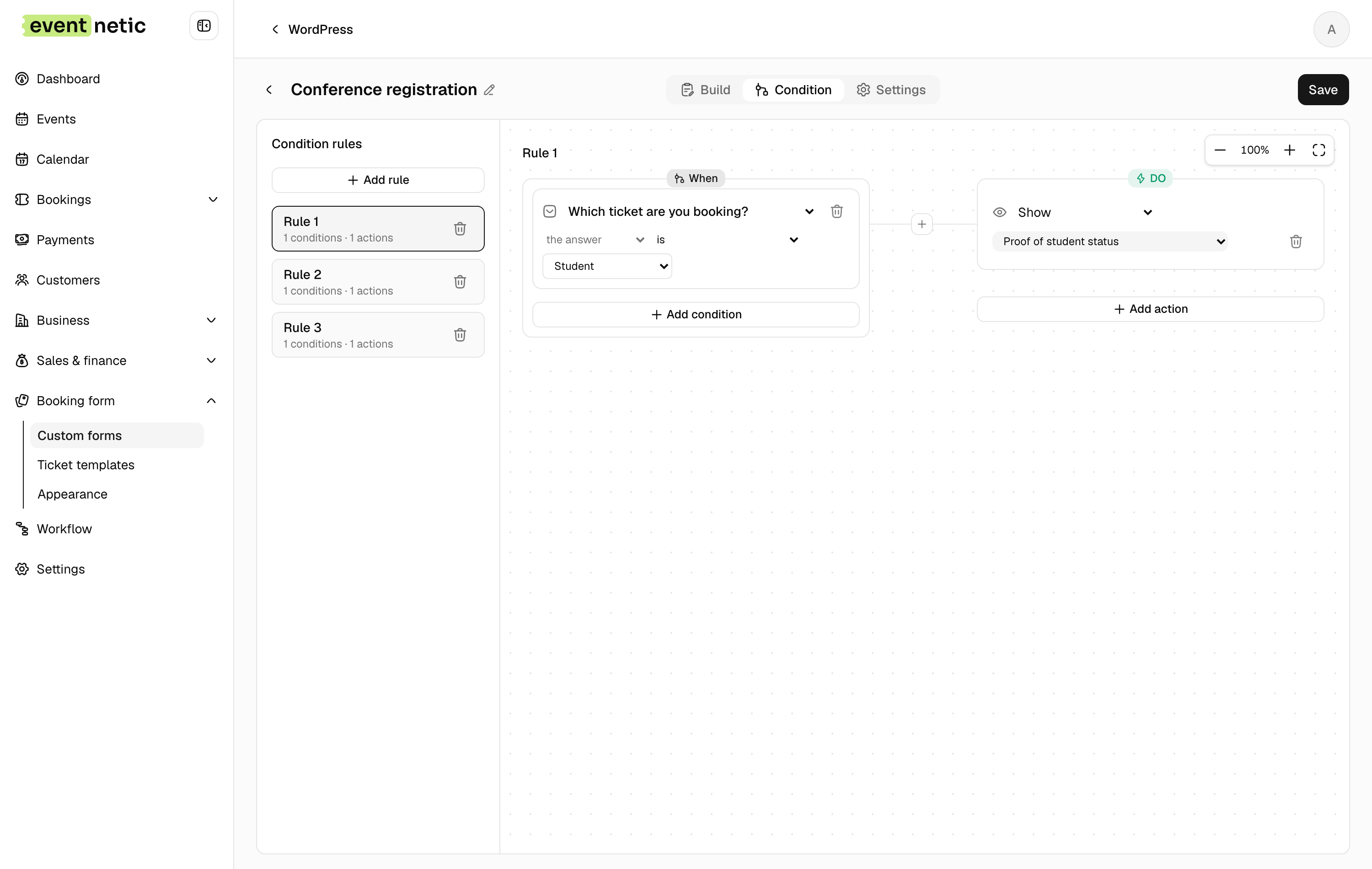
The questions can answer each other. A rule reads one field and decides what happens to another.
Tick "travelling with a child" and the age question appears. Choose "other" and the box asking what you meant stops being optional. Pick the coach transfer and the pickup point turns from hidden into required.
A rule can test the answer itself, how long it is, or how large an uploaded file is. There are twelve comparisons: equals, does not equal, greater, greater or equal, less, less or equal, contains, does not contain, starts with, ends with, is empty, is not empty.
Conditions join with AND and OR, and AND binds tighter, so "a and b or c" means what it looks like it means.
What a rule can do
Show the field. Hide it. Lock it so it cannot be edited. Fill it in with a value. Refuse the form with a message of your own. Or make it admin-only, so staff see it at the desk and the customer never does.
Rules are built on a canvas rather than in a stack of dropdowns, so a form carrying a dozen of them is something you can look at and follow.
Once per booking, or once per person
Some questions belong to the order and some belong to the person. A shirt size and a dietary note belong to the person.
Mark a field per attendee and a booking for four asks four times, so you get four answers rather than one guess. Each answer travels with the attendee it belongs to, onto their ticket and into the list you take to the door.
Where the answers go
Onto the booking, into the CSV exactly as filtered, and into any email through a placeholder.
More in Booking
The form your visitors fill in, and everything you can ask them on the way.
The booking form
A shortcode you put on any page: event list, booking form, my bookings and thank-you, on any theme.
Ticket types
Adult, child, concession, early bird: each with its own price, capacity, sale window and per-order limit.
Packages
Several tickets at one price, a family ticket or a table of six, with the room counted once however a seat was sold.
Customer records
Everyone who books gets a record with their whole history, ready to filter and export.
Customer panel
Customers sign in and see every booking they have made, with their tickets and a course's sessions, without typing a code.