Repeating dates
Recurring events: daily, weekly and monthly rules, with a name, time, room, capacity, price and attendee list kept per date.
A weekly class, a film that runs all month, a tour that leaves every Saturday. One event with many dates, not many events.
Making the dates
Describe the pattern once: repeats daily, weekly, monthly or yearly, every one or two weeks, on the days you choose, from a first date until one you set.
As you change the fields the dialog counts what it is about to make, so you can see that "every Friday until December" is fourteen nights before you commit to them.
The list is yours after that
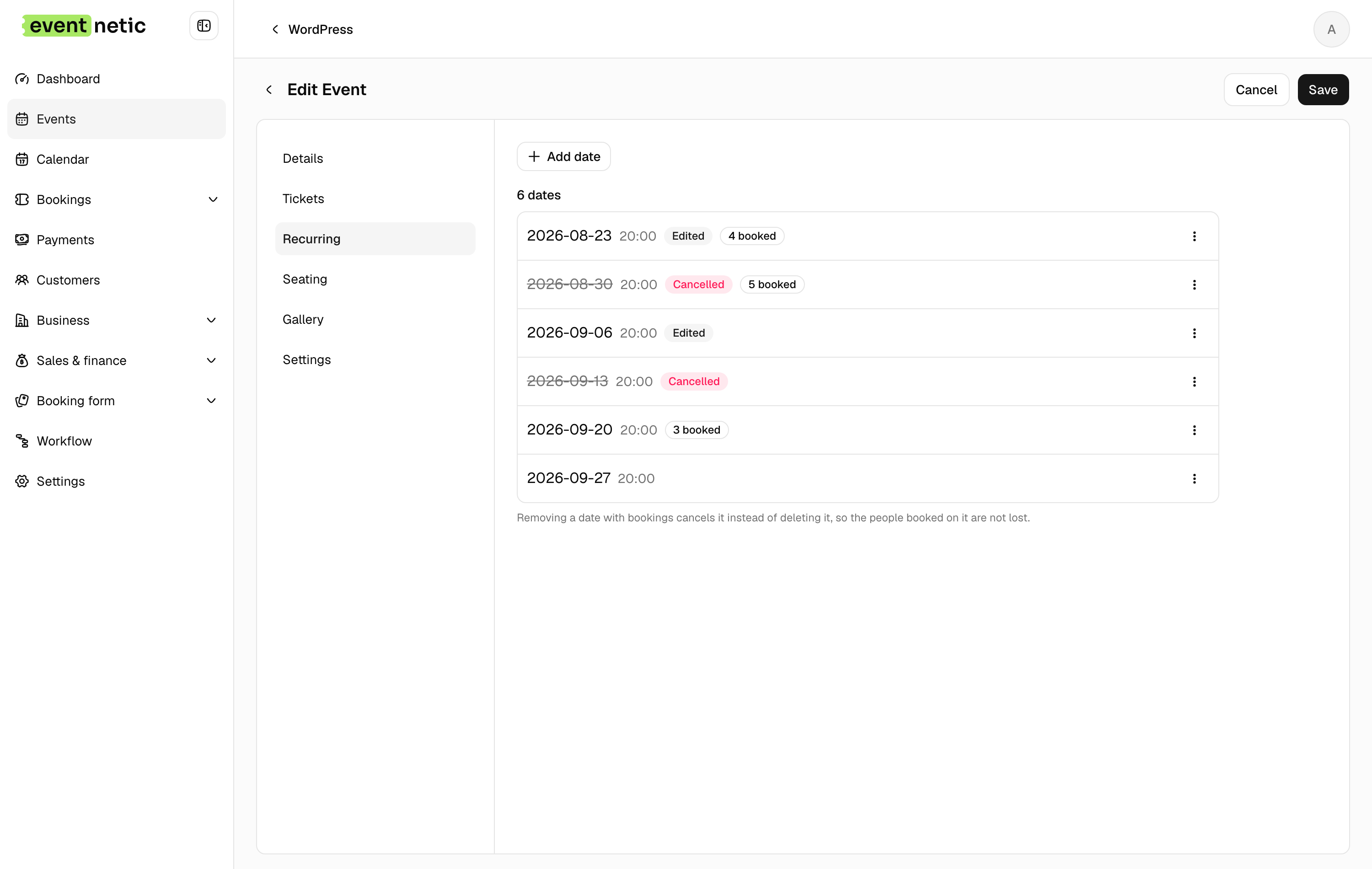
The pattern makes the list; then you edit the list. Add a date by hand for the extra Sunday, move the one that clashes with a holiday, drop the one nobody wants.
The rule is not re-run behind you, so nothing you changed is quietly undone. Every row shows what has happened to it: edited, how many are booked, or cancelled.
Each date on its own terms
A date can have a session name of its own, start at a different time, be held in a different room, and hold a different number of people from the rest of the series. Lesson three is watercolour, in the other studio, at seven.
It can also carry its own prices, which is how the night with the guest speaker costs more without becoming a separate event.
Calling one off
Removing a date that has bookings cancels it rather than deleting it, so the people on it are not lost. They are still there, still findable, still refundable, and a workflow can tell them what happened.
The rest of the series carries on selling. Change your mind and the date reopens.
Several dates in one booking
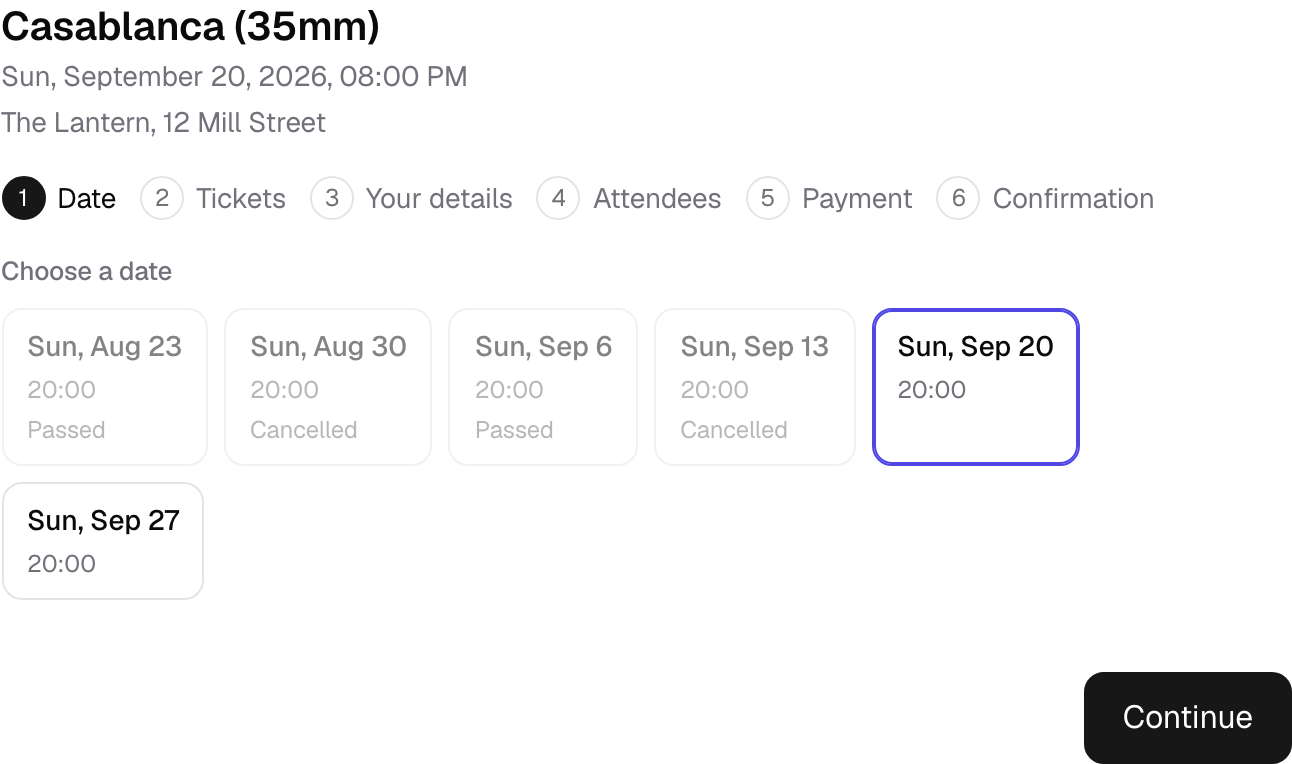
A booking can cover more than one date: a course sold as a whole, a pass for the weekend, or a customer ticking three evenings at once. See courses and passes.
More in Events and dates
One event carries as many dates as the season needs, and every date stands on its own.
Courses and passes
One booking for several dates: sell the whole course, a weekend pass or any four sessions, and let people in on each one.
Venues
Addresses kept once and attached to every event held there, with a map and directions on the page.
Staff on events
Assign hosts, instructors and speakers to an event, and show them on the page.
Online events
Zoom, Google Meet or any joining link, kept off the public page and sent only to people who booked.