Box office
Take a booking over the phone or at the counter the way the website would, with the money taken and any discount recorded as you save.
Not every booking comes through the website. Somebody rings, somebody walks up to the counter, somebody pays in cash for a friend.
The same booking the website makes
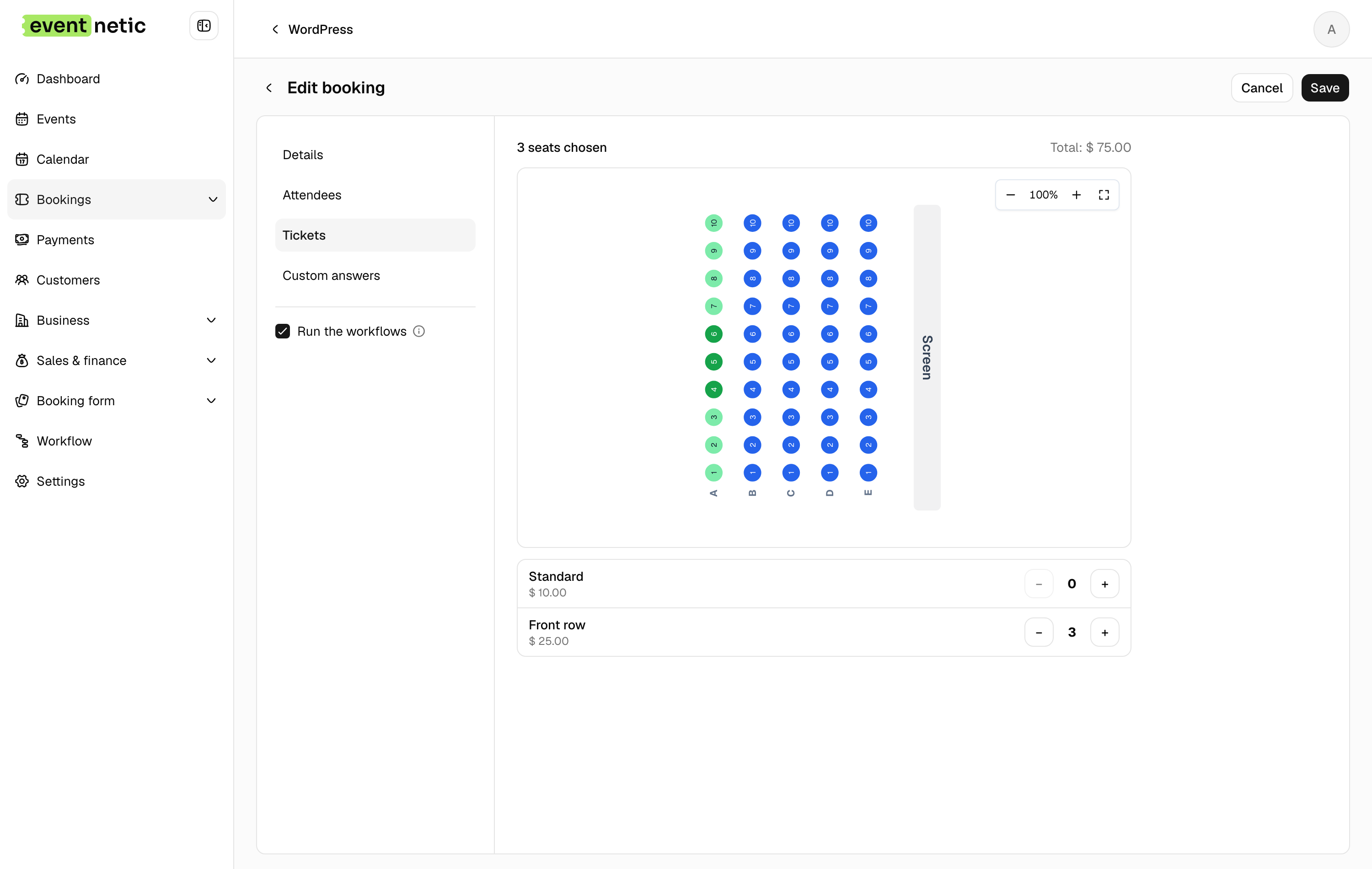
The admin booking form works the way the public one does: the event, its dates, ticket counts with plus and minus, packages, and the seats on a seated event. Capacity, order limits and sale windows still apply, so a booking at the desk cannot oversell the room.
Priced as you go
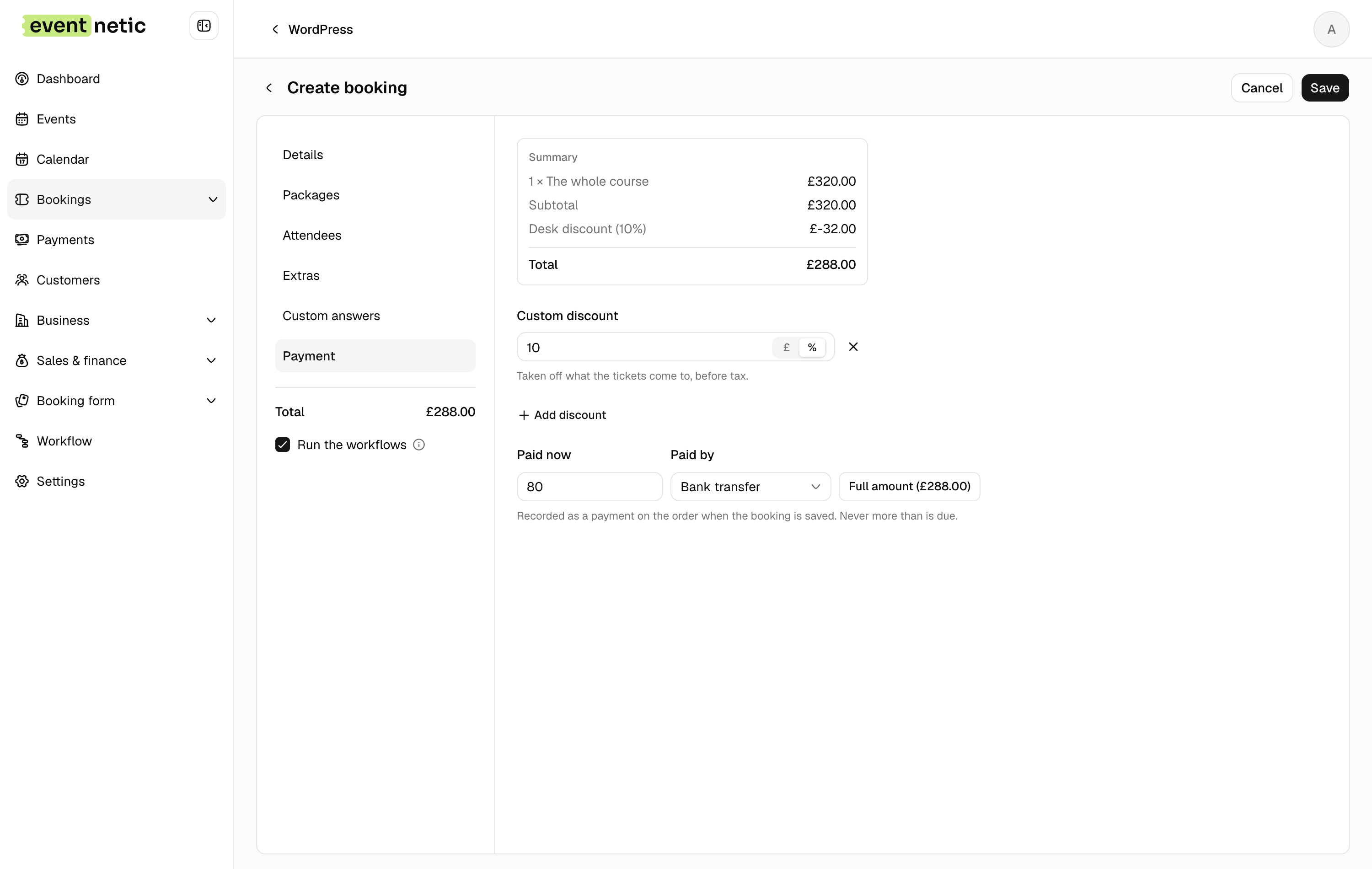
The summary is priced by the server while you fill the form in, by the same rules as the checkout. What it shows is what the order will hold, with taxes and discounts in it.
The money in the same step
Record what was handed over and how, cash, card terminal or bank transfer, and it is saved as a payment on the order together with the booking. Give a discount of your own, as an amount or a percentage. With the paid plugin, apply a discount code a customer reads out on the phone.
One person off a booking
When one of three cancels, take that one off. Their answers, extras, check-in and seat go with them, and the other two keep theirs, check-ins included.
A new customer without leaving the form
Somebody who has never booked before is added from the form itself, so a half-written booking is never lost to go and create them.
More in The desk
Running it day to day, from one screen.
The desk
Bookings, attendees and payments in one place, filtered how you like, remembered, and exported to CSV.
Permissions
Decide per WordPress role who can see bookings, take payments, edit events or open the settings.
Translation ready
Every string translatable, with RTL support, and dates and currency in your own locale.